Run a league table, a challenge ladder, round-robin pools or house points from your phone. Every screen in the room follows along.
The organizer runs it from a phone. Everyone else just watches it update.
Pick Table, Pools, Ladder, or House points, then paste your list of names or add them one by one, up to 64 entrants.
Two taps records a match or awards points. Standings, movement arrows, and the ticker update for every screen at once.
Tap the link on a phone, or type the 5-letter code on any TV browser. Every screen shows the same live board.
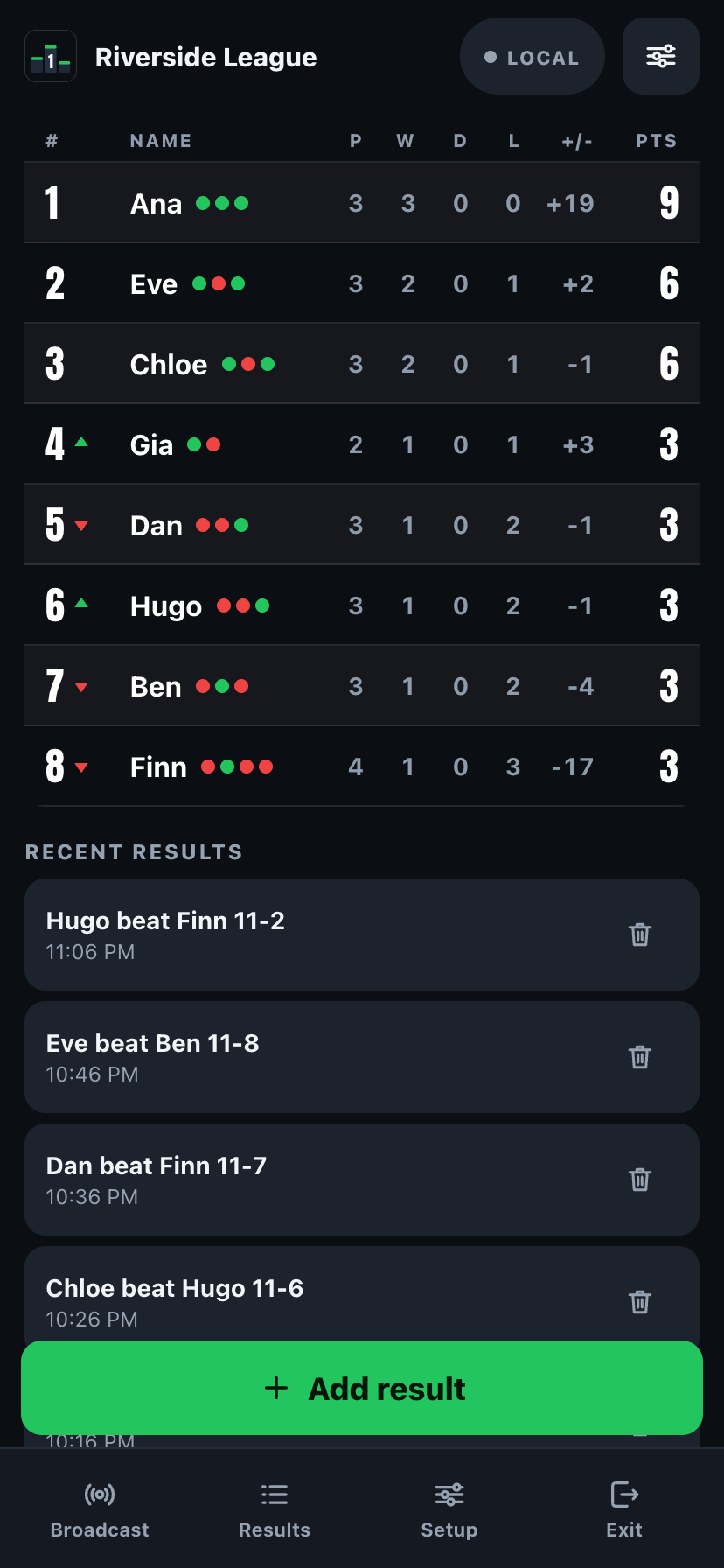
Create a board and paste your names,
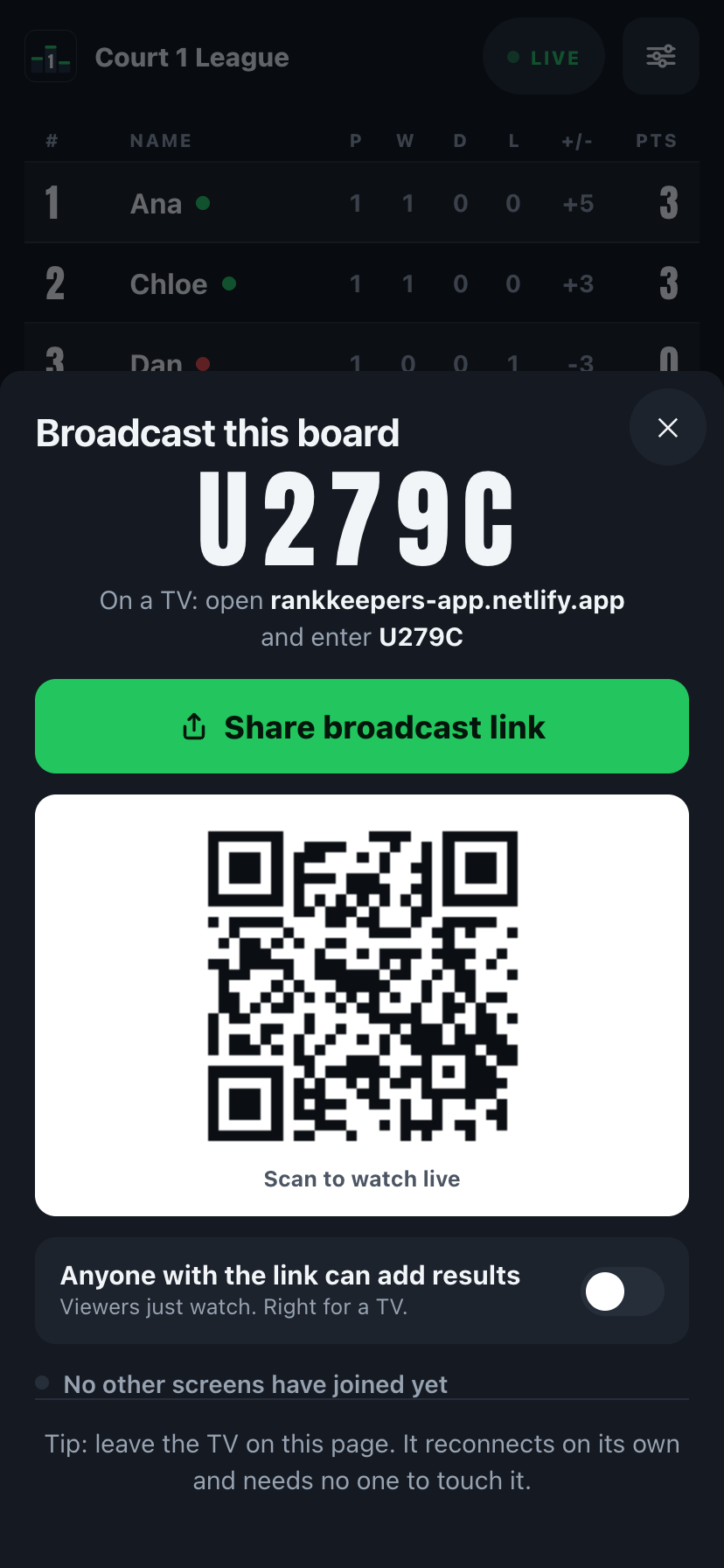
then tap Broadcast for a link, QR, or code.
Same board, same broadcast. Pick the mode that fits how your group actually competes.
A league or round-robin points table. Set win, draw and loss points your way; ties are broken in a fixed order.
Table mode split into groups, A, B, C and on. Each pool keeps its own standings, and the TV rotates between them.
An ordered challenge list. Beat someone above you and take their rung, or bump everyone below them down one.
Teams or houses collect points all term. Award +1, +5, +10 or a custom amount in a tap; the TV renders it as bars.
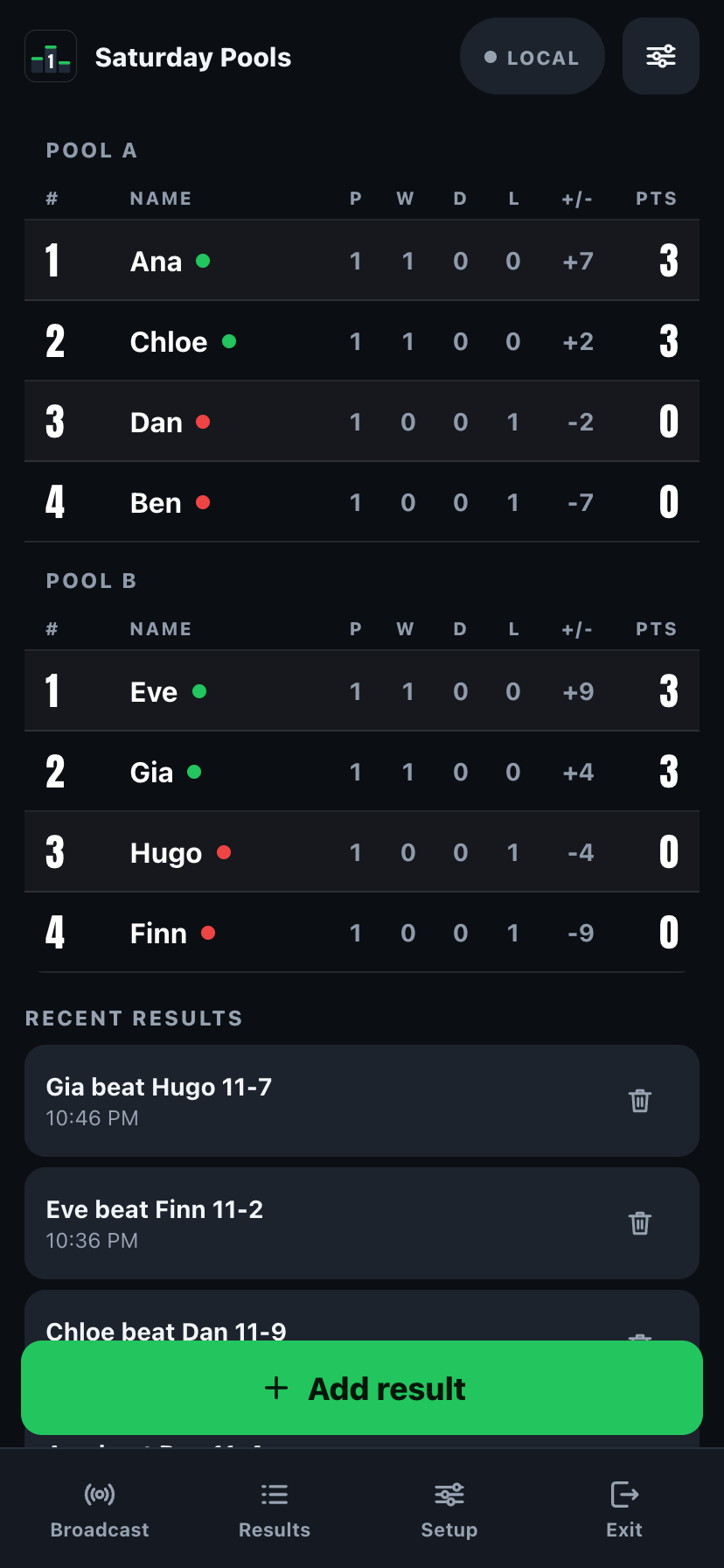
Pools mode on the big screen: each group's table rotates into view every few seconds.
The basics a standings app should have always had.
A link, a QR code, or a 5-letter code. The TV, a second phone, or a tablet on the wall all follow the same live board.
See who moved up or down since the last update, and a ticker across the bottom announces the latest result.
Pick the two entrants, tap the winner or enter a score, done. No stopwatch, no spreadsheet, no re-typing later.
Turn on "anyone with the link can add results" so a co-organizer, referee, or teammate can help without needing your phone.
Pull the standings into a spreadsheet any time. Free, no Pro required.
No app to install on the display. Open the link in any browser and project it, no cast hardware needed.
On iPad the standings sit beside an always-visible Add a result form, no separate screen to switch to. Enter a result and every screen updates at once.
AirPlay to an Apple TV, or plug in with USB-C to HDMI. The board fills the TV while controls stay on your phone, and broadcasting keeps working alongside.
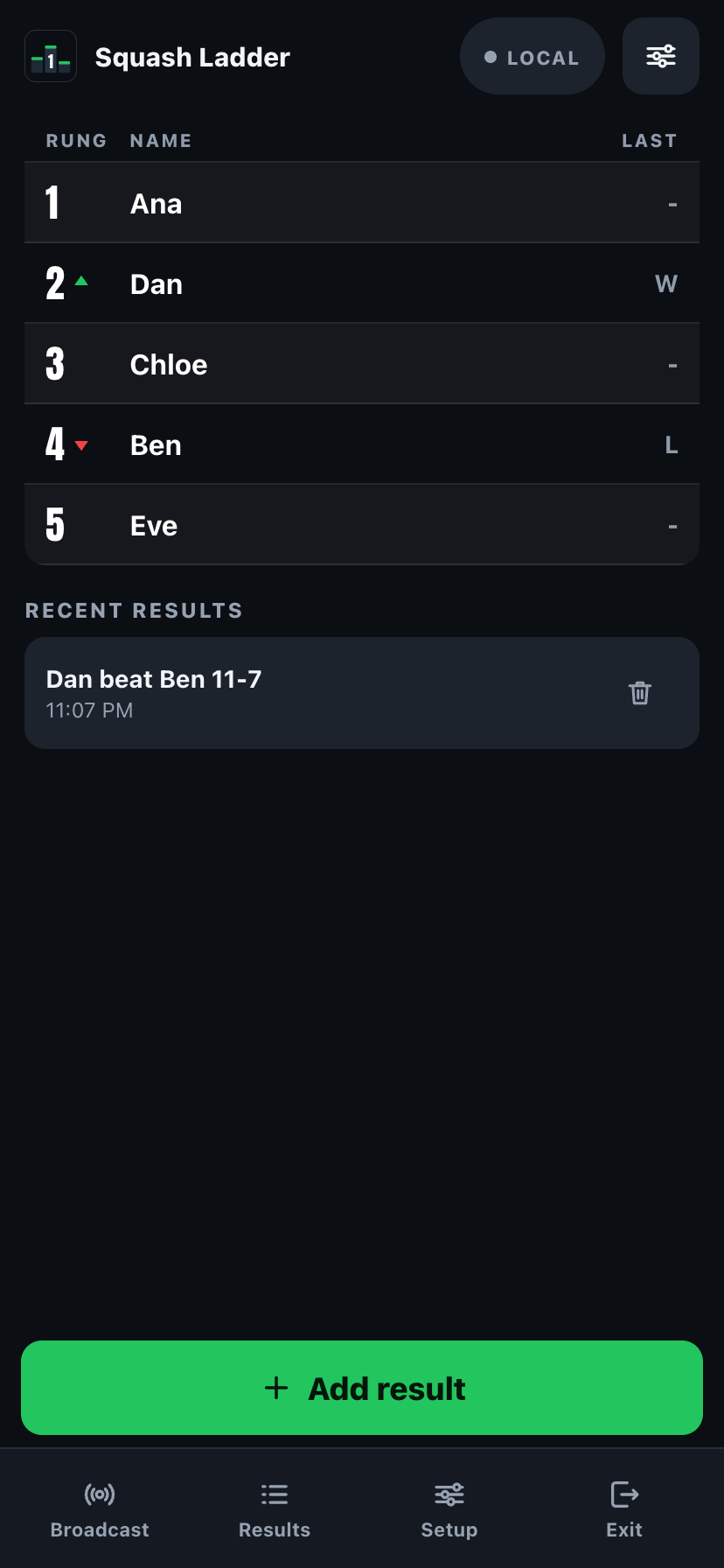
Ladder mode: challenge up, win, and the movement arrows show exactly who climbed.
Same app, three very different Mondays.
Pickleball, tennis, squash, badminton, bowling, darts. Run the season table or a challenge ladder, post the link once.
A ping pong ladder or step challenge on the break-room screen. No account for anyone to sign up for.
House points on the classroom TV, or pool standings on the tournament desk. One board, one screen, everyone can see it.
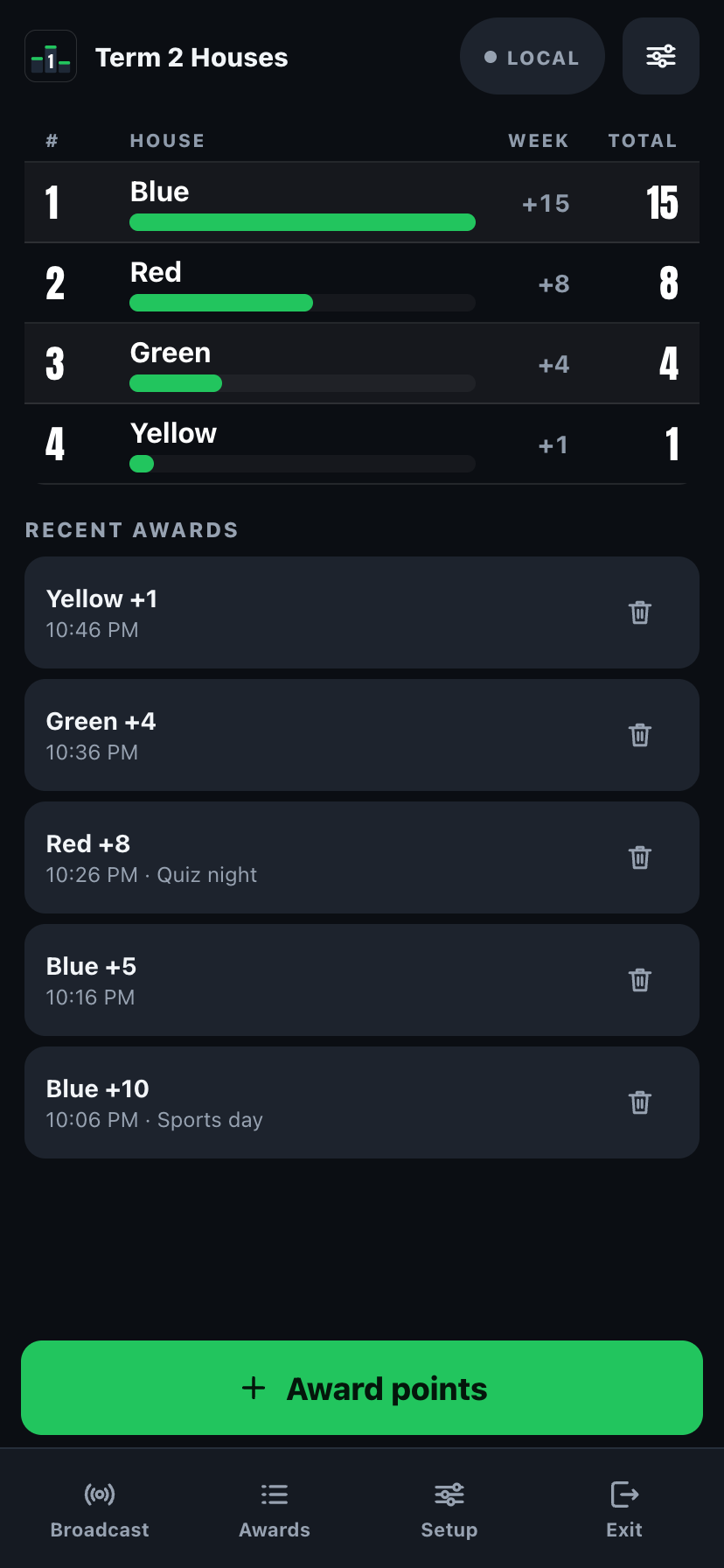
House points: award points in a tap, the TV renders the running totals as bars.
No cast hardware, no mirroring, no app to install on the display. rankkeepers-app.netlify.app plus a 5-letter code is the whole setup, and it reconnects on its own if the Wi-Fi drops. Or skip the code and AirPlay or HDMI straight from your phone or iPad.
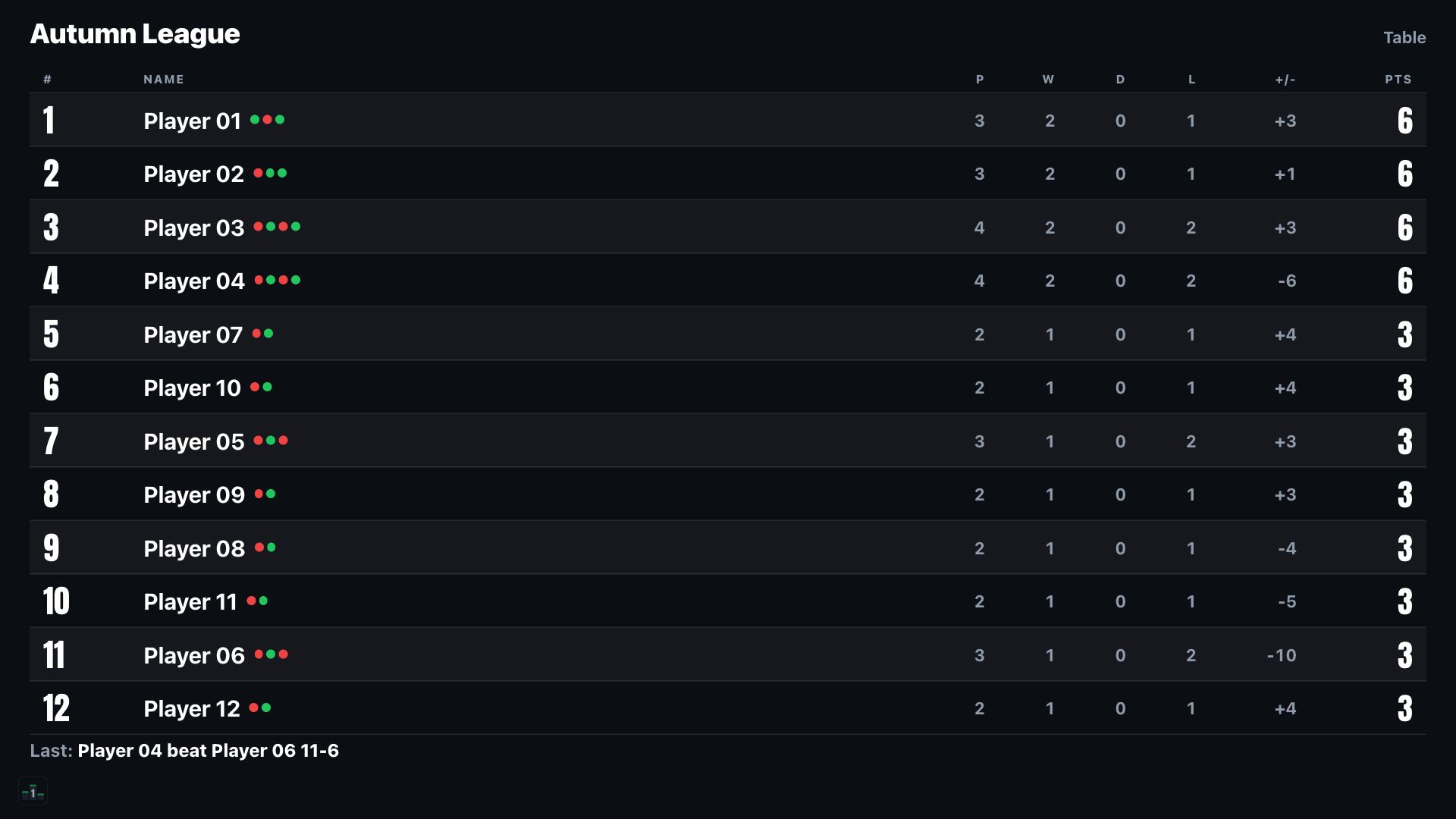
Full-bleed standings, movement arrows, and the last-result ticker. Readable from across the gym, the classroom, or the tournament desk.
Once, no subscription. Everything above stays free. Pro just adds room to grow.
Run every division, class, or season on this device and switch between them from My boards.
On the board and on the TV, so it reads as your league, not a generic app screen.
Claim a name so the club TV bookmarks one link forever. Nothing expires between seasons.
Stadium, chalk, gold, neon, sunset, minimal. Gold podium tints the top three rows gold, silver and bronze.
Free boards show up to 5 viewers. Pro removes the cap entirely.
The broadcast view is clean, just your board, your colours, your room.
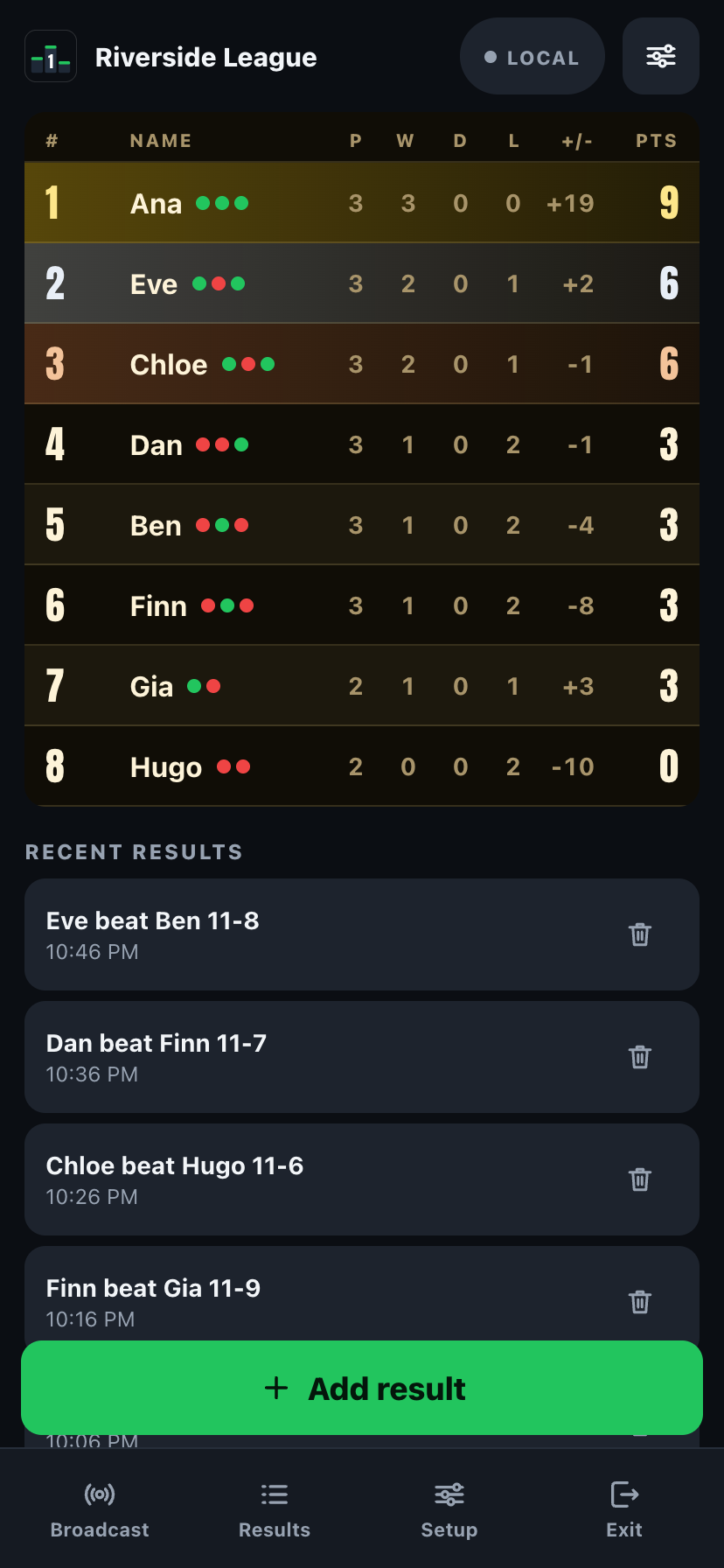
Gold podium, one of six Pro display themes, rendering the same live table.
No. Open rankkeepers-app.netlify.app in any TV browser and type the 5-letter code, or scan the QR code from a phone. Nothing installs on the TV.
Yes. AirPlay to an Apple TV, or connect with a USB-C to HDMI adapter, no link or code needed. On iPad or phone, Present does the same full-screen job.
Yes, the same link. Anyone can open it on a phone, tablet, or TV browser, and every screen shows the same live board.
No. RankKeepers Pro is a single one-time unlock, $6.99, yours for good, no renewal, ever.
Yes, with Pro. Unlimited boards and divisions on this device, switch between them any time from My boards.
Yes, on a single device with no connection at all. Broadcasting it to other screens needs an internet connection.
Yes. CSV export is free, no Pro required, any time you want the standings in a spreadsheet.
No. There's no sign-up, no email, nothing to create. Create a board and tap Broadcast: that's the whole flow.
Yes. There are no accounts. Boards are identified only by a random code. See the privacy policy for details.
Question, bug, or a mode you'd love to see? Send a note and we'll get back to you.
Coming soon to theApp Store RankKeepers
 A South View Studios app