 PickKeepers
A raffle the whole room watches together
Put the drawing on the big screen, let guests join by QR code, and draw one or many winners from your phone. Everyone sees the same winner at the same moment, so nobody has to take your word for it.
PickKeepers for iPhone and iPad is coming soon. You can try the free web version now at sviewstudios.com/pickkeepers/app/. Lock-in before the spin, proof links, the QR lobby and the one-device room demo arrive with the next PickKeepers version.
Built for the night of the event
- Guests join by QR code. The lobby on the TV shows a code and a QR. Names appear on screen as people join, with no accounts and nothing to install.
- Or bring your own list. Paste names, type ticket numbers, or use a ticket range such as 1 to 250.
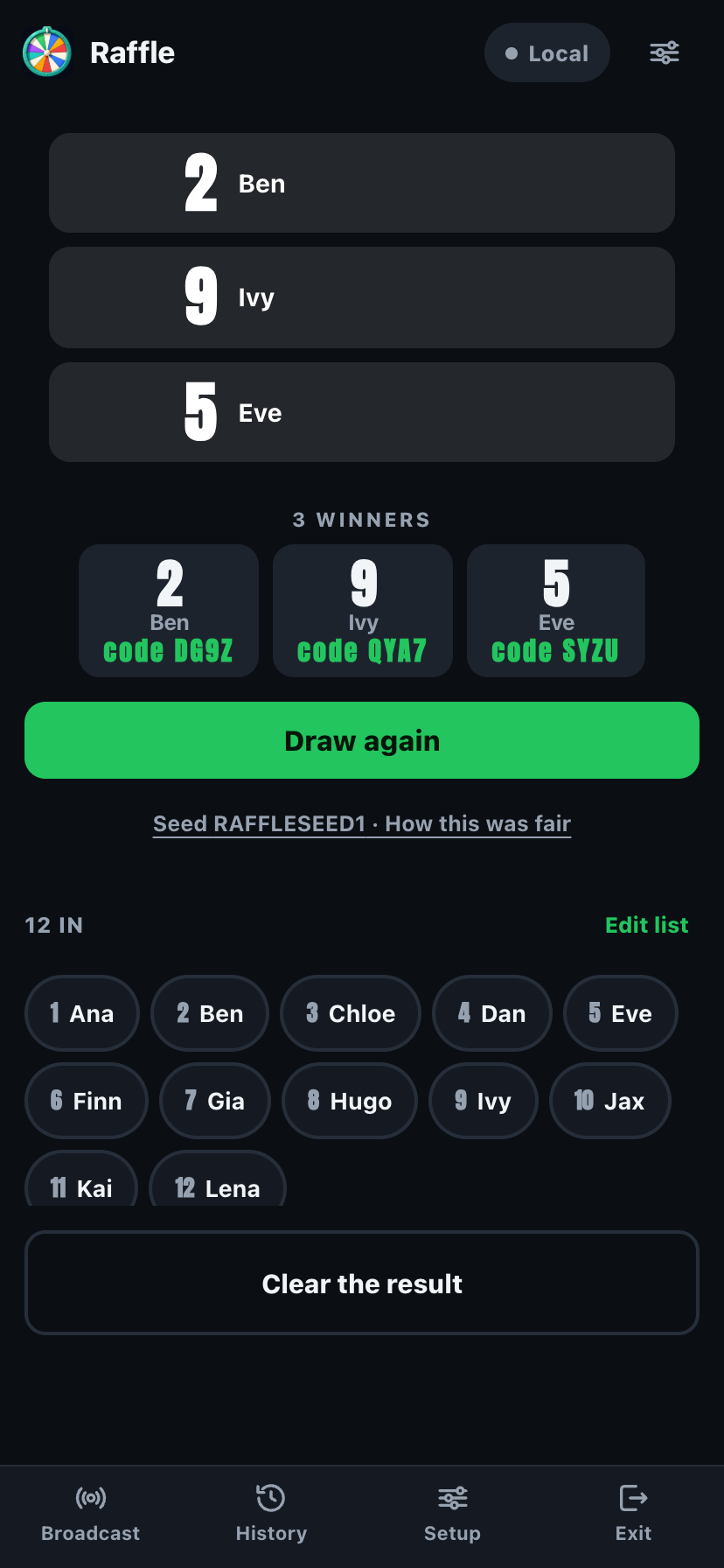
- Several prizes in one go. Draw one winner or a whole set, one after another, without repeats.
- Claim codes. Each winning ticket gets a short code, so the person who walks up to the prize table can show it, and you can check it.
- Same winner everywhere. The TV, the host phone and every guest phone land on the same result together.
- Free to run. Four modes, up to 300 entries and the proof features are free. PickKeepers Pro is a one-time $5.99 upgrade, not a subscription.
Why guests trust it
A raffle is only fun if the room believes it. PickKeepers locks the list in before the spin, so the entries cannot be changed after the countdown starts, and every draw can be checked afterwards by anyone you share it with. Read how that works on A raffle everyone can check, or paste a draw into the checker.
A simple run of show
- Open PickKeepers on your phone and choose Raffle.
- Show the lobby on the TV, or cast it from your phone or iPad. Guests scan the QR code to join.
- Set how many winners you need and tap Draw.
- Read out the claim code, hand over the prize, and share the draw link if you want a record.
Sizes: free up to 300 entries. Compare with other tools in Wheel of Names alternative.
Questions
How do I run a raffle drawing on a TV?
Open PickKeepers on your phone, choose Raffle, and show the room screen on the TV. Guests can join by QR code, you tap Draw, and the TV and every phone show the same winner together.
Do guests need to install an app?
No. Guests join from a browser by scanning the QR code or typing the room code. They do not need an account.
Can I draw more than one winner?
Yes. Set the number of winners and PickKeepers draws them in turn, with no repeats.
What are claim codes?
Each winning ticket gets a short code that is worked out from the draw, so a winner can show it at the prize table and you can check that it belongs to that ticket.
Is it free?
Yes. The four modes, up to 300 entries and the proof features are free with no ads. PickKeepers Pro is an optional one-time upgrade, listed at $5.99.
What PickKeepers is not
- Not a scoreboard, game clock, bracket, quiz or flashcard app. For those, see ScoreKeepers (a shared live scoreboard), ClockKeepers (a game clock and timers), BracketKeepers (tournament brackets), QuizKeepers (classroom quizzes), FlashKeepers (flashcards).
- Not a social giveaway tool. It does not log in to Instagram, TikTok or any account, and it does not pull comments. You bring the list, or people join the room.
- Not an account system. Hosts and participants need no sign-up, and the free version has no ads.
- Not a replacement for local raffle or lottery rules. If your raffle needs a license or a reporting step, that part is yours; PickKeepers only makes the draw itself easy to watch and check.