
RPN family · Instruction manual
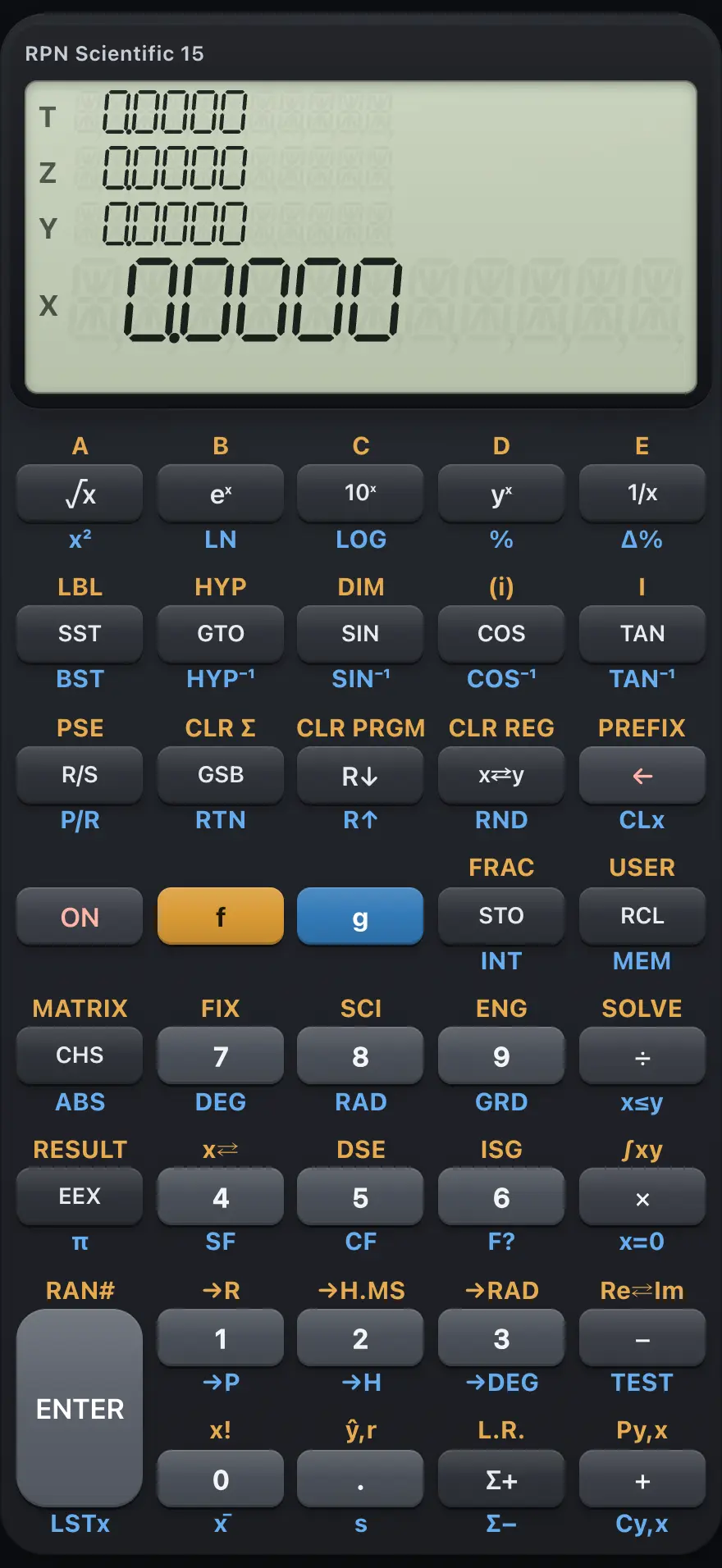
RPN Scientific 15
RPN Scientific 15 is a scientific calculator that works in reverse Polish notation (RPN): you key in the numbers first and then press the operation. A four-level stack holds your numbers, so there are no brackets and no equals key. It also has a root solver, numeric integration, statistics with line fitting, 20 storage registers and a keystroke programming language of up to 448 lines. This manual covers every key, with worked examples you can follow key by key.
Designed to feel familiar if you have used a HP-15C RPN scientific calculator.
- 12 chapters
- 87 topics
- 130 worked examples
Contents
- 1Getting startedThe display, the f and g shift keys, your first RPN calculation, clearing and editing numbers, and typing with a computer keyboard.
- 2How RPN and the stack workWhat reverse Polish notation is, the four stack registers X, Y, Z and T, ENTER, stack lift, rolling, swapping and LAST X, with step-by-step examples.
- 2.1What RPN is and why people like it
- 2.2The four stack registers: X, Y, Z and T
- 2.3What ENTER does
- 2.4One-number functions and two-number operations
- 2.5Chain calculations without brackets
- 2.6Why the next number sometimes replaces X and sometimes lifts the stack
- 2.7Use a number twice: ENTER ENTER
- 2.8Roll the stack and swap X and Y
- 2.9Bring back the last number with LSTx
- 2.10Stack habits that save time
- 3The keyboard, key by keyEvery key of RPN Scientific 15 with its plain, f (gold) and g (blue) function.
- 3.1How to read the key tables
- 3.2Top row: powers, logs, sign and digits 7 to 9
- 3.3Second row: program steps, trigonometry, flags and digits 4 to 6
- 3.4Third row: run, stack, clear, ENTER and digits 1 to 3
- 3.5Bottom row: shift keys, memory, statistics and the point
- 3.6Keys that need a register, label or digit after them
- 4Everyday calculationsArithmetic in RPN, keying in numbers and exponents, negative numbers, percentages and recalling the last X.
- 5FunctionsRoots, powers, logarithms, trigonometry in three angle units, hyperbolics, conversions, factorial, permutations, combinations, integer and fractional parts, rounding and random numbers.
- 5.1Square root, square, powers and roots
- 5.2Exponentials and logarithms
- 5.3Sine, cosine and tangent
- 5.4Hyperbolic functions
- 5.5The value of pi
- 5.6Convert between polar and rectangular coordinates
- 5.7Convert degrees, radians and hours-minutes-seconds
- 5.8Factorial
- 5.9Permutations and combinations
- 5.10Integer part, fractional part and absolute value
- 5.11Round to the displayed digits
- 5.12Random numbers
- 6Display and angle modesFIX, SCI and ENG number formats, the angle units degrees, radians and gradians, showing all digits, USER mode, flags and the default settings.
- 7Storage registersThe 20 numbered registers and the I register, STO and RCL, register arithmetic, exchanging X with a register, indirect addressing and clearing memory.
- 8Statistics and regressionEnter one-variable and two-variable data with Σ+, then find the mean, standard deviation, linear regression line, estimates and correlation.
- 9SOLVE and integrationFind a root of any function you write as a program with SOLVE, and integrate a function between two limits with ∫xy.
- 10Keystroke programmingRecord keys as a program, label it, run it, use subroutines, tests, flags, loops with DSE and ISG, indirect addressing, editing and stepping.
- 10.1What a keystroke program is
- 10.2Enter a program
- 10.3Read the program display
- 10.4Run a program
- 10.5Stop for input: R/S inside a program
- 10.6Run labels A to E with one key
- 10.7Use subroutines
- 10.8Jump with GTO
- 10.9Make decisions with tests
- 10.10Flags in programs
- 10.11Loops: DSE (decrement and skip)
- 10.12Loops: ISG (increment and skip)
- 10.13Indirect addressing in programs
- 10.14Edit, step through and clear programs
- 10.15Run a program one line at a time
- 10.16Limits of programs
- 11Error messagesEvery error the calculator can show, what it means and how to fix it.
- 12ReferenceReset and clear the calculator, number range and precision, display limits, and what is not included.
HP-15C is a trademark of HP Inc.. Trident Calculator is an independent product by South View Studios and is not affiliated with, sponsored by or endorsed by HP. The name is used only to describe the kind of calculator this model resembles; Trident's names, keys, display, fonts and software are its own clean-room design.