
RPN Scientific 15 manual · Chapter 9 of 12
SOLVE and integration
Find a root of any function you write as a program with SOLVE, and integrate a function between two limits with ∫xy.
9.1Write the function as a program#
SOLVE and ∫xy both work on a function you have written as a small program. The program starts with a label, takes x from X, leaves f(x) in X, and ends with RTN. When SOLVE or ∫xy runs your program, x is copied into all four stack registers, so you can use the stack freely.
To write x² − 2 under label 0: press gP/RR/S (program mode on), then fLBLSST 0 (the label), then gx²√x (x²), 2, −, and gRTNGSB (RTN). Press gP/RR/S again to leave program mode. See Programming for all the details.
9.2Find a root with SOLVE#
- guess in Y
- ENTER
- guess in X
- fSOLVE÷
- label
- root in X
A root is a value of x where f(x) = 0. Key in two guesses (the first in Y, the second in X), then press fSOLVE÷ (SOLVE) and the label. The calculator searches from your guesses. It works best when the guesses are on either side of the root, but it can find a root from two guesses on the same side too.
When it finishes, X holds the root. Y holds the previous estimate (the same value when it has converged). Z holds f at the root, which should be zero or very close.
The square root of 2
Enter x² − 2 under label 0. Key in the guesses 1 and 2, then press f, SOLVE, 0.
gP/RR/SfLBLSST0gx²√x2−gRTNGSBgP/RR/S1ENTER2fSOLVE÷0
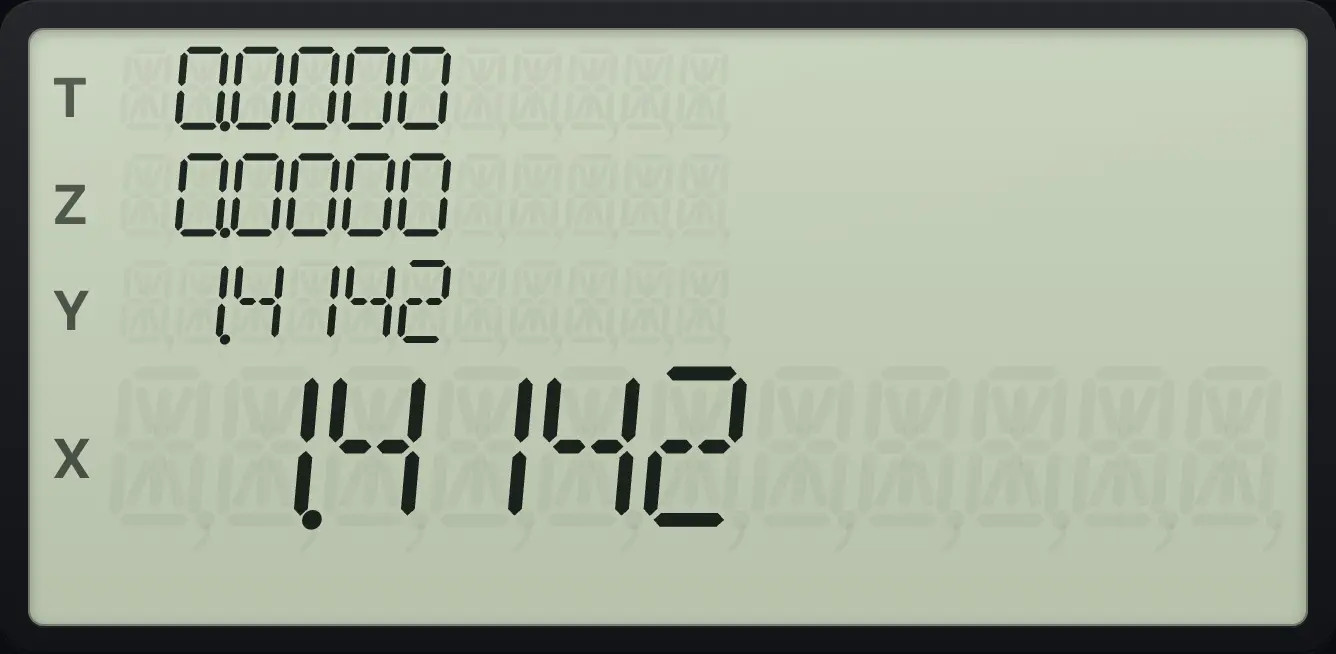
The root is 1.4142.A negative root
Same program. Use negative guesses −3 and −1.
gP/RR/SfLBLSST0gx²√x2−gRTNGSBgP/RR/S3CHSENTER1CHSfSOLVE÷0
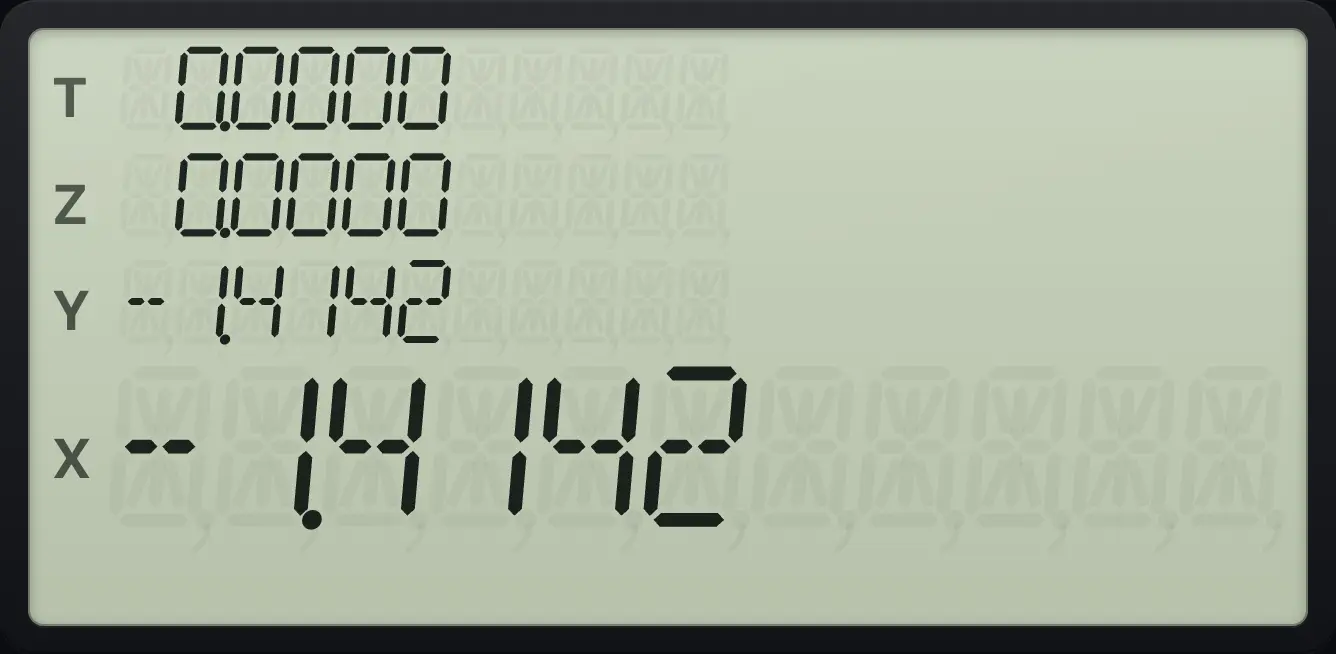
-1.4142See more digits
Same program, then set FIX 9 and solve again.
gP/RR/SfLBLSST0gx²√x2−gRTNGSBgP/RR/S1ENTER2fSOLVE÷0fFIX79
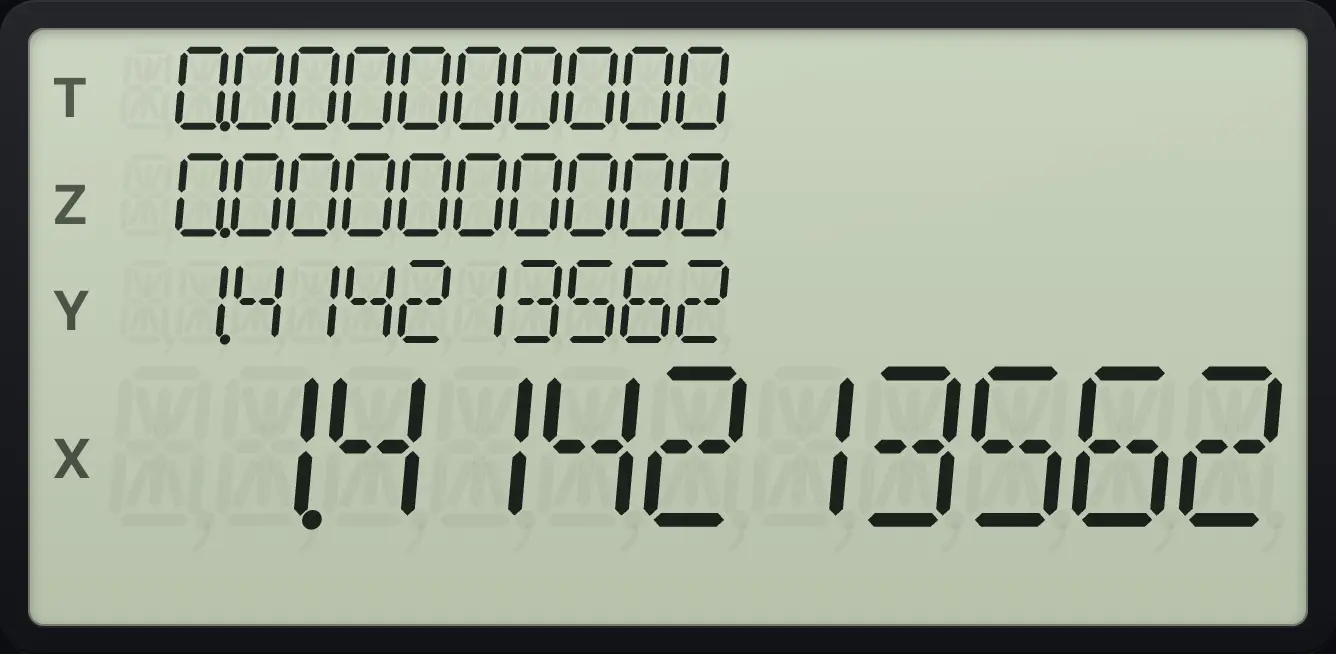
1.4142135629.3Solve an equation such as cos x = x#
To solve , write a program that returns . The root of that program is the solution. For cos x = x (angles in radians), take COS of x, bring x back with LSTx, and subtract.
Solve cos x = x
Switch to radians. Label 3 takes COS of x, brings x back with g, LSTx, and subtracts. Run it with guesses 0 and 1.
gRAD8gP/RR/SfLBLSST3COSgLSTxENTER−gRTNGSBgP/RR/S0ENTER1fSOLVE÷3
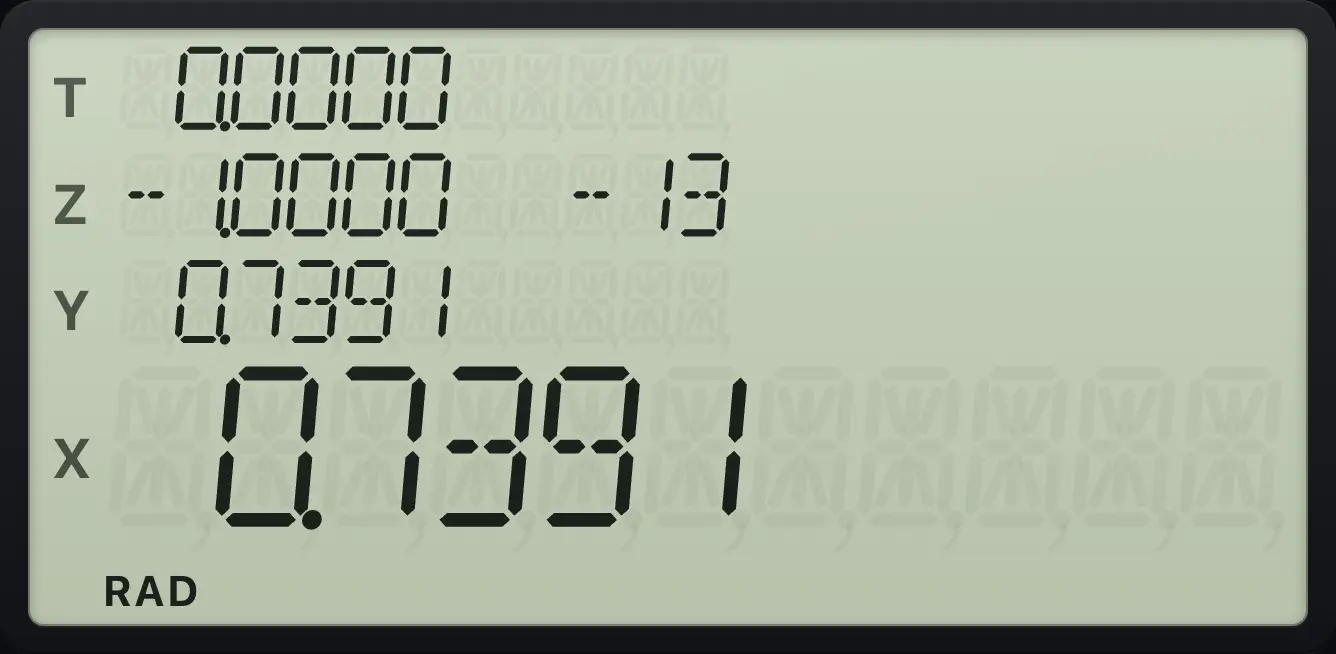
The solution is x = 0.7391 radians.In that program the second line g LSTx brings back the x that COS used, so the program returns cos x − x.
Solve x³ − x − 1 = 0
Label 4 returns x³ − x − 1. While the program runs, x is in X and Y, so the program takes x to the power 3 with swap, 3, yˣ, subtracts x, then subtracts 1. Run with guesses 1 and 2.
gP/RR/SfLBLSST43yˣx⇄y−1−gRTNGSBgP/RR/S1ENTER2fSOLVE÷4
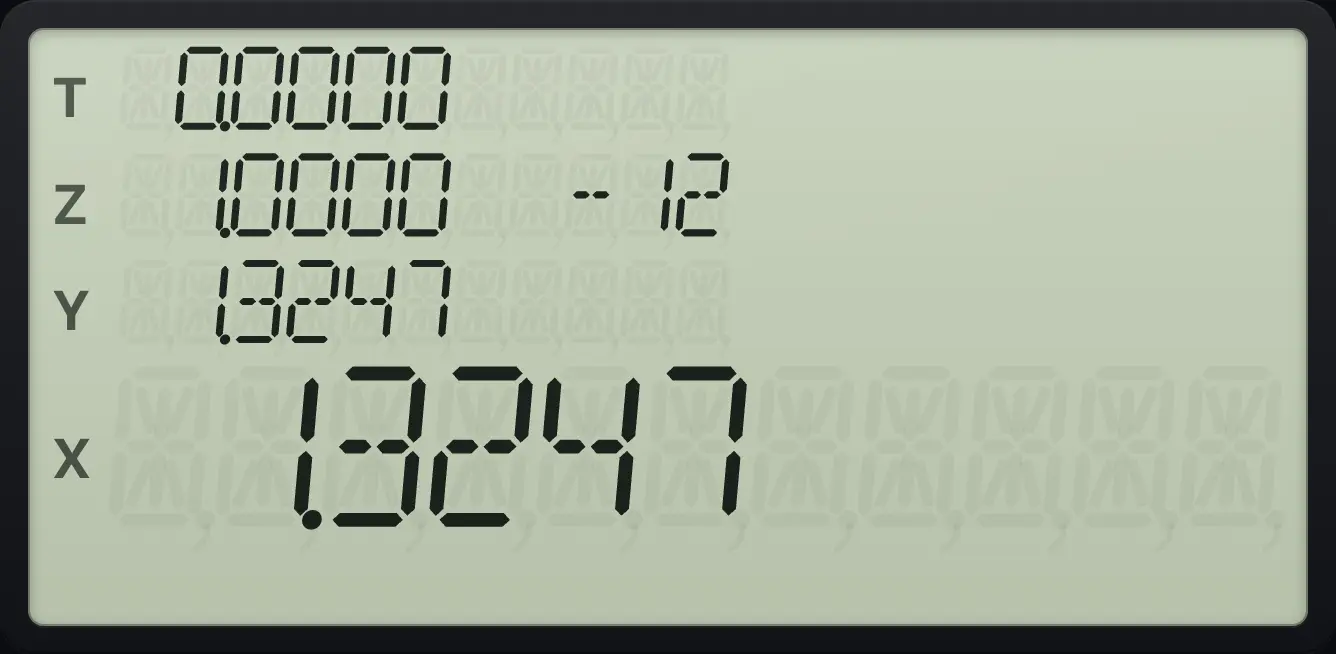
1.32479.4Use a stored number inside the function#
The function program can recall registers, so one program can solve many problems. Store the changing part in a register and read it inside the program.
Square root of a stored number
Store 10 in R1. Label 5: x², RCL 1, −. Guesses 3 and 4. Press f, SOLVE, 5.
10STO1gP/RR/SfLBLSST5gx²√xRCL1−gRTNGSBgP/RR/S3ENTER4fSOLVE÷5
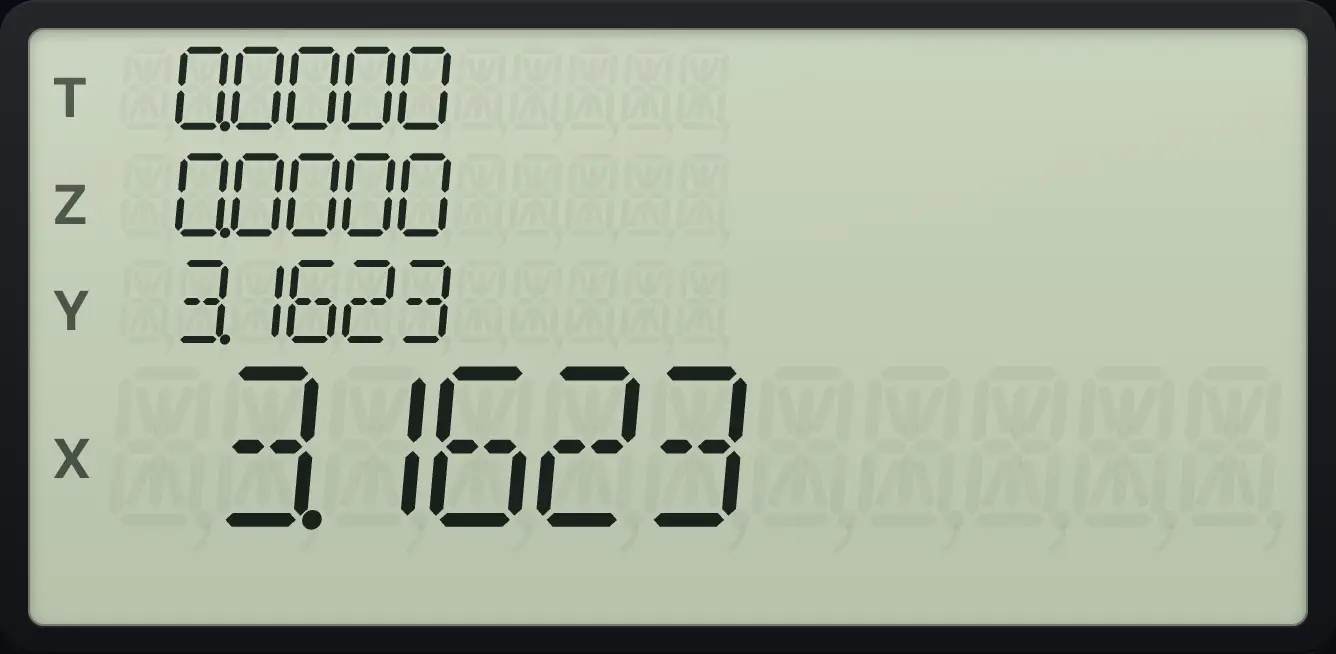
The root of x² − 10 is 3.1623.9.5When SOLVE cannot find a root#
If the function never reaches zero near your guesses, you see Error 8. If the label is missing, you see Error 4. Try different guesses, or check the program by running it by hand.
A function with no root
Label 1: x² + 1 never reaches zero. Press f, SOLVE, 1 with guesses 1 and 2.
gP/RR/SfLBLSST1gx²√x1+gRTNGSBgP/RR/S1ENTER2fSOLVE÷1
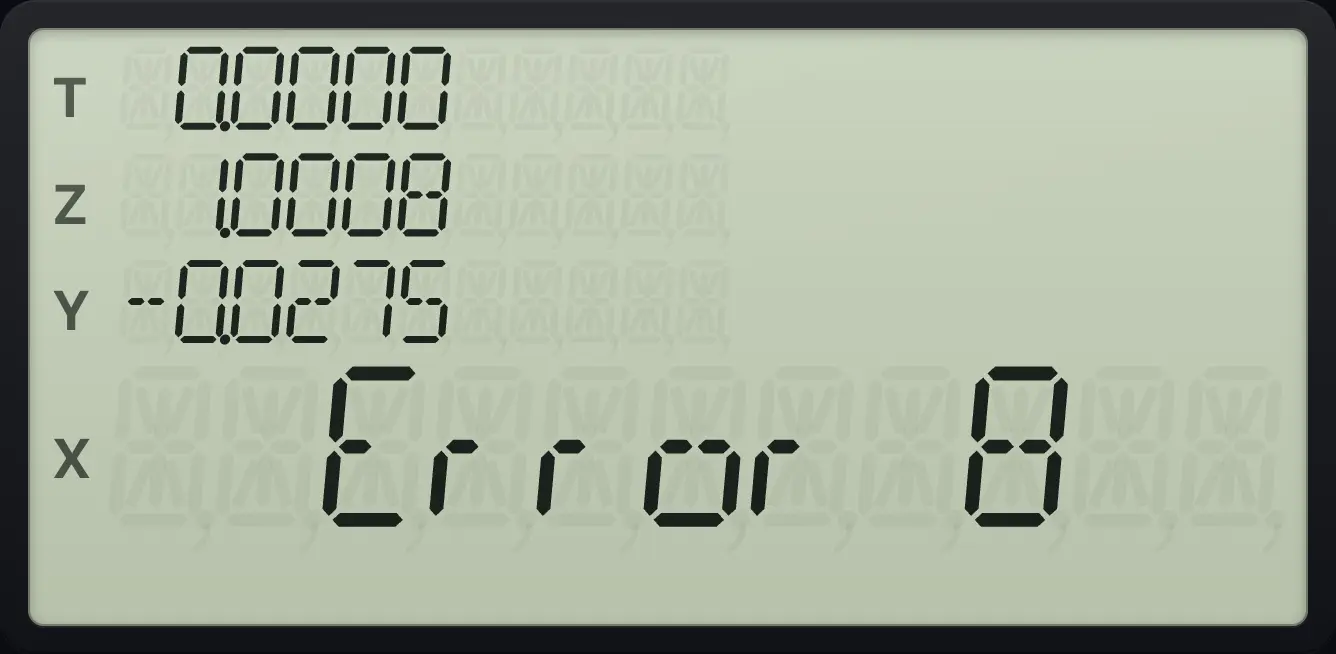
Error 8When SOLVE runs inside a program and finds no root, the next program line is skipped, so you can branch on the failure. The stack is left as it is. Do not start SOLVE from inside a program that SOLVE itself is running (Error 7).
9.6Integrate with ∫xy#
Key in the lower limit, ENTER, the upper limit, then press f∫xy× (∫xy) and the label. The area under f(x) between the limits comes back in X. Y holds an estimate of the error. Z holds the upper limit and T the lower limit.
The accuracy follows the display: more decimals in FIX (or SCI, ENG) mean a more careful calculation, which takes longer. Swapping the limits changes the sign of the answer.
Integral of x² from 0 to 1
Label 1: x² (g x², RTN). Key in 0, ENTER, 1 and press f, ∫xy, 1.
gP/RR/SfLBLSST1gx²√xgRTNGSBgP/RR/S0ENTER1f∫xy×1
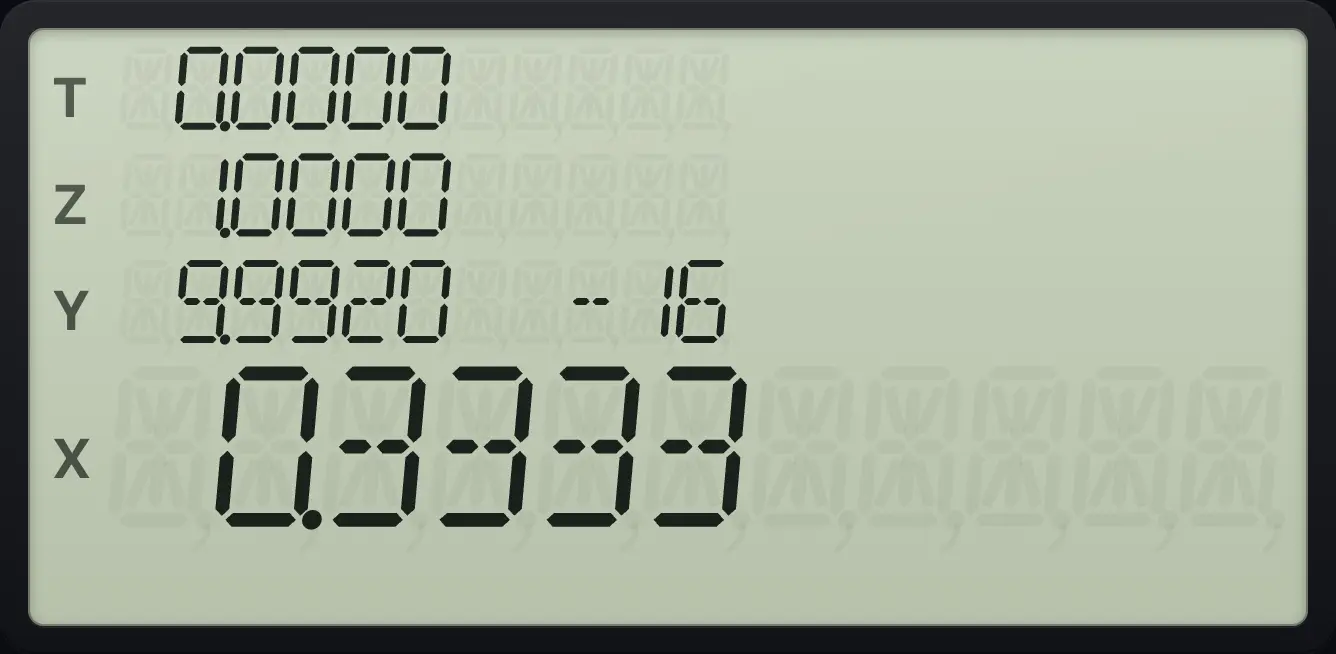
The exact answer is 1/3, shown as 0.3333.Integral of 1/x from 1 to 2
Label 3: 1/x. Limits 1 and 2.
gP/RR/SfLBLSST31/xgRTNGSBgP/RR/S1ENTER2f∫xy×3
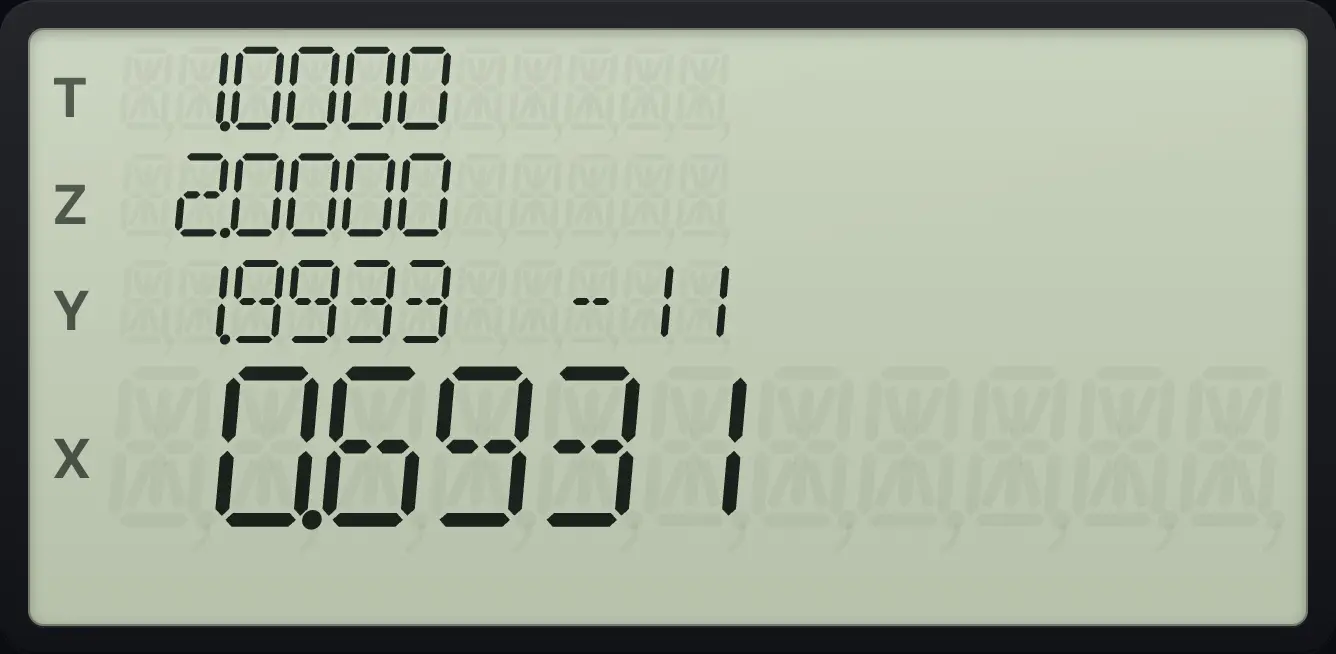
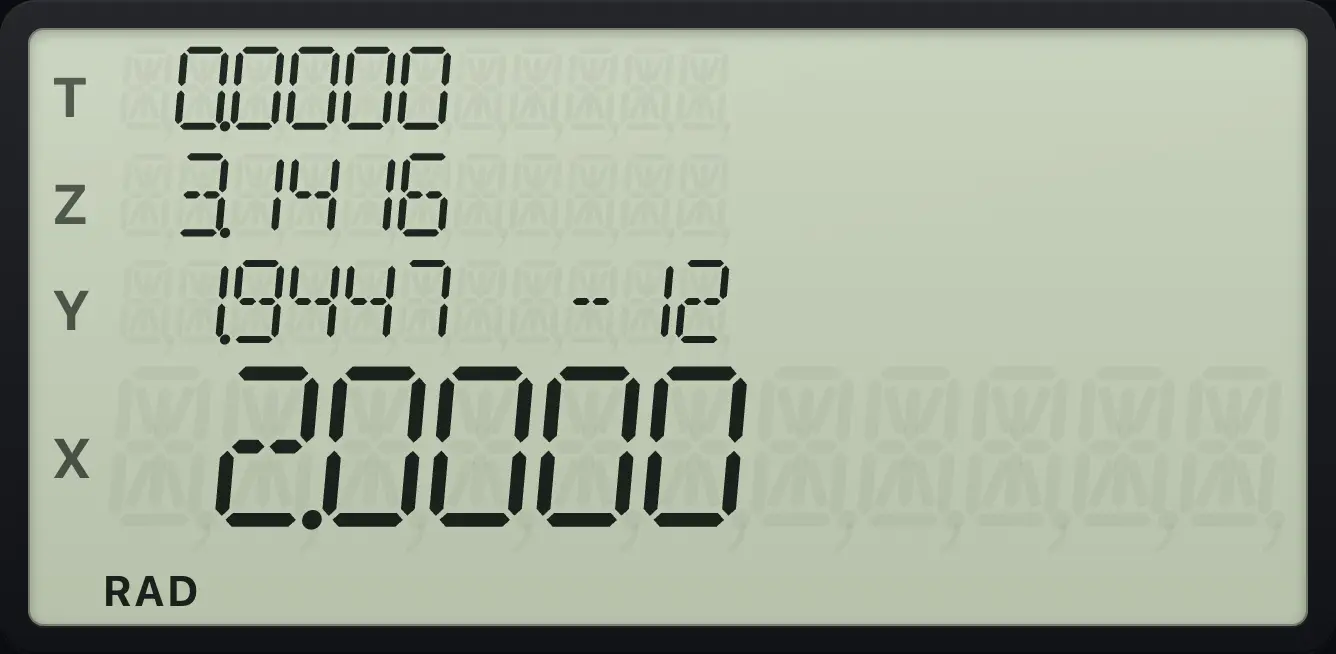
ln 2 = 0.6931.Integral of sin x from 0 to π
Radians. Label 2: SIN. Limits 0 and π.
gRAD8gP/RR/SfLBLSST2SINgRTNGSBgP/RR/S0ENTERgπEEXf∫xy×2
2.0000Reversed limits
Same x² program with the limits the other way round: 1, ENTER, 0.
gP/RR/SfLBLSST1gx²√xgRTNGSBgP/RR/S1ENTER0f∫xy×1
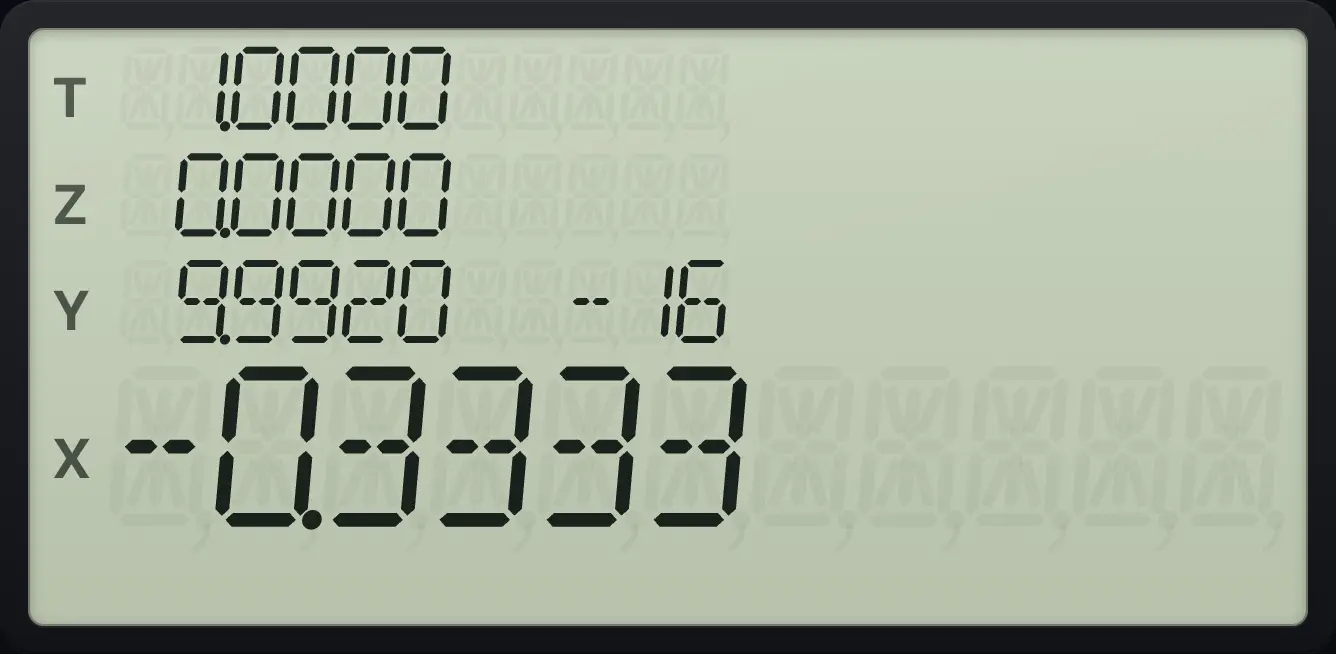
-0.3333More digits: integral of eˣ from 0 to 1
FIX 9, label 4: eˣ. Limits 0 and 1.
gP/RR/SfLBLSST4eˣgRTNGSBgP/RR/SfFIX790ENTER1f∫xy×4
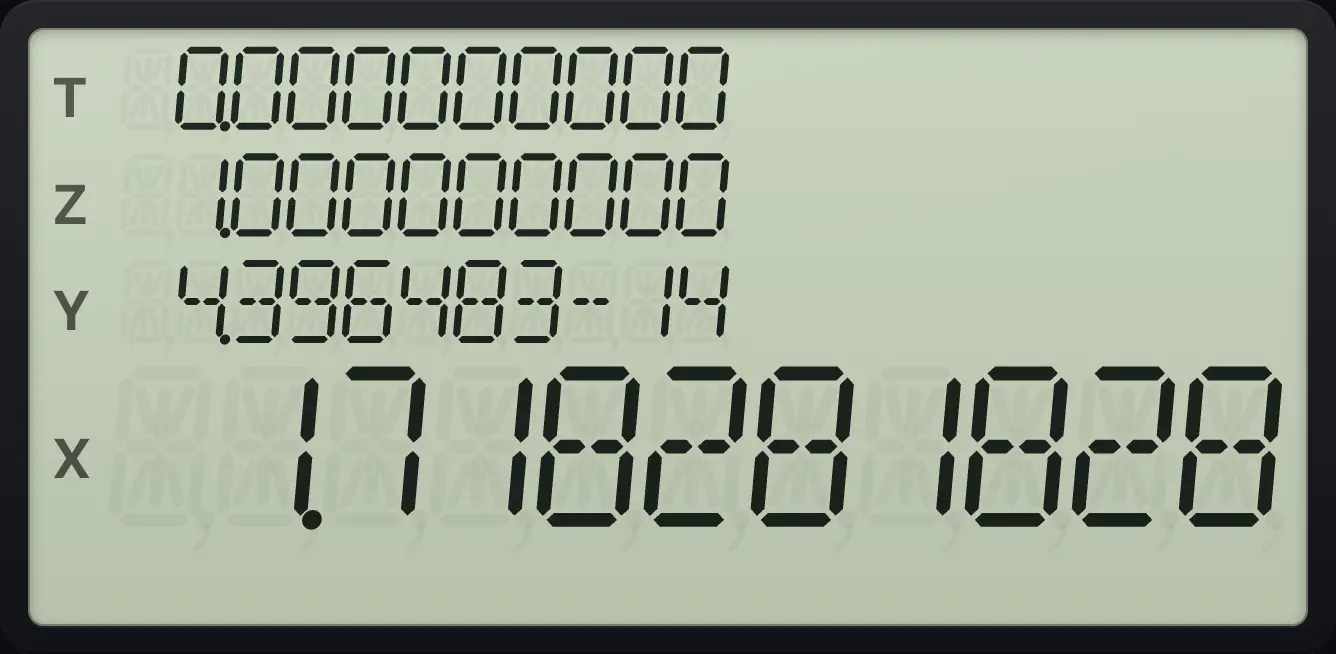
e − 1 = 1.718281828.See also Integrate on an RPN calculatorSolve an equation with your own programSolve an equation numerically
HP-15C is a trademark of HP Inc.. Trident Calculator is an independent product by South View Studios and is not affiliated with, sponsored by or endorsed by HP. The name is used only to describe the kind of calculator this model resembles; Trident's names, keys, display, fonts and software are its own clean-room design.