
RPN Scientific 15 manual · Chapter 3 of 12
The keyboard, key by key
Every key of RPN Scientific 15 with its plain, f (gold) and g (blue) function.
3.1How to read the key tables#
Each table row is one key. "Plain press" is the function printed on the key. "After f" is the gold function above the key. "After g" is the blue function below it. A dash means the shifted key does nothing useful.
3.2Top row: powers, logs, sign and digits 7 to 9#
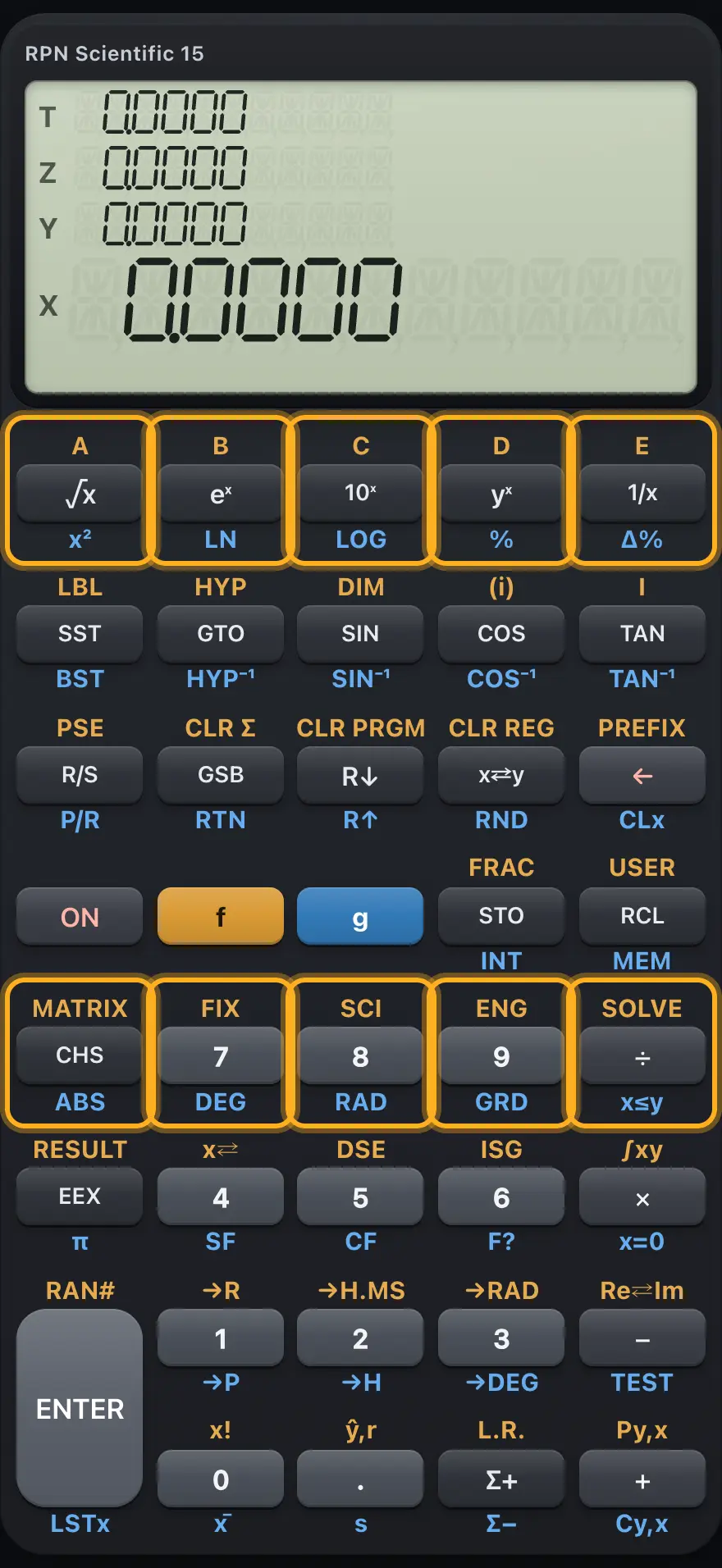
| Key | Plain press | After f (gold) | After g (blue) |
|---|---|---|---|
| √x | Square root of X | Label A (runs program A) | x² (square of X) |
| eˣ | e to the power X | Label B | LN (natural logarithm) |
| 10ˣ | 10 to the power X | Label C | LOG (logarithm base 10) |
| yˣ | Y to the power X | Label D | % (X percent of Y) |
| 1/x | 1/x (reciprocal) | Label E | Δ% (percent change from Y to X) |
| CHS | CHS: change sign of X, or of the number or exponent being typed | MATRIX (not included: Error 1) | ABS (absolute value) |
| 7 | Digit 7 | FIX: then a digit 0 to 9 | DEG: degrees |
| 8 | Digit 8 | SCI: then a digit 0 to 9 | RAD: radians |
| 9 | Digit 9 | ENG: then a digit 0 to 9 | GRD: gradians |
| ÷ | ÷ (Y divided by X) | SOLVE: then a label | x≤y test |
3.3Second row: program steps, trigonometry, flags and digits 4 to 6#
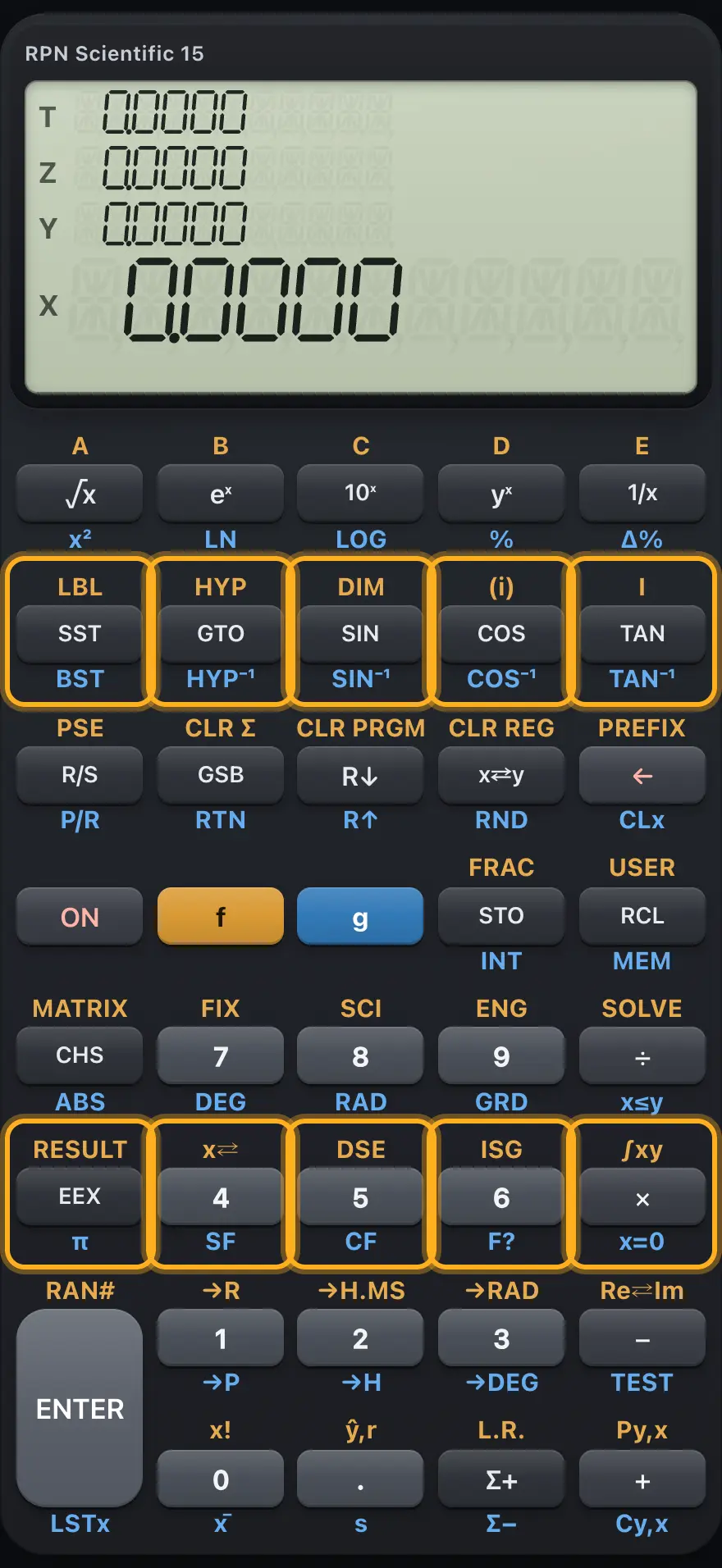
| Key | Plain press | After f (gold) | After g (blue) |
|---|---|---|---|
| SST | SST: run one program line (or move forward in program mode) | LBL: mark a program label | BST: step back one program line |
| GTO | GTO: go to a label (or GTO CHS nnn: go to a line) | HYP: then SIN, COS or TAN (hyperbolic) | HYP⁻¹: then SIN, COS or TAN (inverse hyperbolic) |
| SIN | SIN | DIM: has no effect here | SIN⁻¹ (arcsine) |
| COS | COS. After STO or RCL it means the (i) register | None (no effect) | COS⁻¹ (arccosine) |
| TAN | TAN. After STO, RCL, GTO, GSB, FIX, SCI or ENG it means I | I (complex mode: not included, Error 1) | TAN⁻¹ (arctangent) |
| EEX | EEX: enter an exponent of ten | RESULT (matrices: not included, Error 1) | π (pi) |
| 4 | Digit 4 | x⇄: swap X with a register | SF: set a flag, then a digit 0 to 9 |
| 5 | Digit 5 | DSE: decrement register, skip if ≤ limit | CF: clear a flag, then a digit 0 to 9 |
| 6 | Digit 6 | ISG: increment register, skip if > limit | F?: test a flag, then a digit 0 to 9 |
| × | × (multiply) | ∫xy: integrate a label | x=0 test |
3.4Third row: run, stack, clear, ENTER and digits 1 to 3#
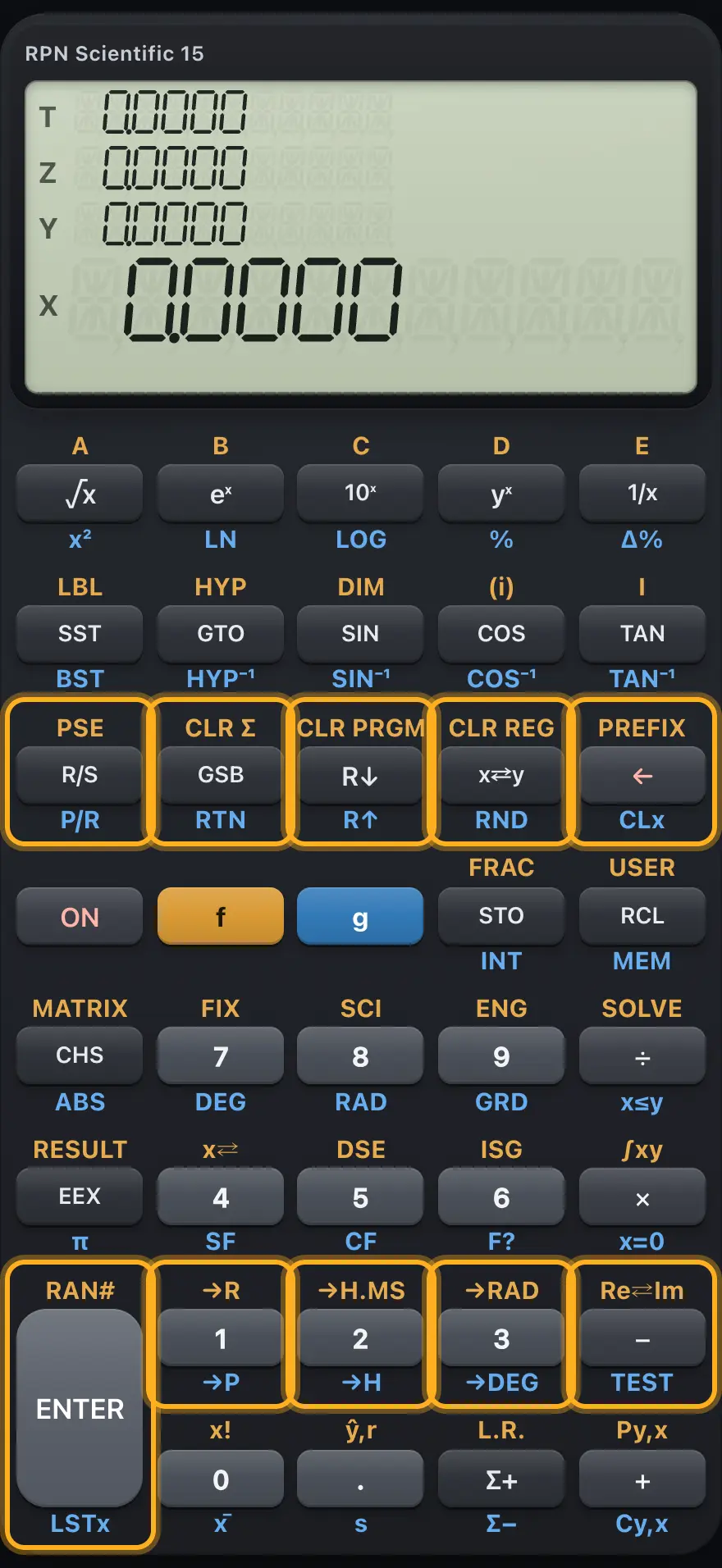
| Key | Plain press | After f (gold) | After g (blue) |
|---|---|---|---|
| R/S | R/S: run or stop the program | PSE (pause: no effect here) | P/R: program mode on or off |
| GSB | GSB: run a subroutine label | CLEAR Σ: clear statistics registers and the stack | RTN: return |
| R↓ | R↓: roll the stack down | CLEAR PRGM: clear program memory (in program mode) or go to line 000 | R↑: roll the stack up |
| x⇄y | x⇄y: swap X and Y | CLEAR REG: clear all storage registers | RND: round X to the displayed digits |
| ← | ←: delete a digit, or clear X | PREFIX: show all ten digits of X | CLx: clear X |
| ENTER | ENTER: copy X up the stack | RAN#: random number from 0 to 1 | LSTx: bring back the last X |
| 1 | Digit 1 | →R: polar to rectangular | →P: rectangular to polar |
| 2 | Digit 2 | →H.MS: decimal hours to hours-minutes-seconds | →H: hours-minutes-seconds to decimal hours |
| 3 | Digit 3 | →RAD: degrees to radians | →DEG: radians to degrees |
| − | − (Y minus X) | Re⇄Im (complex: not included, Error 1) | TEST: then a digit 0 to 9 |
3.5Bottom row: shift keys, memory, statistics and the point#
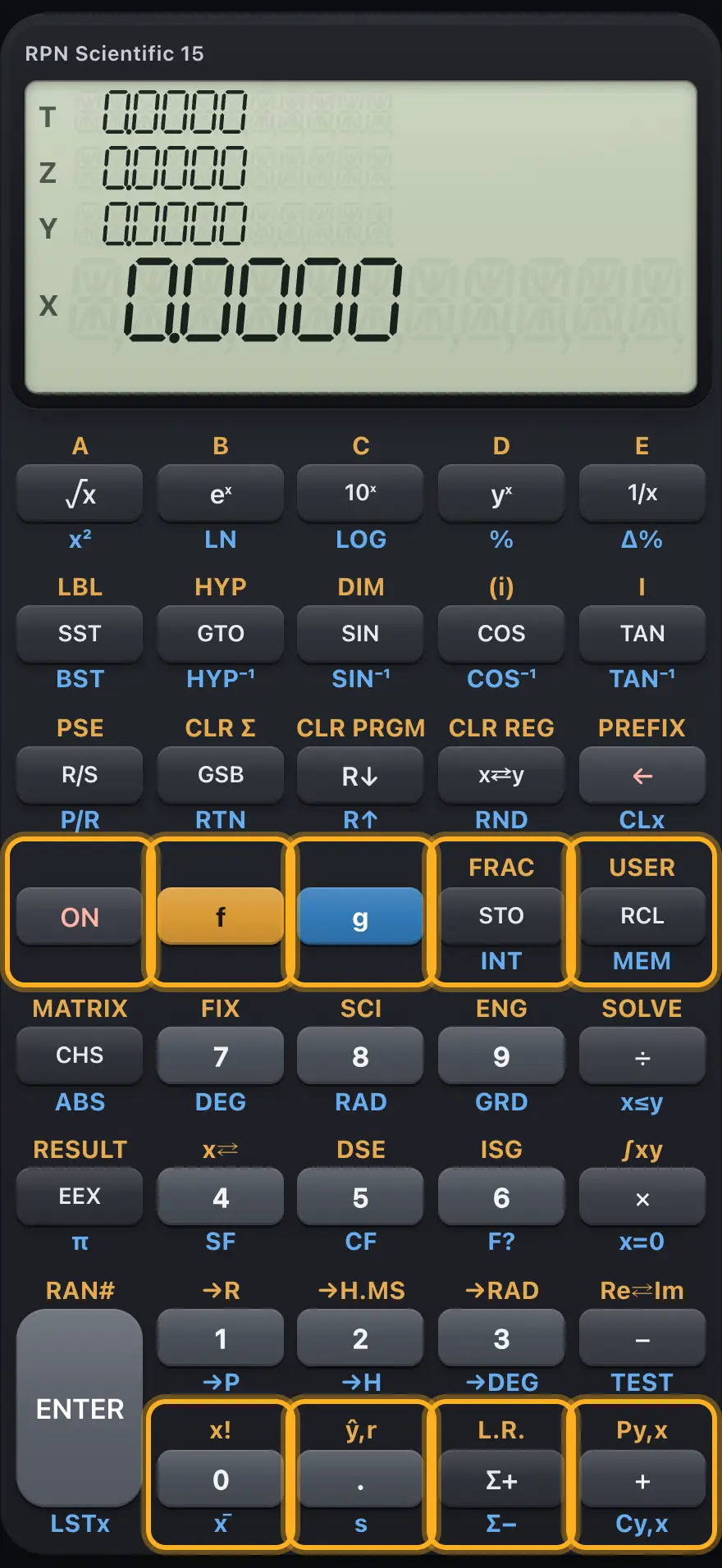
| Key | Plain press | After f (gold) | After g (blue) |
|---|---|---|---|
| ON | ON: no effect in this app | None | None |
| f | Gold prefix | Cancels and restarts the prefix | Switches to the f prefix |
| g | Blue prefix | Switches to the g prefix | Cancels and restarts the prefix |
| STO | STO: store X in a register | FRAC: fractional part of X | INT: integer part of X |
| RCL | RCL: recall a register | USER: USER mode on or off | MEM: show program lines used |
| 0 | Digit 0 | x! (factorial, also for non-integers) | x̄ (mean of the statistics) |
| . | Decimal point | ŷ,r: estimate y for X, and correlation | s (sample standard deviation) |
| Σ+ | Σ+: add the data point (X, Y) | L.R.: linear regression | Σ−: remove the data point |
| + | + (add) | Py,x: permutations | Cy,x: combinations |
3.6Keys that need a register, label or digit after them#
Some functions wait for one more key before they act. The calculator remembers the pending function and takes the next key as its argument.
| Function | Then press | Meaning |
|---|---|---|
| STO, RCL | A digit 0 to 9, or . and a digit | Register R0 to R9 or R.0 to R.9 |
| STO, RCL | TAN | The I register |
| STO, RCL | COS | The register whose number is in I, written (i) |
| STO, RCL | + − × ÷ first, then a register | Register arithmetic |
| GTO, GSB | A digit, . and a digit, or A to E (√x to 1/x) | A label |
| GTO, GSB | TAN | The label chosen by the number in I |
| fFIX7, fSCI8, fENG9 | A digit 0 to 9 (or TAN for I) | Number of decimals shown |
| gSF4, gCF5, gF?6 | A digit 0 to 9 | Flag number |
| gTEST− | A digit 0 to 9 | Which test (see Programming) |
| fx⇄4, fDSE5, fISG6 | A register | x⇄, DSE or ISG on that register |
| fLBLSST | A digit, . and a digit, or A to E | Label name |
| fSOLVE÷, f∫xy× | A label | SOLVE or ∫xy on that label |
| fHYPGTO, gHYP⁻¹GTO | SIN, COS or TAN | Hyperbolic function |
- STO
- register: 5
- X is stored
- fFIX7
- digits: 2
- FIX 2
HP-15C is a trademark of HP Inc.. Trident Calculator is an independent product by South View Studios and is not affiliated with, sponsored by or endorsed by HP. The name is used only to describe the kind of calculator this model resembles; Trident's names, keys, display, fonts and software are its own clean-room design.