
Natural family · Instruction manual
Natural Scientific 991
Natural Scientific 991 is a textbook-style scientific calculator. Fractions, roots, powers and integrals are typed and shown the way they are written in a book, and exact answers such as 1/2 or 2√2 are kept until you ask for a decimal. Behind the MENU key are apps for complex numbers, number bases, matrices, vectors, statistics, probability distributions, tables, equations and ratios. This manual covers every key, menu and setting, with worked examples you can follow key by key.
Designed to feel familiar if you have used a fx-991EX ClassWiz scientific calculator.
- 18 chapters
- 90 topics
- 173 worked examples
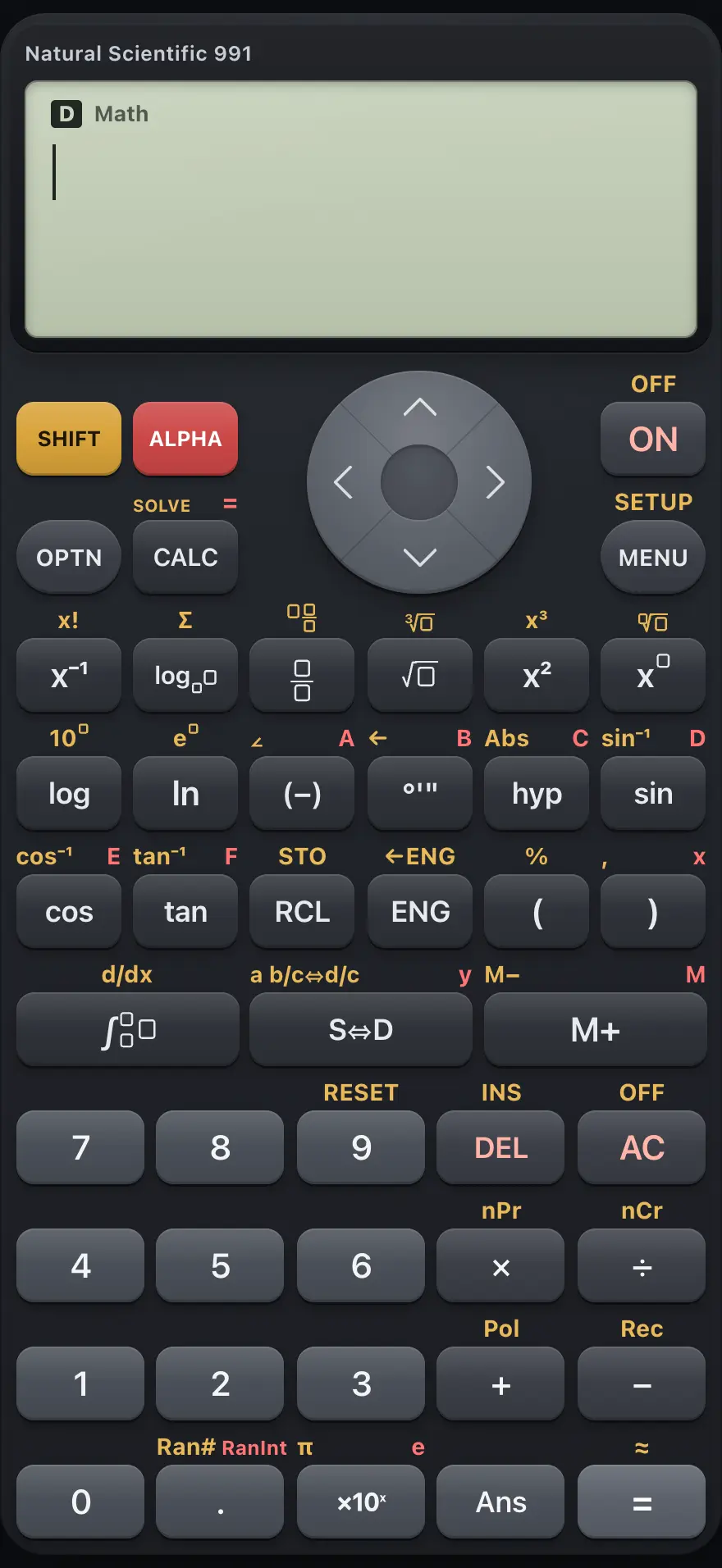
Contents
- 1Getting startedThe screen, the SHIFT and ALPHA keys, your first calculation, editing, and getting back to the main screen.
- 2Key by keyEvery key on the keypad with what it does on its own, after SHIFT and after ALPHA.
- 2.1Top row: SHIFT, ALPHA, up and ON
- 2.2OPTN, CALC, arrows and MENU
- 2.3Reciprocal, log, fraction, root, square and power keys
- 2.4Log, ln, negative, DMS, hyp and sin
- 2.5Cos, tan, RCL, ENG and brackets
- 2.6Integral, S⇔D and M+
- 2.7The number pad: digits, DEL, AC and operators
- 2.8The bottom row: 0, point, ×10ˣ, Ans and equals
- 2.9Moving around menus, forms and tables
- 3CalculationsArithmetic, order of operations, exact fractions and roots, decimals, percent, scientific and engineering notation, and Ans.
- 3.1Order of operations
- 3.2Negative numbers versus subtraction
- 3.3Add and multiply fractions
- 3.4Mixed numbers and improper fractions
- 3.5Convert a decimal to a fraction
- 3.6Convert a fraction or root to a decimal
- 3.7Exact roots and π
- 3.8Find a percentage
- 3.9Enter numbers in scientific notation
- 3.10Show an answer in engineering notation
- 3.11Use the last answer (Ans)
- 3.12Degrees, minutes and seconds
- 4FunctionsPowers, roots, logs, trigonometry and angle units, hyperbolic functions, factorials, permutations, random numbers, rounding and more.
- 4.1Powers, squares and roots
- 4.2Logarithms and exponentials
- 4.3Sine, cosine and tangent
- 4.4Hyperbolic functions
- 4.5Absolute value
- 4.6Factorials, permutations and combinations
- 4.7Random numbers
- 4.8Rounding: Int, Intg and Rnd
- 4.9Greatest common divisor and least common multiple
- 4.10Convert between rectangular and polar coordinates
- 4.11Mark a number as degrees or radians
- 5Integrals, derivatives and sumsDefinite integrals, the derivative at a point, and summation, using natural templates.
- 6Modes and settingsSETUP: display style, angle unit, number format, fraction style, complex format and statistics frequency.
- 7Variables and memoryStore values in A to F, x, y and M, recall them, add to memory with M+, and re-run formulas with CALC.
- 8Complex numbersArithmetic with i, real and imaginary parts, conjugate, argument and rectangular/polar conversion.
- 9Number bases (Base-N)Work in binary, octal, decimal and hexadecimal, with and, or, xor, xnor, Not and Neg.
- 10MatricesDefine matrices A to D up to 4×4, then add, multiply, invert, transpose and take determinants.
- 11VectorsDefine 2D and 3D vectors, add them, take dot and cross products and find their length.
- 12Statistics and regressionEnter data in the editor, then get one-variable statistics, regression lines and curves.
- 13Probability distributionsNormal, binomial and Poisson probabilities, plus the inverse normal.
- 14Function tablesBuild a table of values of f(x) over a range.
- 15EquationsSolve two to four simultaneous linear equations, or a polynomial of degree 2 to 4.
- 16Ratios and proportionsFind the missing number in a proportion A:B = X:D or A:B = C:X.
- 17Error messagesEvery message the calculator can show, what it means and how to fix it.
- 18ReferenceResetting, number range and precision, display limits, and what this calculator does not include.
fx-991EX ClassWiz is a trademark of Casio Computer Co., Ltd.. Trident Calculator is an independent product by South View Studios and is not affiliated with, sponsored by or endorsed by Casio. The name is used only to describe the kind of calculator this model resembles; Trident's names, keys, display, fonts and software are its own clean-room design.