
Natural Scientific 991 manual · Chapter 14 of 18
Function tables
Build a table of values of f(x) over a range.
14.1Make a table of values#
Press MENU then 9. A form asks for f(x), Start, End and Step. Type the function with ALPHAx) for x and press =. The start, end and step already show 1, 5 and 1; press = to accept or type new values. The table holds up to 45 rows.
Squares from 1 to 5
Open Table, type x², and accept the range.
MENU9ALPHAx)x²====
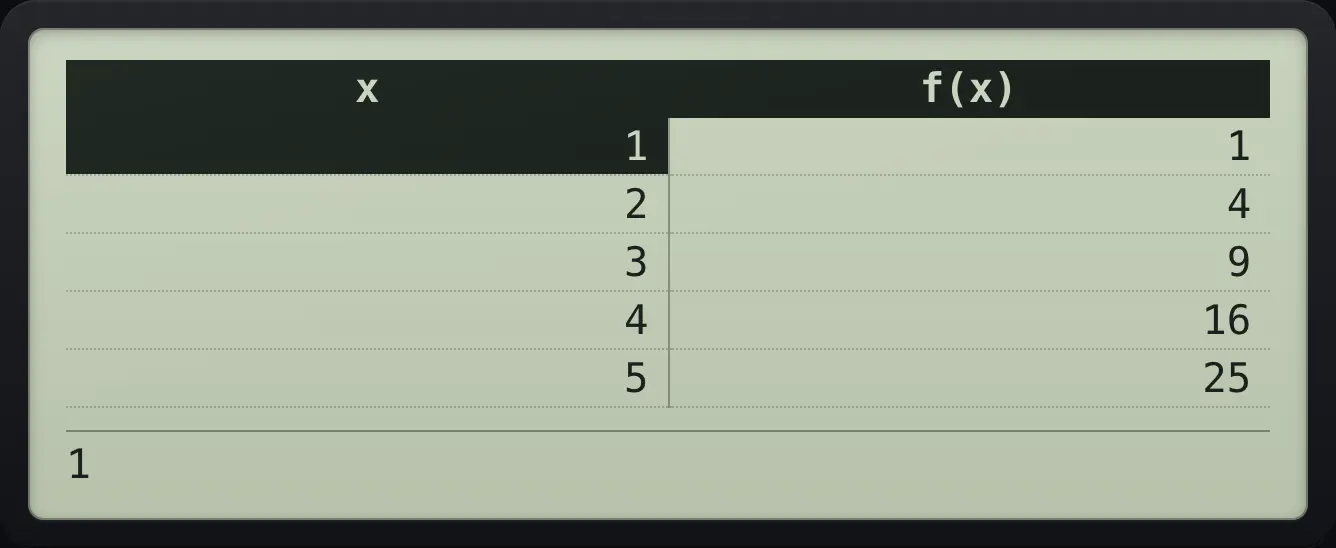
1 4 9 16 25A table in half steps
f(x) = x, start 0, end 2, step 0.5.
MENU9ALPHAx)=0=2=0.5=
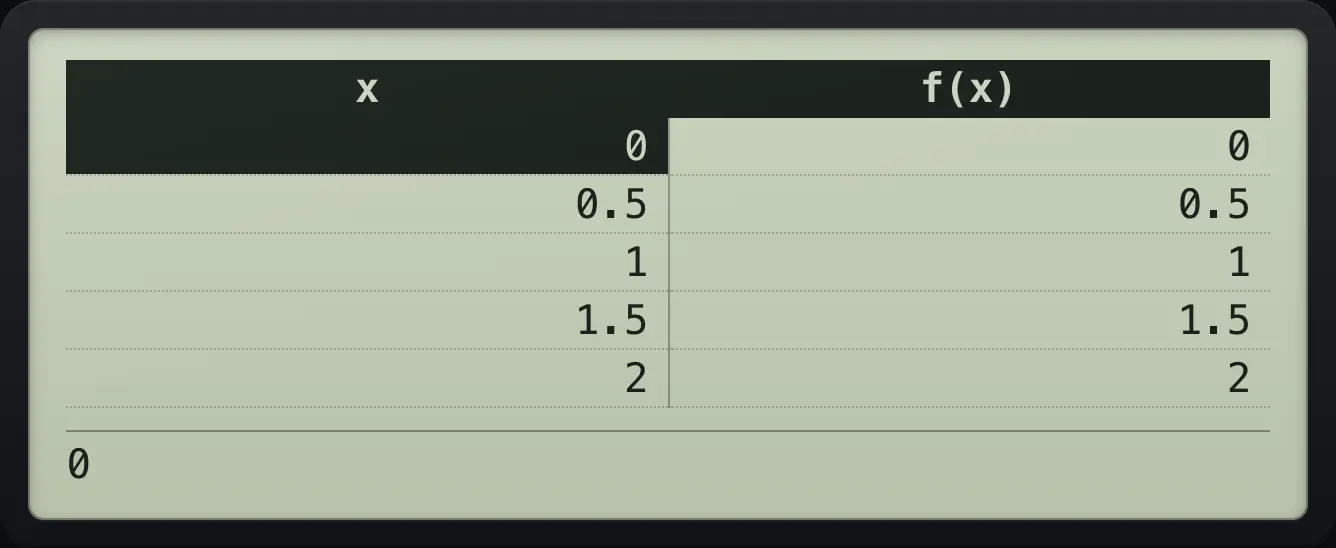
1.5Use ▲ and ▼ to move through the rows; the value of f(x) for the selected row shows at the bottom. Press AC to go back to the form and change the function or range.
Read a selected row
Squares table, then go down two rows.
MENU9ALPHAx)x²====▼▼
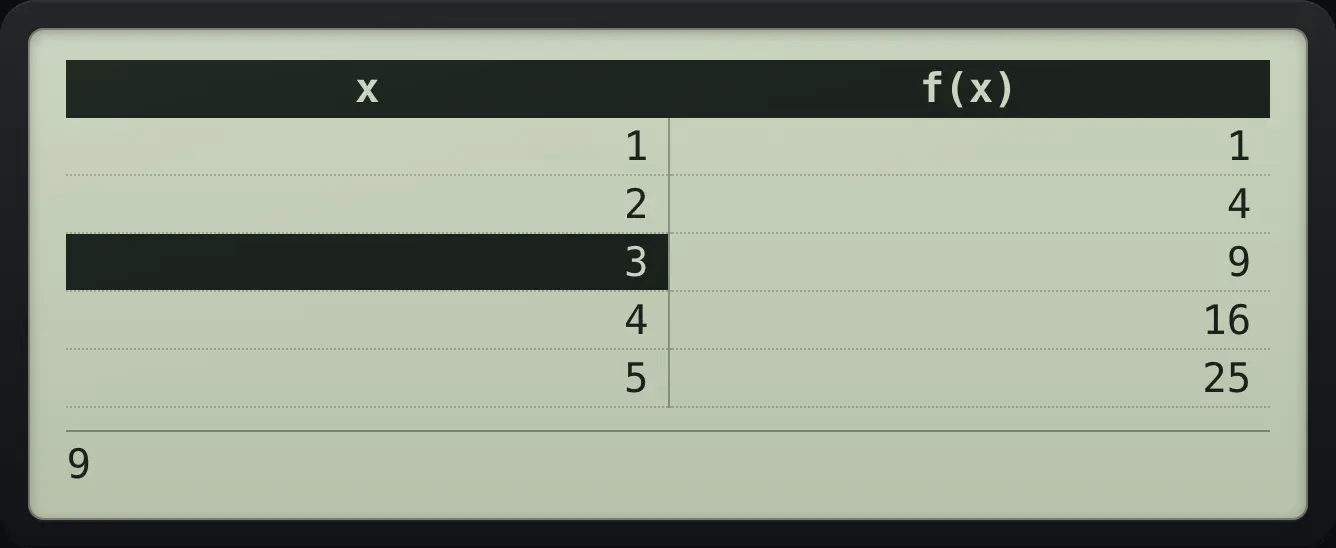
9Back to the setup form
Press AC from the table.
MENU9ALPHAx)x²====AC
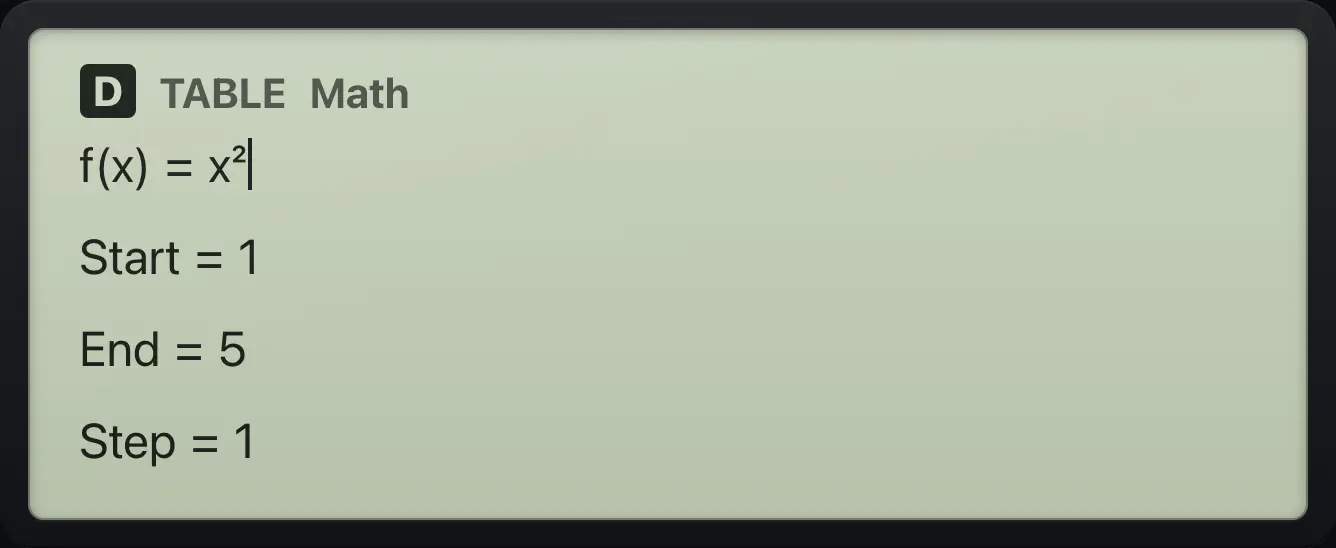
f(x)=x² Start=1 End=5 Step=1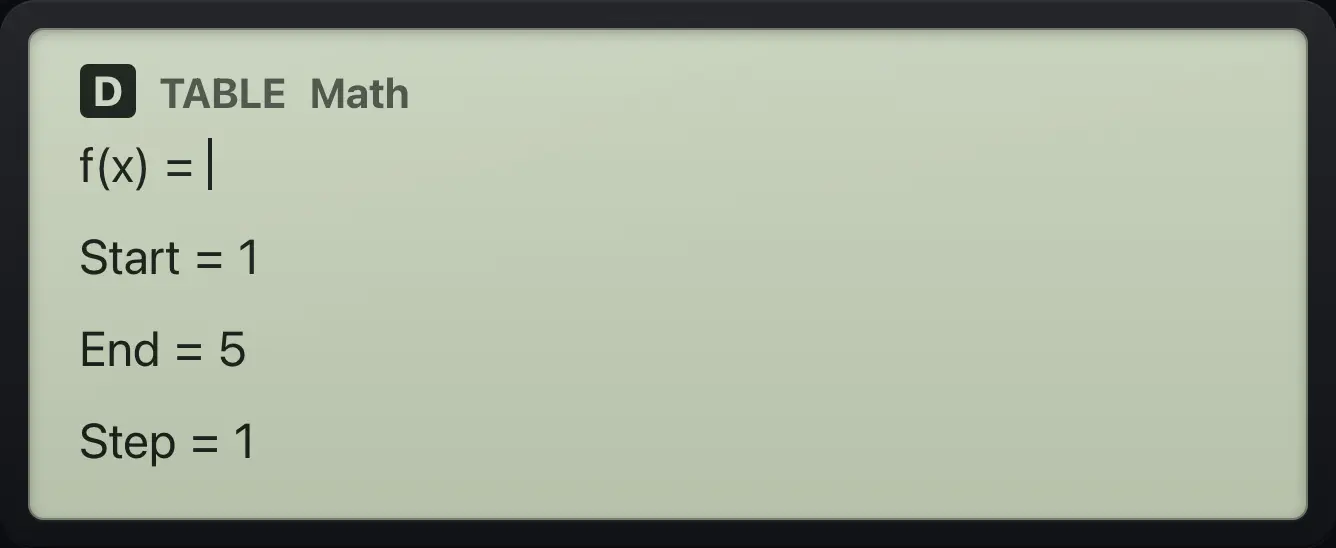
14.2When the table does not appear#
- A step of 0, or an end value that is before the start with a positive step, gives a Math ERROR.
- More than 45 rows gives a Memory ERROR; widen the step or shorten the range.
- A row where the function is not defined (for example 1÷x at 0) shows ERROR for that row only.
Too many rows
Step 1 from 1 to 500.
MENU9ALPHAx)=1=500=1=
![Result of the example "Too many rows" The display shows: Memory ERROR / [AC] :Cancel / [◀][▶]:Goto.](/trident/app/help/manual/img/1a456326s.webp)
Memory ERRORfx-991EX ClassWiz is a trademark of Casio Computer Co., Ltd.. Trident Calculator is an independent product by South View Studios and is not affiliated with, sponsored by or endorsed by Casio. The name is used only to describe the kind of calculator this model resembles; Trident's names, keys, display, fonts and software are its own clean-room design.