Natural Scientific 991 manual · Chapter 2 of 18
Key by key
Every key on the keypad with what it does on its own, after SHIFT and after ALPHA.
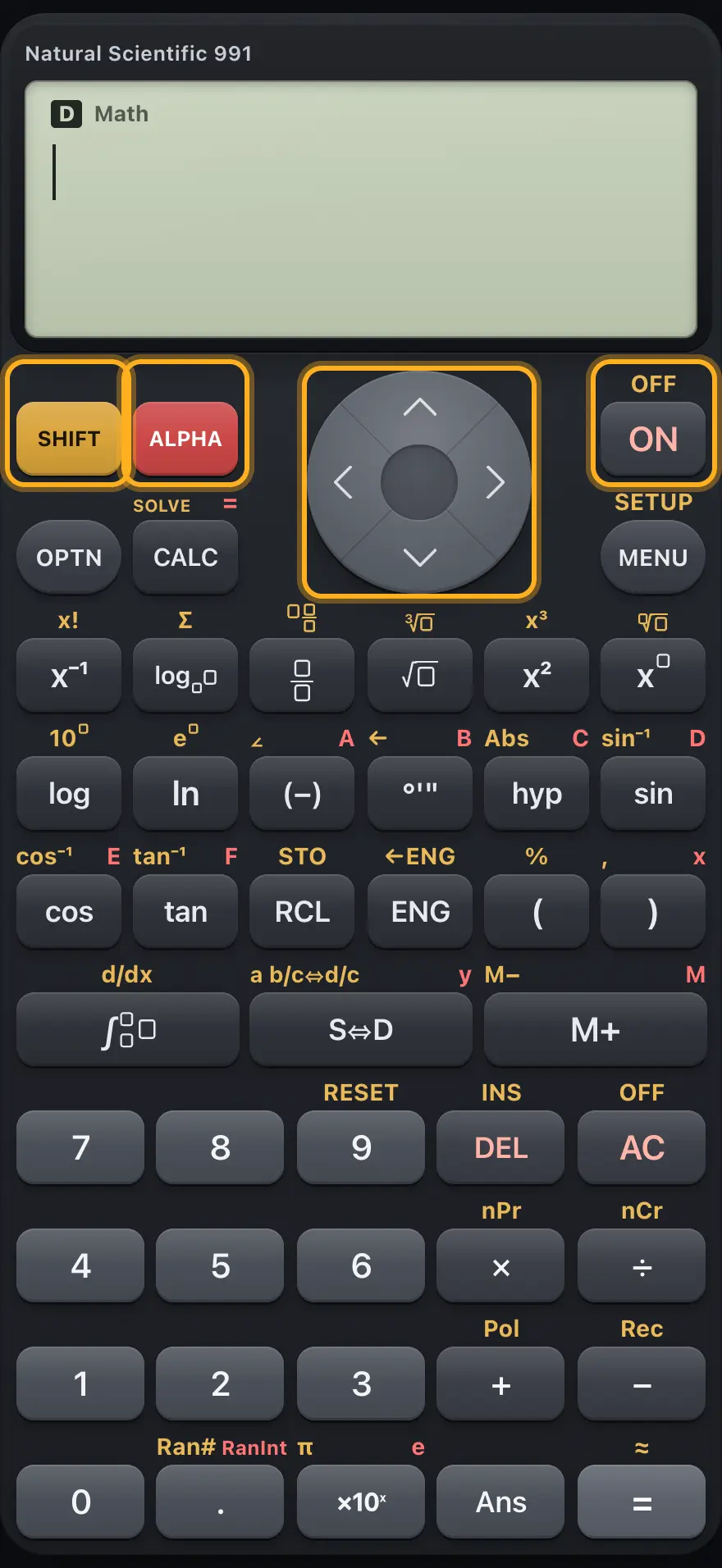
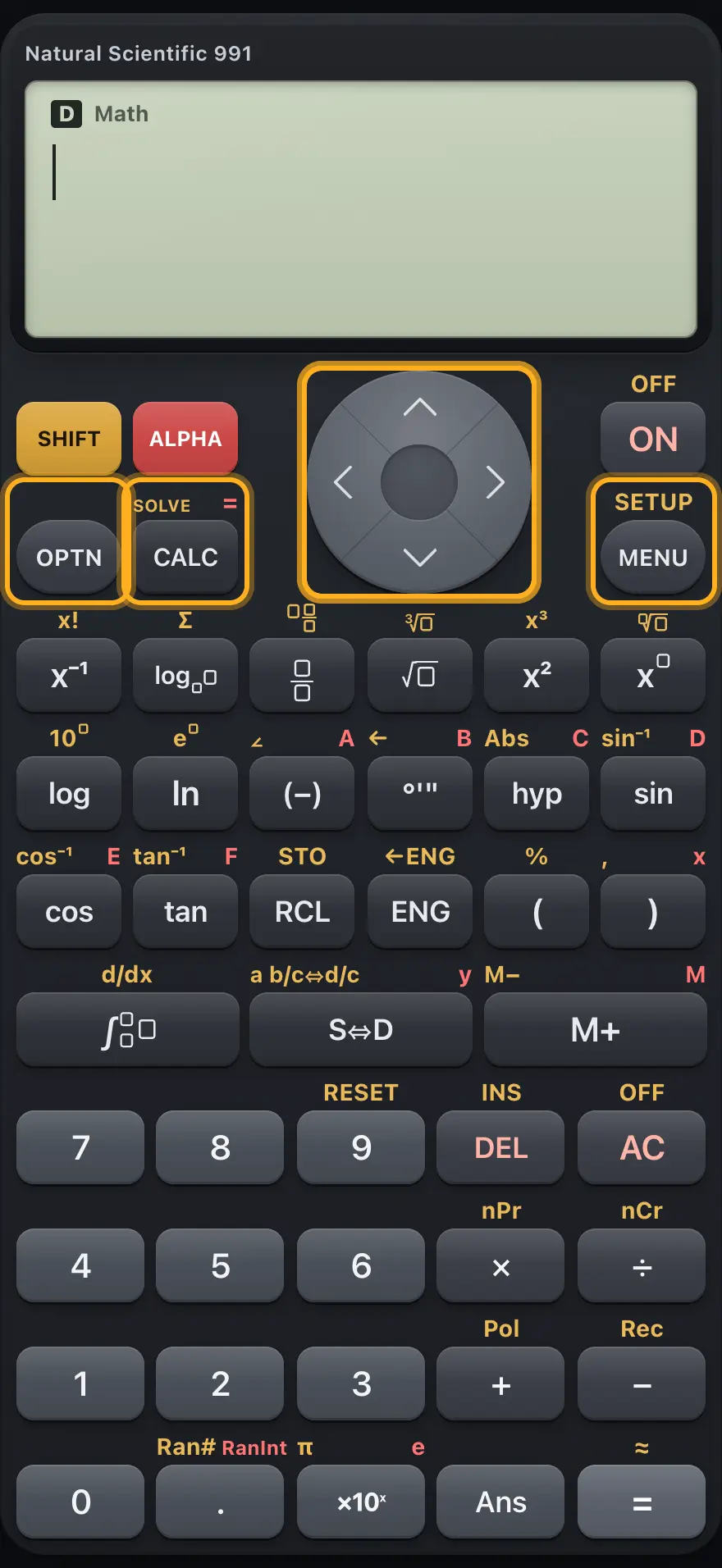
2.1 Top row: SHIFT, ALPHA, up and ON2.2 OPTN, CALC, arrows and MENU2.3 Reciprocal, log, fraction, root, square and power keys2.4 Log, ln, negative, DMS, hyp and sin2.5 Cos, tan, RCL, ENG and brackets2.6 Integral, S⇔D and M+2.7 The number pad: digits, DEL, AC and operators2.8 The bottom row: 0, point, ×10ˣ, Ans and equals2.9 Moving around menus, forms and tables2.1 Top row: SHIFT, ALPHA, up and ON# The top row Key Primary After SHIFT After ALPHA SHIFT Selects the gold function of the next key. (cancels SHIFT) (switches to SHIFT) ALPHA Selects the red letter of the next key. (switches to ALPHA) (cancels ALPHA) ▲ Moves up inside a template, or recalls an earlier calculation. Scrolls menus and lists up. ON Clears the line and answer, like AC. OFF: does nothing.
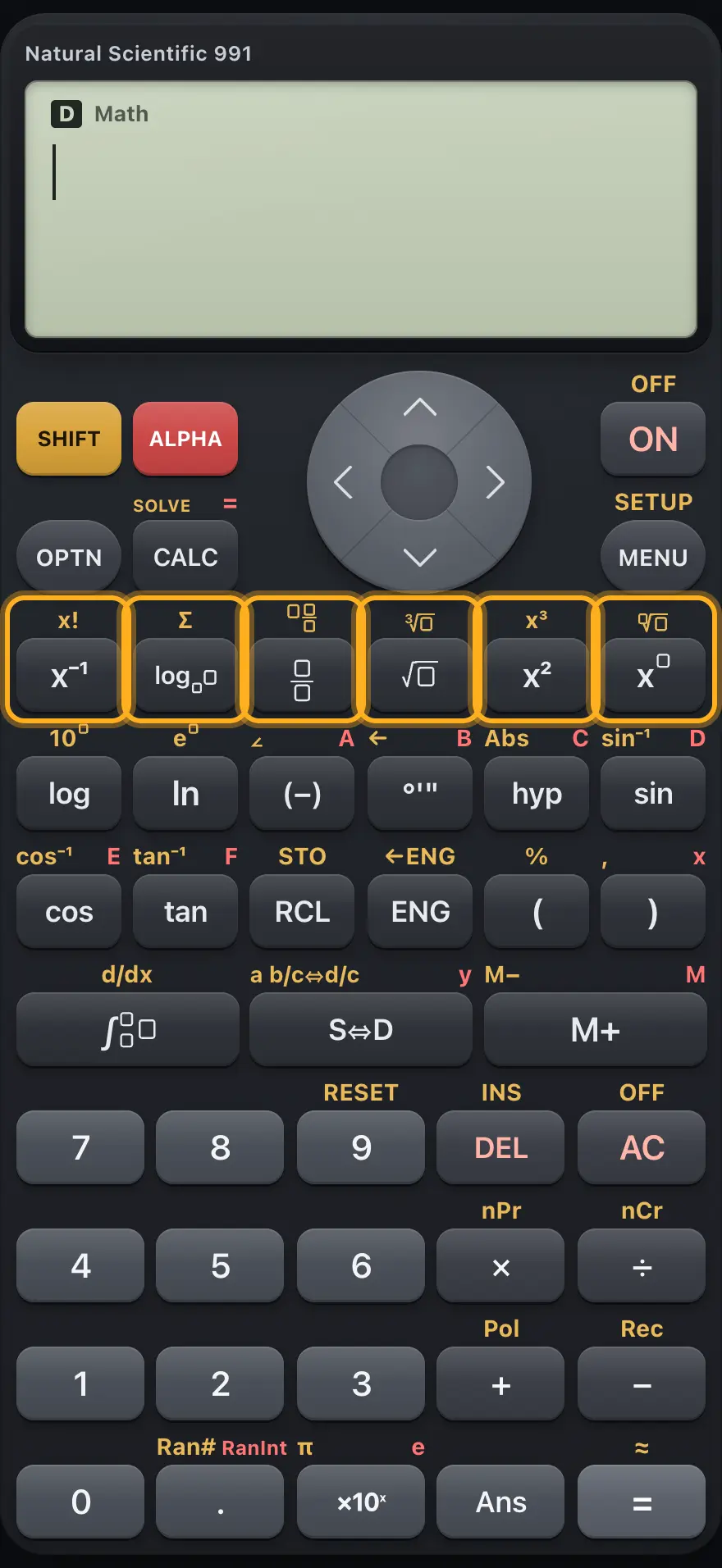
2.3 Reciprocal, log, fraction, root, square and power keys# Template keys Key Primary After SHIFT After ALPHA x⁻¹ Reciprocal: the previous value to the power minus one. x!: factorial. log Logarithm template with a base box and a value box. Σ: summation template. Fraction template: numerator over denominator. Mixed-number template: whole part, numerator, denominator. √ Square root template. Cube root template. x² Squares the previous value. Cubes the previous value. x Power template: a base with an exponent box. Root template with a root-index box.
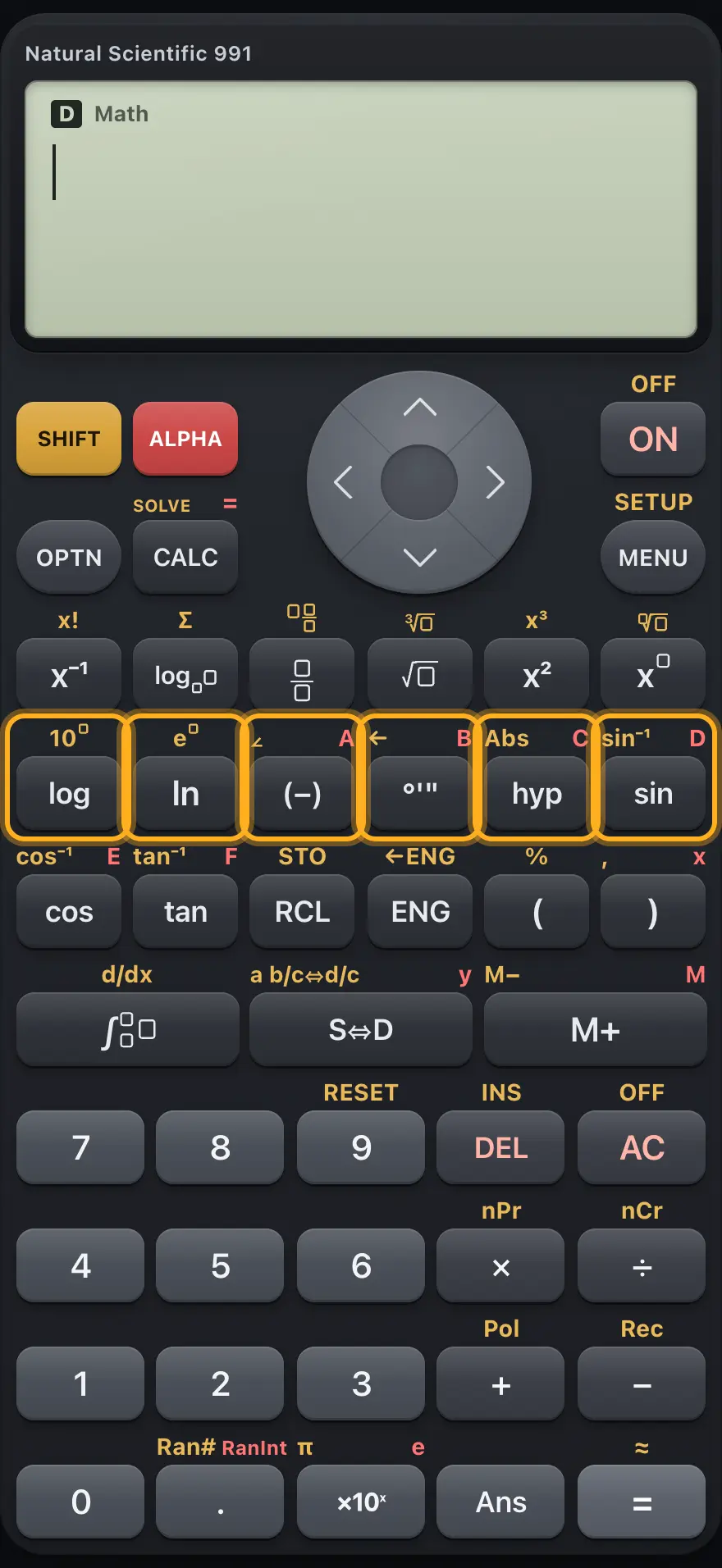
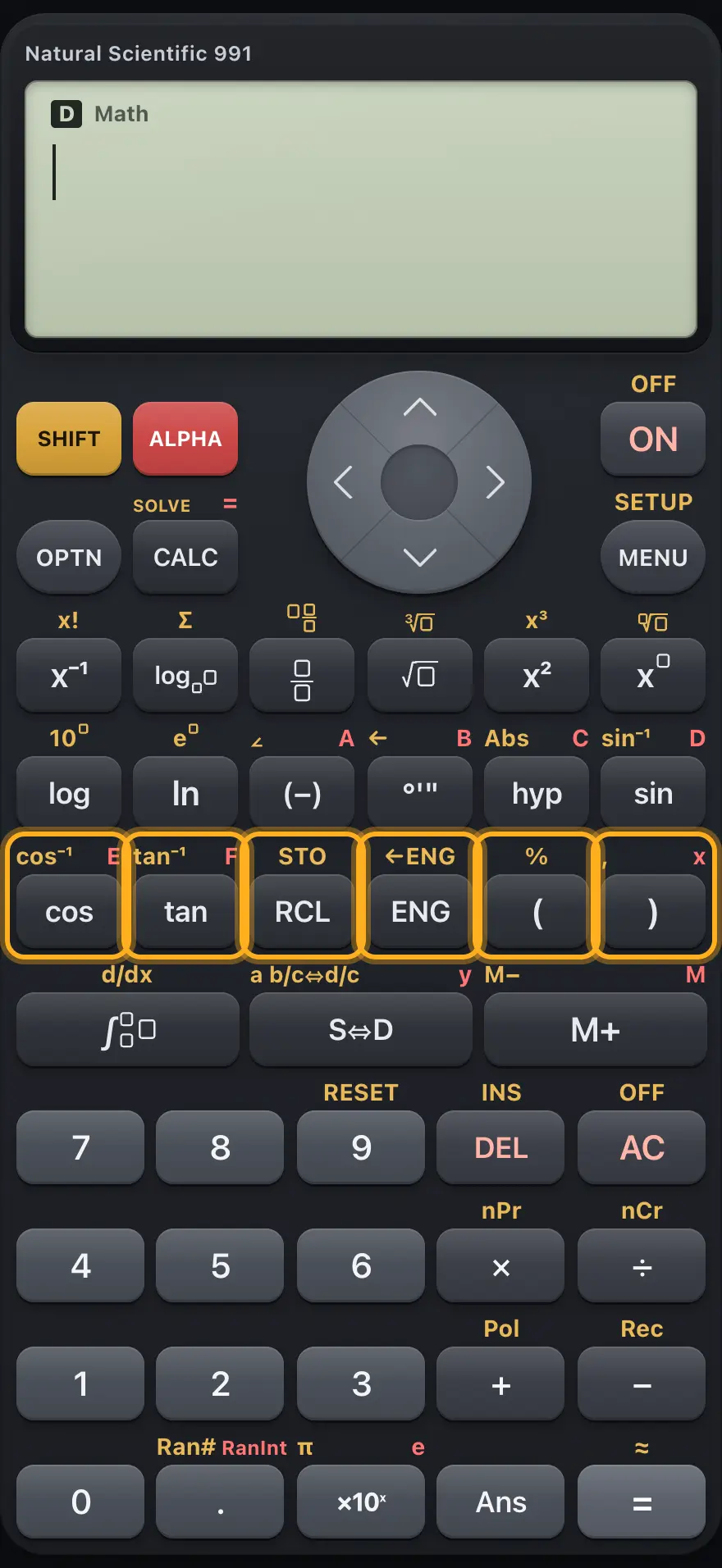
2.4 Log, ln, negative, DMS, hyp and sin# Log, negative, DMS, hyp and sin Key Primary After SHIFT After ALPHA log Base-10 logarithm. 10 to a power. ln Natural logarithm. e to a power. (−) Negative sign for the next number. ∠: separates the modulus and angle of a polar complex number. Variable A. °'" Degree, minute, second marks while typing. After an answer, shows it as degrees, minutes, seconds. ← : after a degrees-minutes-seconds answer, switches back to the decimal form. Variable B. hyp Opens the hyperbolic function menu. Abs: absolute value template. Variable C. sin Sine. Inverse sine. Variable D.
2.5 Cos, tan, RCL, ENG and brackets# Cos, tan, RCL, ENG and brackets Key Primary After SHIFT After ALPHA cos Cosine. Inverse cosine. Variable E. tan Tangent. Inverse tangent. Variable F. RCL Shows the values of all stored variables. STO: stores a value in the variable key you press next. ENG On an answer, moves to the next engineering exponent (a multiple of 3). In Complex it types i. On an answer, steps the engineering exponent the other way. ( Opens a bracket. %: percent sign. ) Closes a bracket. ,: comma between arguments. Variable x.
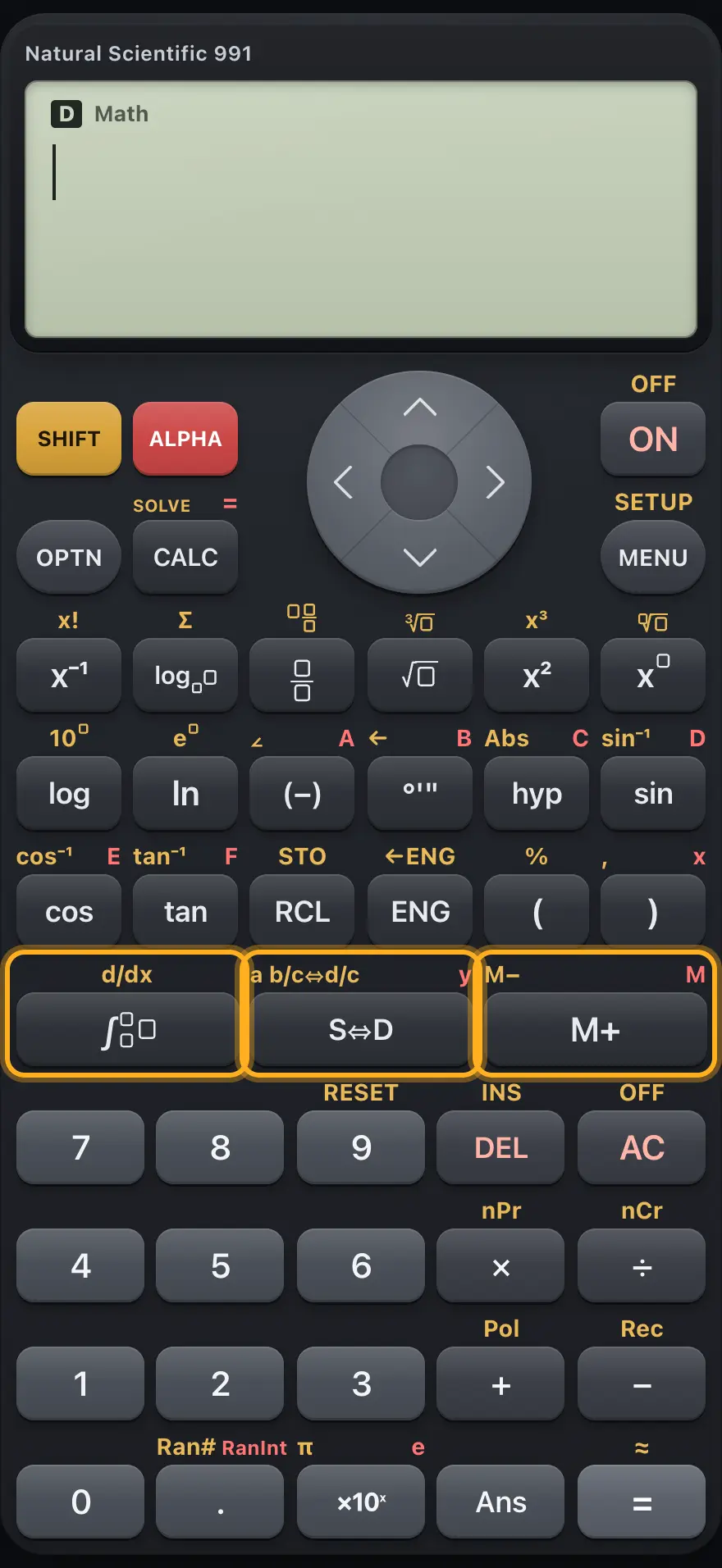
2.6 Integral, S⇔D and M+# Integral, S⇔D and M+ Key Primary After SHIFT After ALPHA ∫ Definite integral template with limits. d/dx: derivative-at-a-point template. S⇔D Switches an answer between exact form (fraction, root, π) and decimal. Switches a fraction between mixed and improper form. Variable y. M+ Adds the answer to memory M. M−: subtracts the answer from memory M. Variable M.
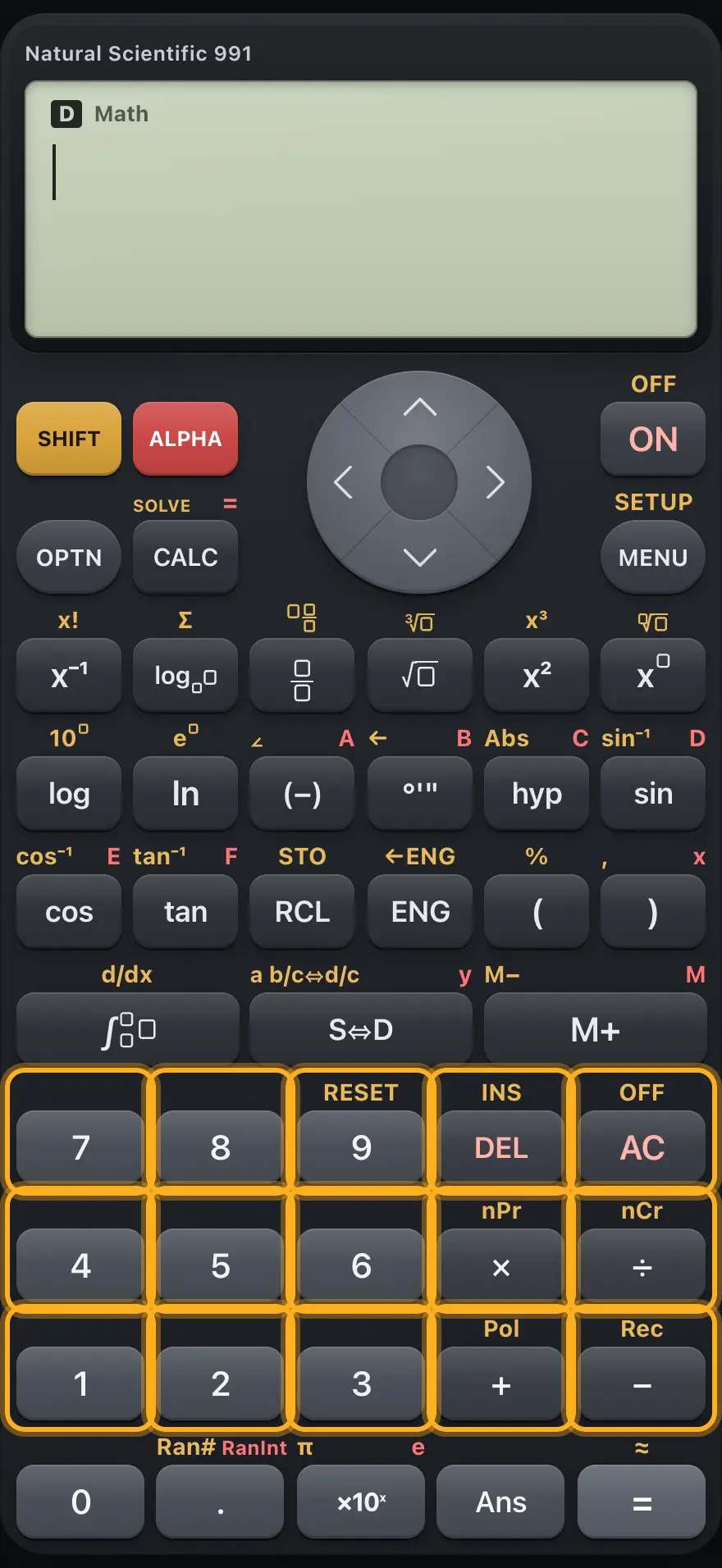
2.7 The number pad: digits, DEL, AC and operators# Digits and operators Key Primary After SHIFT After ALPHA 7 Digit 7. 8 Digit 8. 9 Digit 9. RESET: opens the reset menu. DEL Deletes the character before the cursor. INS: switches between inserting and overwriting. While overwriting, OVR shows and each character you type replaces the one under the cursor. AC Clears the line and answer. Backs out of menus and forms. OFF: does nothing, there is nothing to switch off. 4 Digit 4. 5 Digit 5. 6 Digit 6. × Multiply. nPr: permutations. ÷ Divide. nCr: combinations. 1 Digit 1. 2 Digit 2. 3 Digit 3. + Add. Pol(: converts x, y to radius and angle. − Subtract. Rec(: converts radius and angle to x, y.
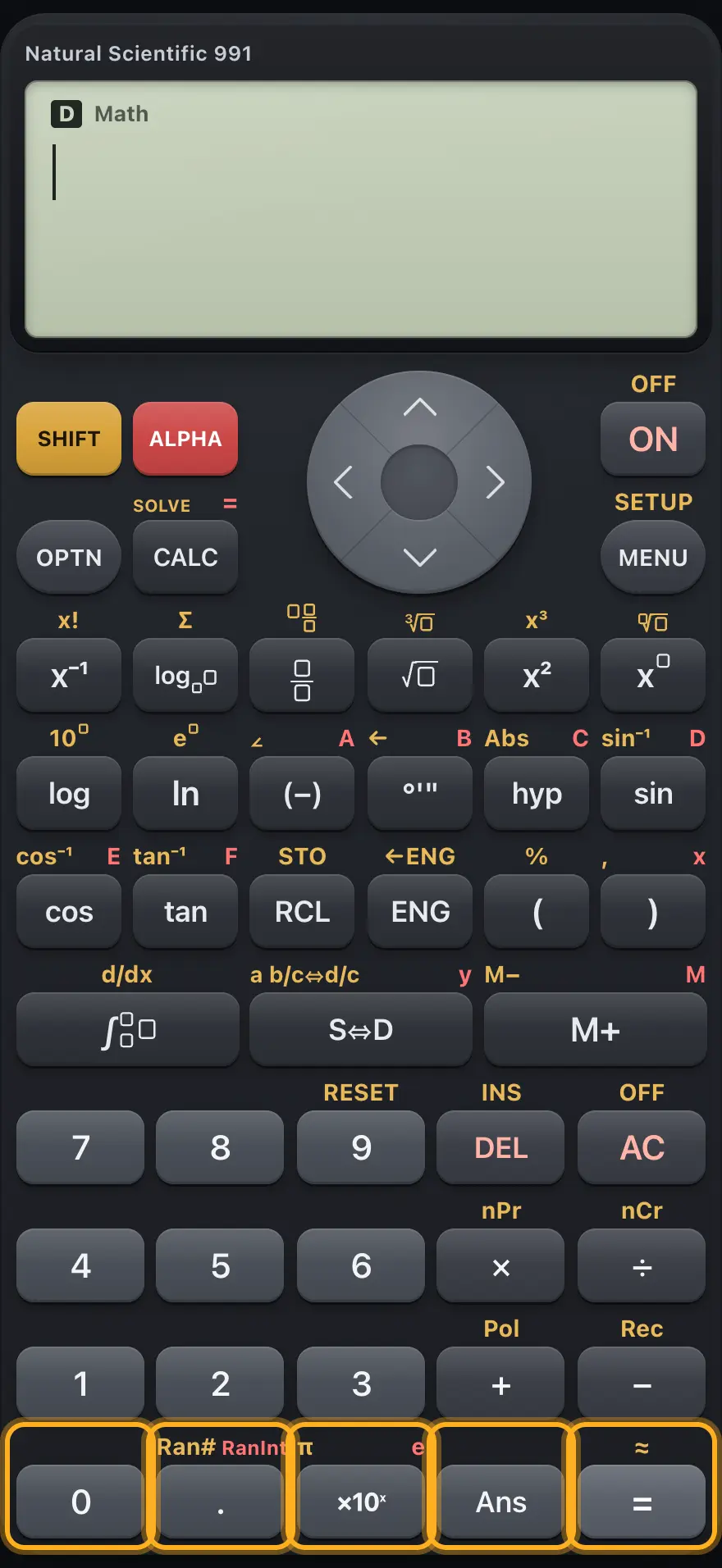
2.8 The bottom row: 0, point, ×10ˣ, Ans and equals# The bottom row Key Primary After SHIFT After ALPHA 0 Digit 0. . Decimal point. Ran#: a random decimal between 0 and 1. RanInt#(: a random whole number between two limits. ×10ˣ Times ten to a power. An exponent box follows. π: the constant pi. e: the constant e. Ans Inserts the previous answer. = Evaluates the line. Also confirms menu choices and form fields. ≈: evaluates and shows a decimal answer.
fx-991EX ClassWiz is a trademark of Casio Computer Co., Ltd.. Trident Calculator is an independent product by South View Studios and is not affiliated with, sponsored by or endorsed by Casio. The name is used only to describe the kind of calculator this model resembles; Trident's names, keys, display, fonts and software are its own clean-room design.