
Classic Scientific 30 manual · Chapter 11 of 13
Function table
Make a table of values for a function with a start value and a step.
11.1Make a table of values#
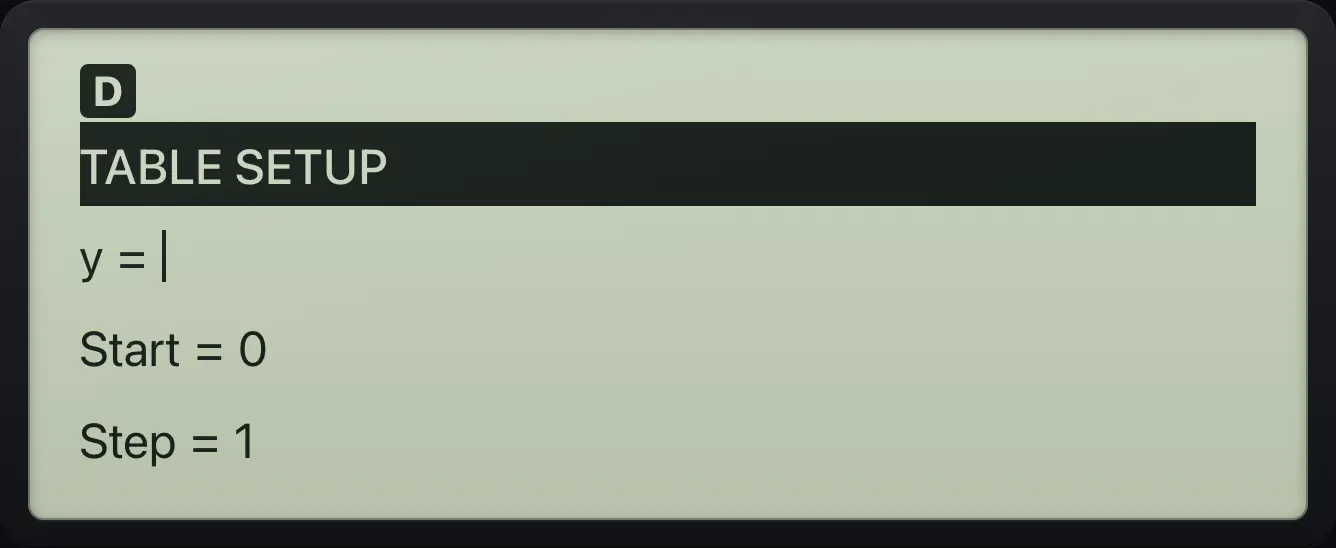
Press table to open TABLE SETUP. Type your function in the y line using the variable x yzt abcd (x), then press enter and fill in Start (the first x value) and Step (how far x moves each row). Press enter on the last field to build the table. The table shows x on the left and y on the right, and the bottom line shows the selected y value.
Table of squares
Enter x² for y and accept the start value 0 and step 1.
tablex yzt abcdx²enterenterenter
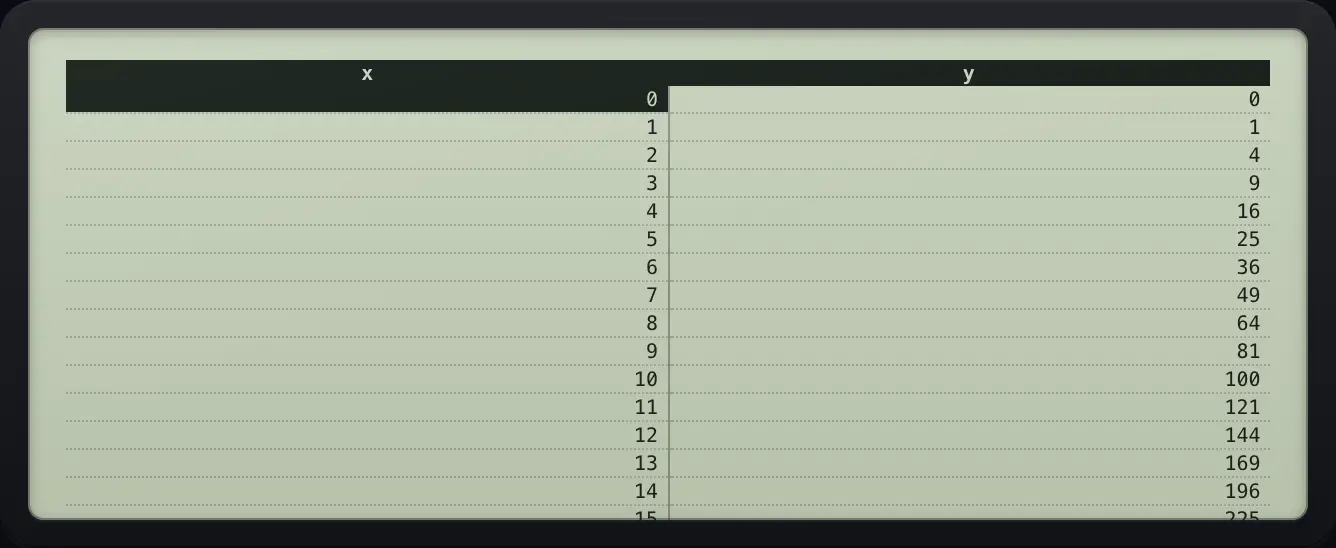
x y 3 9 5 25Start at 1 and step by 2
y = x × 2, start 1, step 2.
tablex yzt abcd×2enter1enter2enter
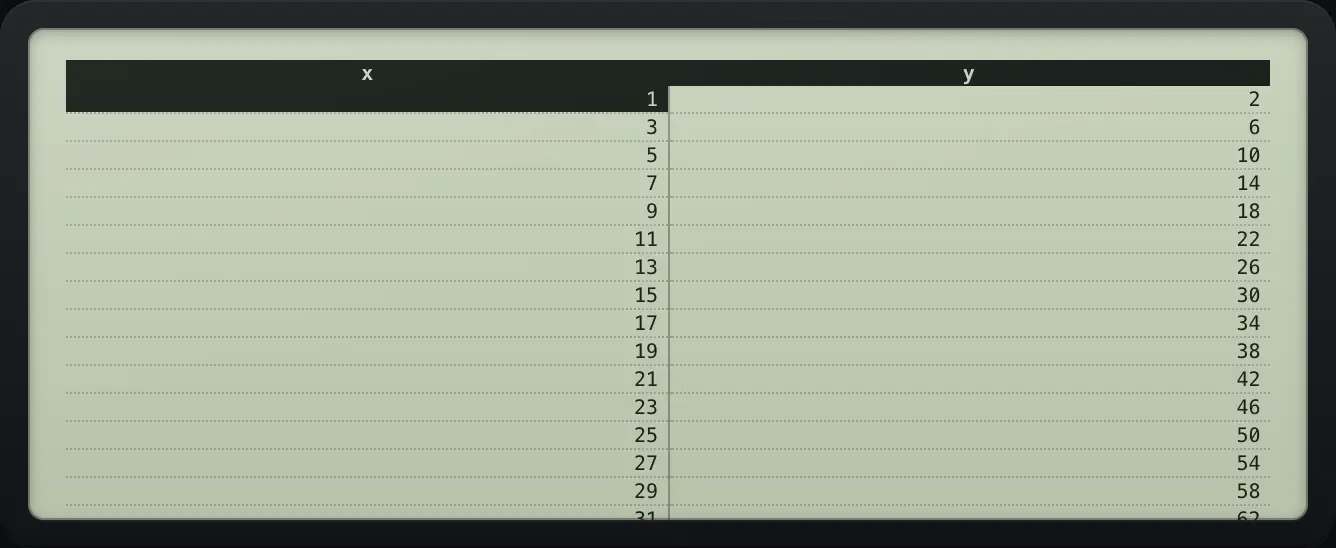
1 2 3 6 5 10Select a row
Press down to move the selection. The bottom line shows its y value.
tablex yzt abcdx²enterenterenter▼▼▼
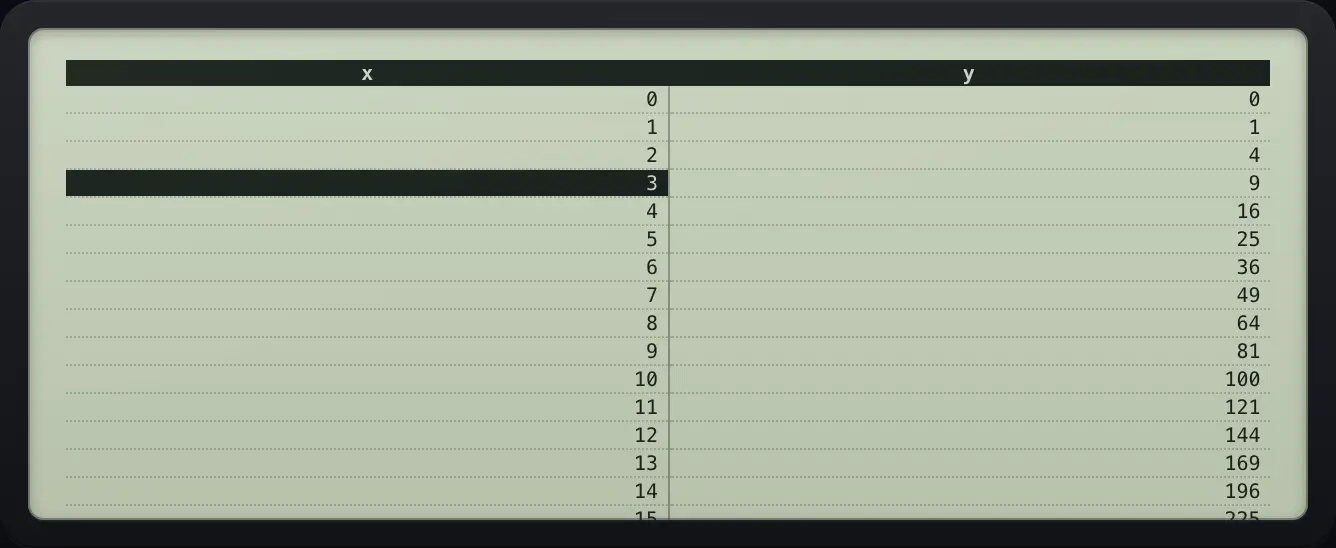
y=9See also Make a table of values
11.2Scroll, extend and change the table#
Press ▼ and ▲ to move through the rows. The table starts with 30 rows and adds one more each time you press ▼ at the end. Press table again to go back to the setup and change the function, start or step. Leave with 2ndquitmode.
A function with an error row
1 divided by x has no value at x = 0, so that row shows Error.
table1n/dx yzt abcdenterenterenter
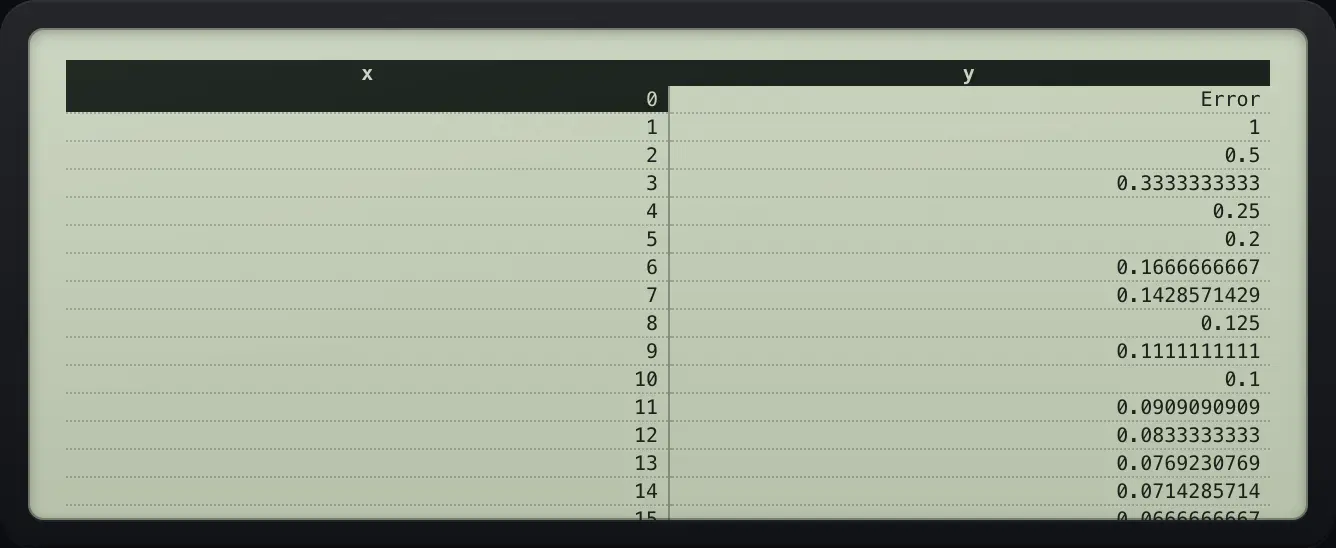
0 Error 1 1 2 0.5TI-30XS MultiView is a trademark of Texas Instruments Incorporated. Trident Calculator is an independent product by South View Studios and is not affiliated with, sponsored by or endorsed by Texas Instruments. The name is used only to describe the kind of calculator this model resembles; Trident's names, keys, display, fonts and software are its own clean-room design.