
Natural Scientific 991 manual · Chapter 17 of 18
Error messages
Every message the calculator can show, what it means and how to fix it.
17.1What each error means#
When an error appears, press AC to cancel and clear the line, or ◀ or ▶ to go back to the expression so you can correct it.
| Message | What it means | How to fix |
|---|---|---|
| Math ERROR | The calculation has no real answer or is too big: divide by zero, ln 0, tan 90°, a square root of a negative number in Calculate, 200!, a result above 9.999999999×10^99, a singular matrix, or a value outside the allowed range in an app. | Check the numbers. For roots of negative numbers use the Complex app. |
| Syntax ERROR | The expression is not complete or an operator is in the wrong place, such as two plus signs in a row, an empty fraction box, or a digit that is not allowed in the base. | Press left to go to the mistake and correct it. |
| Argument ERROR | A function got the wrong number of values, such as sin(1,2). | Give the function exactly the values it needs. |
| Dimension ERROR | Matrix or vector sizes do not match the operation. | Check rows and columns. You can only add matrices of the same size and multiply when the columns of the first equal the rows of the second. |
| Variable ERROR | A matrix or vector you used has not been defined. | Define it first with OPTN 1. |
| Memory ERROR | The result needs too much room, for example a table with more than 45 rows. | Shorten the range or use a larger step. |
| Can't Solve | SOLVE could not find a solution near your guess. | Try another guess, or check that the equation has a solution. |
| Time Out | A numeric integral or derivative could not be calculated accurately enough. | Narrow the limits or simplify the function. |
| No Solution | The simultaneous equations contradict each other. | Check the coefficients you typed. |
| Infinite Solution | The simultaneous equations have more than one answer. | Check the coefficients; the equations are the same line or plane. |
Divide by zero
1 ÷ 0.
1÷0=
![Result of the example "Divide by zero" The display shows: Math ERROR / [AC] :Cancel / [◀][▶]:Goto.](/trident/app/help/manual/img/6e3635e5s.webp)
Math ERRORSyntax error
Two plus signs in a row.
1++=
![Result of the example "Syntax error" The display shows: Syntax ERROR / [AC] :Cancel / [◀][▶]:Goto.](/trident/app/help/manual/img/70417b8es.webp)
Syntax ERRORArgument error
sin with two values.
sin1SHIFT,)2)=
![Result of the example "Argument error" The display shows: Argument ERROR / [AC] :Cancel / [◀][▶]:Goto.](/trident/app/help/manual/img/c3a80aaes.webp)
Argument ERRORDimension error
Add a 2×2 to a 3×3.
MENU4OPTN11221=2=3=4=OPTN12331=1=1=1=1=1=1=1=1=OPTN3+OPTN4=
![Result of the example "Dimension error" The display shows: Dimension ERROR / [AC] :Cancel / [◀][▶]:Goto.](/trident/app/help/manual/img/85a3d636s.webp)
Dimension ERRORVariable error
Use a matrix that was never defined.
MENU4OPTN5=
![Result of the example "Variable error" The display shows: Variable ERROR / [AC] :Cancel / [◀][▶]:Goto.](/trident/app/help/manual/img/938e7426s.webp)
Variable ERRORCannot solve
Solve x² + 1 = 0, which has no real solution.
ALPHAx)x²+1ALPHA=CALC0SHIFTSOLVECALC0=
![Result of the example "Cannot solve" The display shows: Can't Solve / [AC] :Cancel / [◀][▶]:Goto.](/trident/app/help/manual/img/2915df79s.webp)
Can't SolveGo back to the expression
Press the left arrow after an error.
1÷0=◀
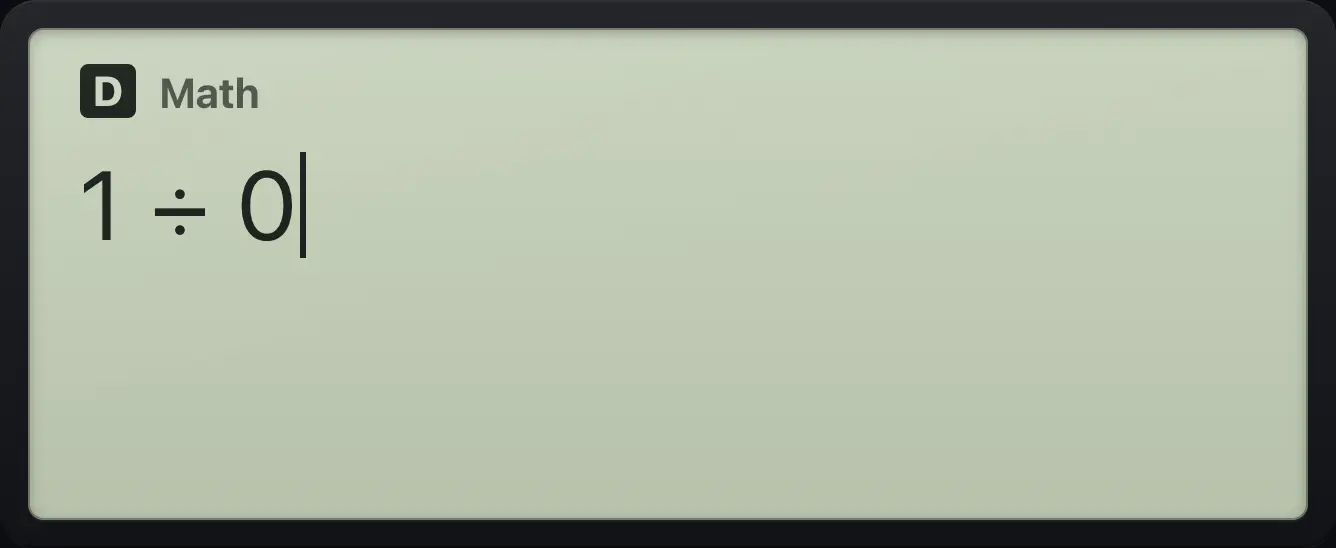
1÷0fx-991EX ClassWiz is a trademark of Casio Computer Co., Ltd.. Trident Calculator is an independent product by South View Studios and is not affiliated with, sponsored by or endorsed by Casio. The name is used only to describe the kind of calculator this model resembles; Trident's names, keys, display, fonts and software are its own clean-room design.