
Natural Scientific 991 manual · Chapter 10 of 18
Matrices
Define matrices A to D up to 4×4, then add, multiply, invert, transpose and take determinants.
10.1Define a matrix#
Press MENU then 4 to open the Matrix app (MAT). Press OPTN and choose 1 (Define Matrix), then pick MatA to MatD, then the number of rows and columns (1 to 4). A form appears with one box per element: type a value and press = to go to the next one.
Define MatA as 2×2
Open Matrix. OPTN 1, MatA (1), 2 rows, 2 columns.
MENU4OPTN1122Type the elements 1, 2, 3, 4 pressing equals after each.
1=2=3=4=Type MatA with OPTN 3 and press equals.
OPTN3=
![Result of the example "Define MatA as 2×2" The display shows: MatA / [[1 2] / [3 4]].](/trident/app/help/manual/img/159ae0a3s.webp)
[[1 2] [3 4]]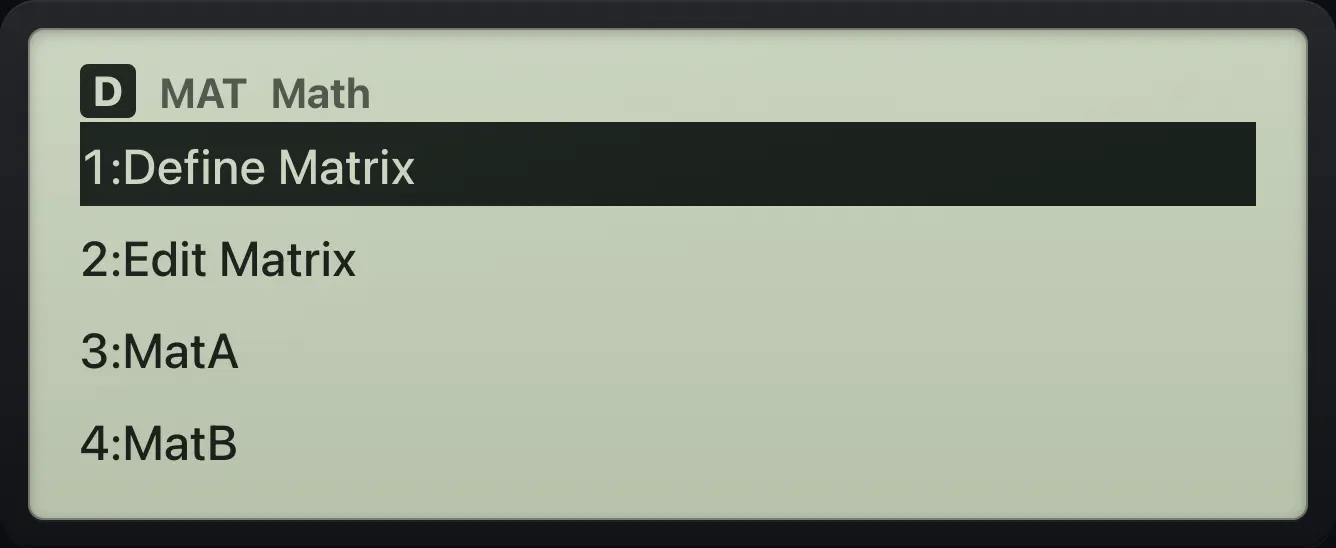
10.2Edit a matrix you already defined#
OPTN 2 (Edit Matrix) reopens the form for a matrix, keeping the old values. Type over the ones you want to change; press = to accept each box.
Change the first element
Define MatA, then OPTN 2, MatA.
MENU4OPTN11221=2=3=4=OPTN21Type 5 in the first box.
5=
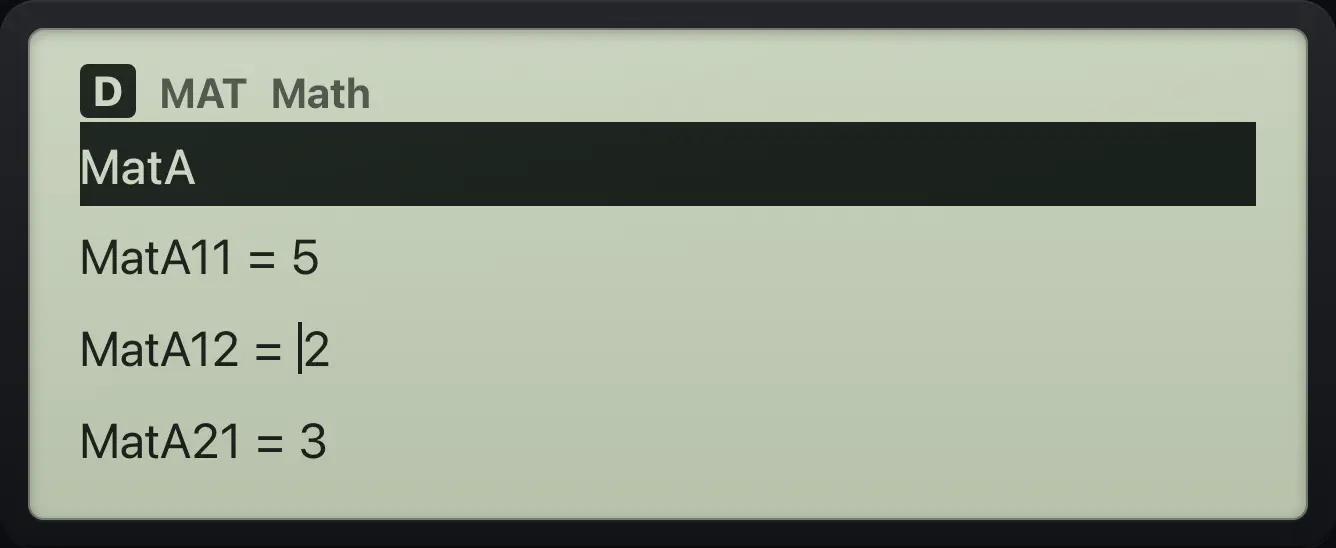
MatA11=5 MatA12=210.3Add, multiply, square and invert matrices#
Use OPTN then 3 to 6 to insert MatA, MatB, MatC or MatD into a calculation, and then the usual keys. x² squares a matrix, x⁻¹ inverts it, and multiplying by a number multiplies every element. A matrix shown with elements in rows is the answer. The result is also stored in MatAns (OPTN 7).
Multiply by a number
Define MatA (1, 2, 3, 4).
MENU4OPTN11221=2=3=4=MatA × 2.
OPTN3×2=
![Result of the example "Multiply by a number" The display shows: MatA×2 / [[2 4] / [6 8]].](/trident/app/help/manual/img/4b753653s.webp)
[[2 4] [6 8]]Multiply two matrices
Define MatA.
MENU4OPTN11221=2=3=4=MatA × MatA.
OPTN3×OPTN3=
![Result of the example "Multiply two matrices" The display shows: MatA×MatA / [[ 7 10] / [15 22]].](/trident/app/help/manual/img/309718b7s.webp)
15 22]]Square a matrix
Define MatA, then MatA squared.
MENU4OPTN11221=2=3=4=OPTN3x²=
![Result of the example "Square a matrix" The display shows: MatA² / [[ 7 10] / [15 22]].](/trident/app/help/manual/img/16176885s.webp)
15 22]]Inverse of a matrix
Define MatA, then MatA to the power minus one.
MENU4OPTN11221=2=3=4=OPTN3x⁻¹=
![Result of the example "Inverse of a matrix" The display shows: MatA⁻¹ / [[ -2 1] / [1.5 -0.5]].](/trident/app/help/manual/img/c2d9077as.webp)
-2 1.5 -0.510.4Determinant, transpose and identity#
| OPTN number | Item | Meaning |
|---|---|---|
| 1 | Define Matrix | Choose a matrix and its size. |
| 2 | Edit Matrix | Change a matrix. |
| 3 to 6 | MatA to MatD | Insert a matrix. |
| 7 | MatAns | The last matrix answer. |
| 8 | Determinant | Det( of a square matrix. |
| 9 | Transposition | Trn( swaps rows and columns. |
| 10 (press up from the top) | Identity | Identity( builds an n by n identity matrix. |
Determinant
Define MatA.
MENU4OPTN11221=2=3=4=OPTN 8, MatA, bracket.
OPTN8OPTN3)=
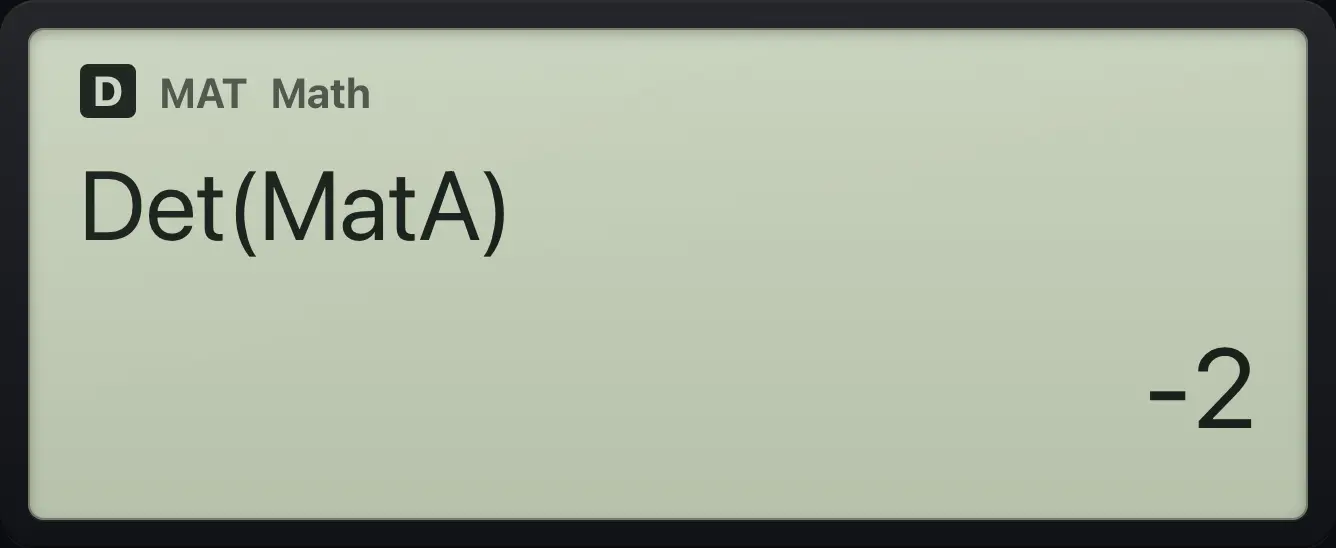
-2Transpose
Define MatA.
MENU4OPTN11221=2=3=4=OPTN 9, MatA, bracket.
OPTN9OPTN3)=
![Result of the example "Transpose" The display shows: Trn(MatA) / [[1 3] / [2 4]].](/trident/app/help/manual/img/fd226b13s.webp)
[[1 3] [2 4]]Identity matrix
Press OPTN then up to jump to the last item, Identity, and choose it with equals. Type 3.
MENU4OPTN▲=3)=
![Result of the example "Identity matrix" The display shows: Identity(3) / [[1 0 0] / [0 1 0] / [0 0 1]].](/trident/app/help/manual/img/9b948379s.webp)
[[1 0 0] [0 1 0] [0 0 1]]fx-991EX ClassWiz is a trademark of Casio Computer Co., Ltd.. Trident Calculator is an independent product by South View Studios and is not affiliated with, sponsored by or endorsed by Casio. The name is used only to describe the kind of calculator this model resembles; Trident's names, keys, display, fonts and software are its own clean-room design.