
RPN family · Pro · Instruction manual
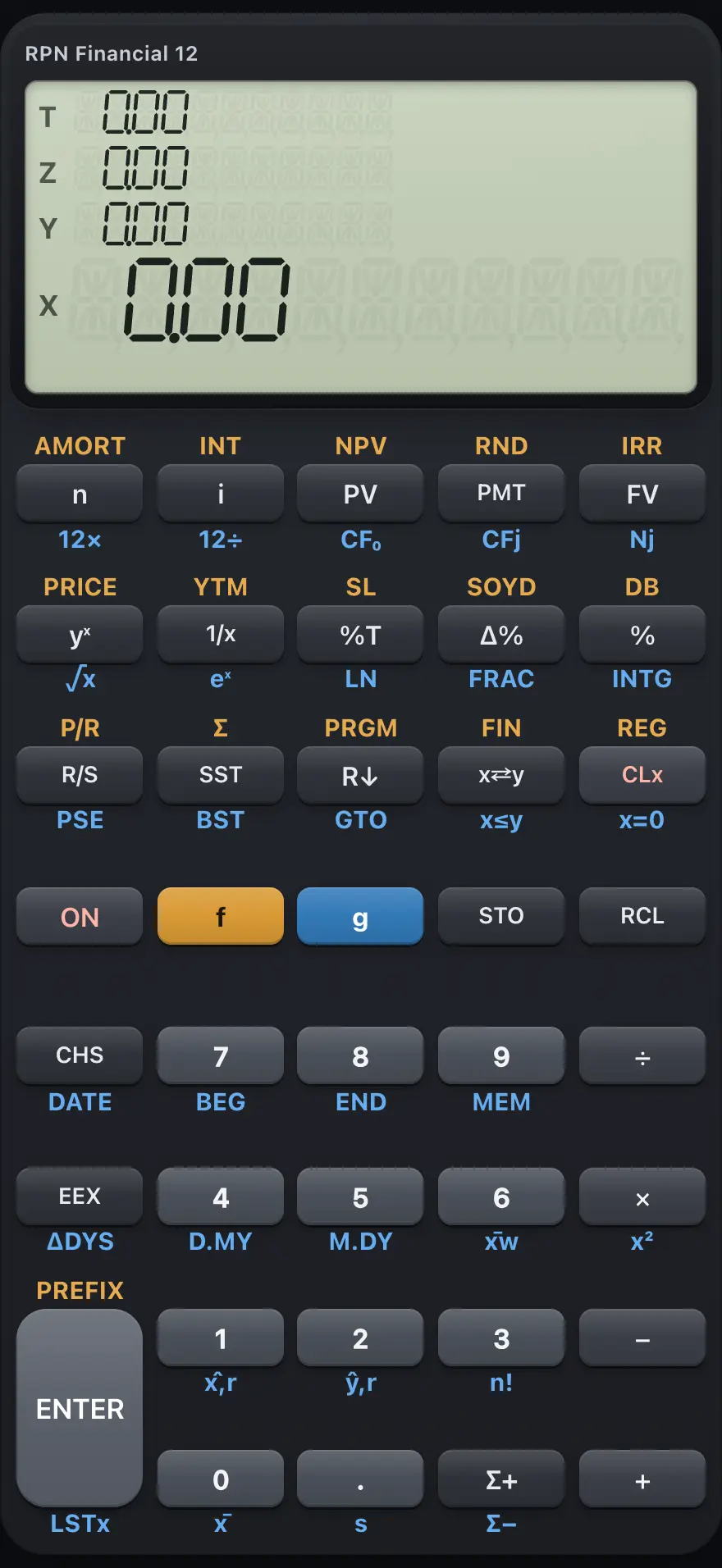
RPN Financial 12
RPN Financial 12 is a business calculator that works in reverse Polish notation (RPN): you key in numbers first and then press the operation. Five keys (n, i, PV, PMT and FV) solve loans, savings, leases and annuities directly. It also does amortization schedules, cash flows with NPV and IRR, bond price and yield, depreciation, date arithmetic, statistics and a 99-line keystroke program. This manual covers every key with worked examples you can follow key by key.
Designed to feel familiar if you have used a HP 12C RPN financial calculator.
- 16 chapters
- 109 topics
- 152 worked examples
Contents
- 1Getting startedThe display, the f and g prefix keys, the first RPN calculation, correcting mistakes and typing with a computer keyboard.
- 2How RPN and the stack workWhat reverse Polish notation is, the four stack registers X, Y, Z and T, ENTER, stack lift, rolling, swapping and LSTx, with step-by-step stack diagrams.
- 2.1What RPN is and why accountants like it
- 2.2The four stack registers: X, Y, Z and T
- 2.3What ENTER does
- 2.4One-number functions and two-number operations
- 2.5Chain calculations without brackets
- 2.6When a new number replaces X and when it lifts the stack
- 2.7Use a number twice: ENTER ENTER
- 2.8Roll the stack and swap X and Y
- 2.9Bring back the last number with LSTx
- 2.10Stack habits that save time
- 3The keyboard, key by keyEvery key of RPN Financial 12 with its plain, f (gold) and g (blue) function.
- 4Everyday calculationsArithmetic in RPN, negative numbers, percentages, powers, roots, logarithms, integer and fractional parts, rounding and scientific notation.
- 4.1Add, subtract, multiply and divide
- 4.2Negative numbers: the CHS key
- 4.3Percentages, percent of total and percent change
- 4.4Powers, roots and reciprocals
- 4.5Natural logarithm and eˣ
- 4.6Factorial
- 4.7Integer part and fractional part
- 4.8Round to the displayed decimals
- 4.9Very large and very small numbers: EEX
- 4.10The history list
- 5Display format and settingsFIX and scientific display, showing all digits, BEGIN and END payment timing, date format and the compound-interest indicator.
- 6Storage registersThe 20 storage registers, STO and RCL, register arithmetic and the financial registers, clearing memory and checking memory use.
- 7Time value of moneyLoans, mortgages, savings, leases and annuities with n, i, PV, PMT and FV: how the five keys work, the sign convention, solving for each unknown, BEGIN mode and part periods.
- 7.1How the five financial keys work
- 7.2Store a value or calculate it
- 7.3The sign convention: money in and money out
- 7.4Monthly payments: 12× and 12÷
- 7.5Find the payment on a loan
- 7.6A loan with a balloon payment
- 7.7Find how much you can borrow
- 7.8Find what savings will grow to
- 7.9Save a regular amount each period
- 7.10Payments at the beginning of the period
- 7.11Find how long it takes: n
- 7.12Find the interest rate: i
- 7.13Find the present value
- 7.14Zero interest
- 7.15Part periods: n with a fraction
- 7.16Simple interest
- 7.17Start a new problem
- 8AmortizationSee how each block of loan payments splits into interest and principal, and what balance is left.
- 9Cash flows: NPV and IRREnter an uneven series of cash flows with CF0, CFj and Nj, then find the net present value and the internal rate of return.
- 10BondsFind the price of a bond from its yield, and the yield from its price, with settlement and maturity dates.
- 11DepreciationStraight-line, sum-of-the-years-digits and declining-balance depreciation for any year of an asset's life.
- 12DatesKey in dates in month-first or day-first form, find the number of days between two dates, and add days to a date.
- 13StatisticsEnter data with Σ+, then find means, standard deviations, a fitted line, estimates, correlation and a weighted mean.
- 14Keystroke programmingRecord keys as a program of up to 99 lines, run it, pause for input, make decisions with tests, jump with GTO and step through it.
- 15Error messagesEvery error the calculator can show, what it means and how to fix it.
- 16ReferenceReset and clear the calculator, number range and precision, display limits, and what is not included.
HP 12C is a trademark of HP Inc.. Trident Calculator is an independent product by South View Studios and is not affiliated with, sponsored by or endorsed by HP. The name is used only to describe the kind of calculator this model resembles; Trident's names, keys, display, fonts and software are its own clean-room design.