
RPN Financial 12 manual · Chapter 3 of 16
The keyboard, key by key
Every key of RPN Financial 12 with its plain, f (gold) and g (blue) function.
3.1How to read the key tables#
Each table row is one key. "Plain press" is the function printed on the key. "After f" is the gold function above the key. "After g" is the blue function on the key's front edge. A dash means the shifted key does nothing.
3.2Top row: the financial keys#
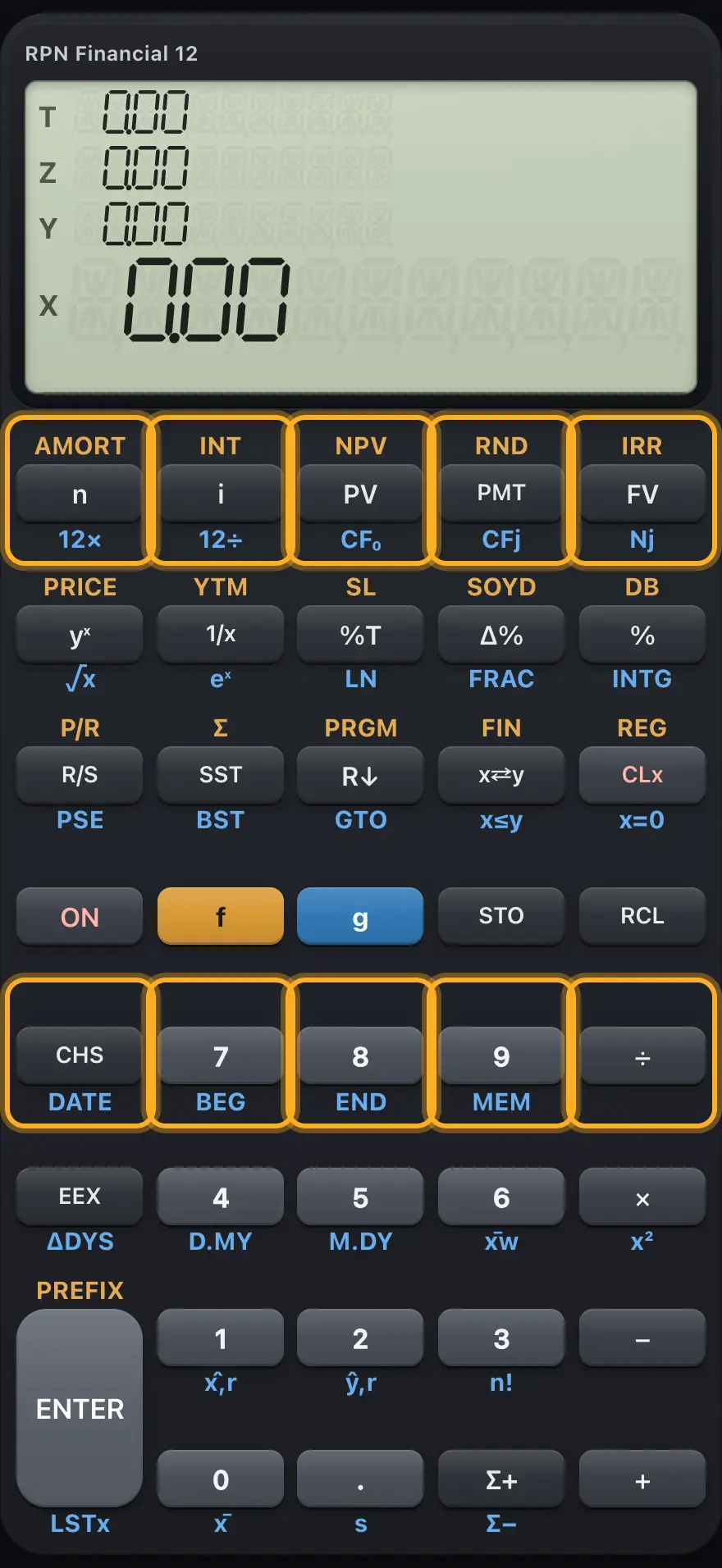
| Key | Plain press | After f (gold) | After g (blue) |
|---|---|---|---|
| n | n: store or calculate the number of periods | AMORT: amortization of X payments | 12×: multiply X by 12 and store it as n |
| i | i: store or calculate the interest rate per period (percent) | INT: simple interest | 12÷: divide X by 12 and store it as i |
| PV | PV: store or calculate the present value | NPV: net present value of the cash flows | CF₀: store X as the initial cash flow |
| PMT | PMT: store or calculate the payment | RND: round X to the displayed decimals | CFj: store X as the next cash flow |
| FV | FV: store or calculate the future value | IRR: internal rate of return of the cash flows | Nj: how many times the last cash flow repeats |
| CHS | CHS: change the sign of X (or of the number being typed) | - | DATE: add days in X to the date in Y |
| 7 | Digit 7 | - | BEG: payments at the beginning of each period |
| 8 | Digit 8 | - | END: payments at the end of each period |
| 9 | Digit 9 | - | MEM: show program lines used and registers |
| ÷ | ÷ (Y divided by X) | - | - |
3.3Second row: powers, percent, bonds and depreciation#
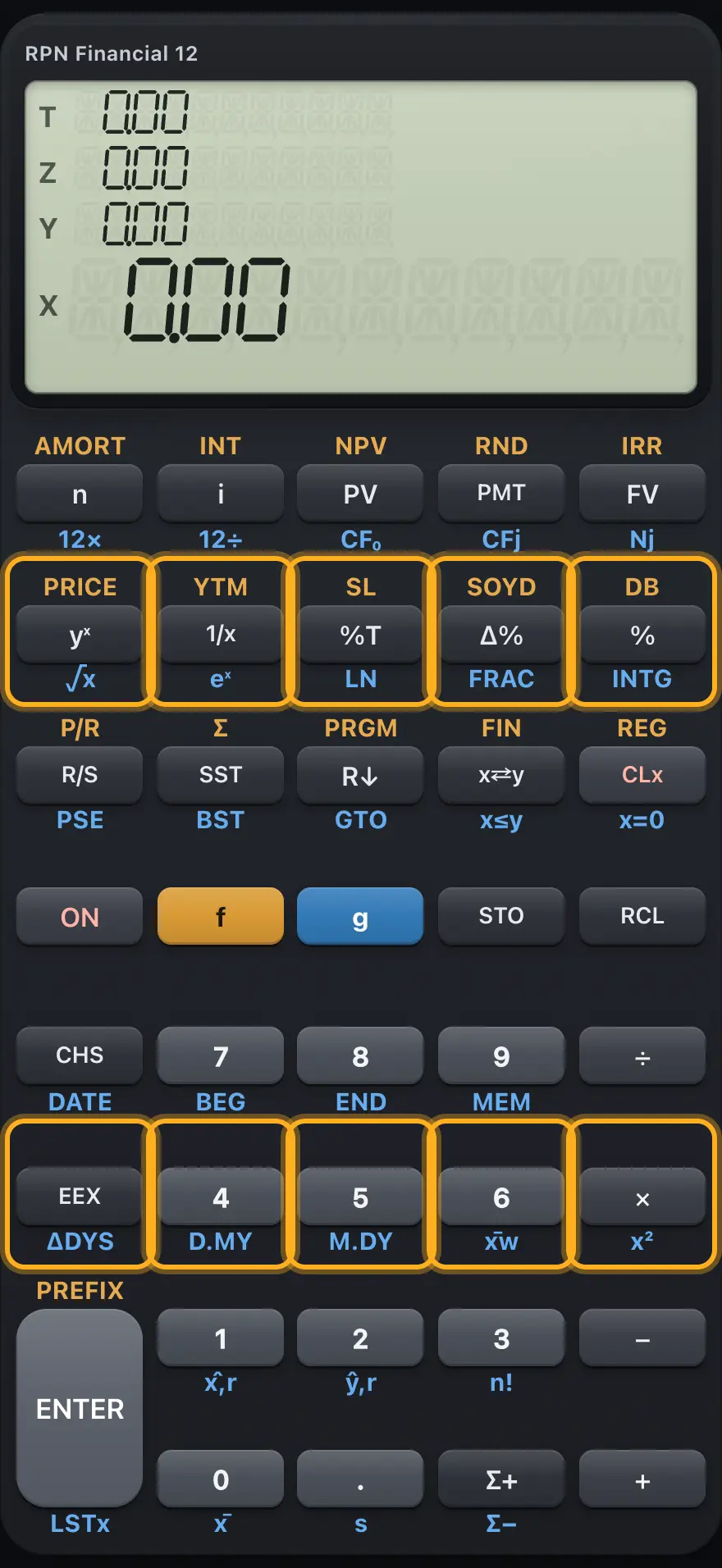
| Key | Plain press | After f (gold) | After g (blue) |
|---|---|---|---|
| yˣ | yˣ: Y to the power X | PRICE: price of a bond | √x: square root of X |
| 1/x | 1/x: reciprocal | YTM: yield to maturity of a bond | eˣ: e to the power X |
| %T | %T: X as a percent of Y | SL: straight-line depreciation | LN: natural logarithm |
| Δ% | Δ%: percent change from Y to X | SOYD: sum-of-the-years-digits depreciation | FRAC: fractional part of X |
| % | %: X percent of Y | DB: declining-balance depreciation | INTG: integer part of X |
| EEX | EEX: enter an exponent of ten | - | ΔDYS: days between two dates |
| 4 | Digit 4 | - | D.MY: dates are keyed day first |
| 5 | Digit 5 | - | M.DY: dates are keyed month first |
| 6 | Digit 6 | - | x̄w: mean of x weighted by y |
| × | × (multiply) | - | x²: square of X |
3.4Third row: programs, stack, clearing and digits 1 to 3#
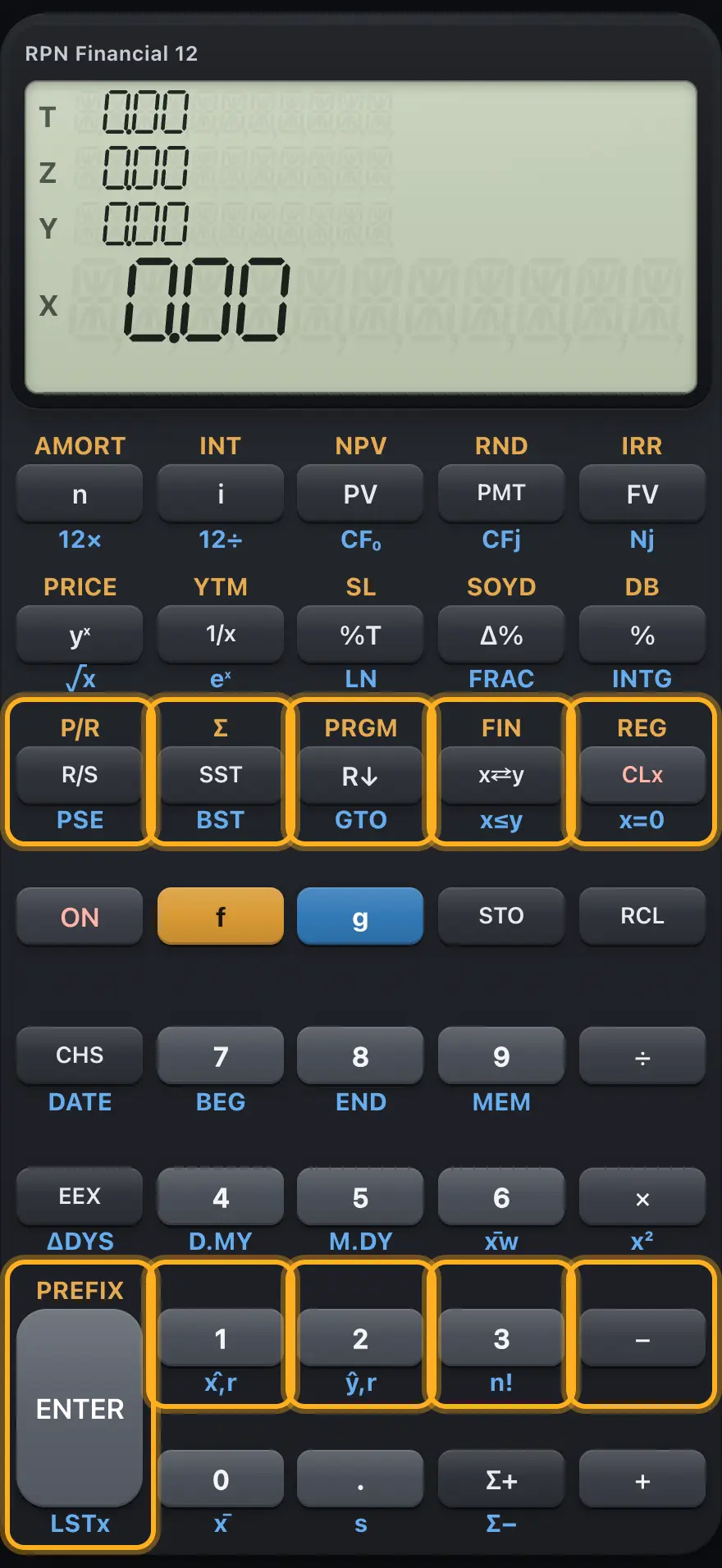
| Key | Plain press | After f (gold) | After g (blue) |
|---|---|---|---|
| R/S | R/S: run or stop the program | P/R: program mode on or off | PSE: no effect here |
| SST | SST: run one program line (or step forward in program mode) | Σ (CLEAR Σ): clear statistics and the stack | BST: step back one program line |
| R↓ | R↓: roll the stack down | PRGM (CLEAR PRGM): clear the program | GTO: go to a program line |
| x⇄y | x⇄y: swap X and Y | FIN (CLEAR FIN): clear n, i, PV, PMT, FV | x≤y test |
| CLx | CLx: clear X | REG (CLEAR REG): clear all registers and the stack | x=0 test |
| ENTER | ENTER: copy X up the stack | PREFIX: show all ten digits of X | LSTx: bring back the last X |
| 1 | Digit 1 | - | x̂,r: estimate x for a given y |
| 2 | Digit 2 | - | ŷ,r: estimate y for a given x |
| 3 | Digit 3 | - | n!: factorial |
| − | − (Y minus X) | - | - |
3.5Bottom row: shift keys, memory, statistics and the point#
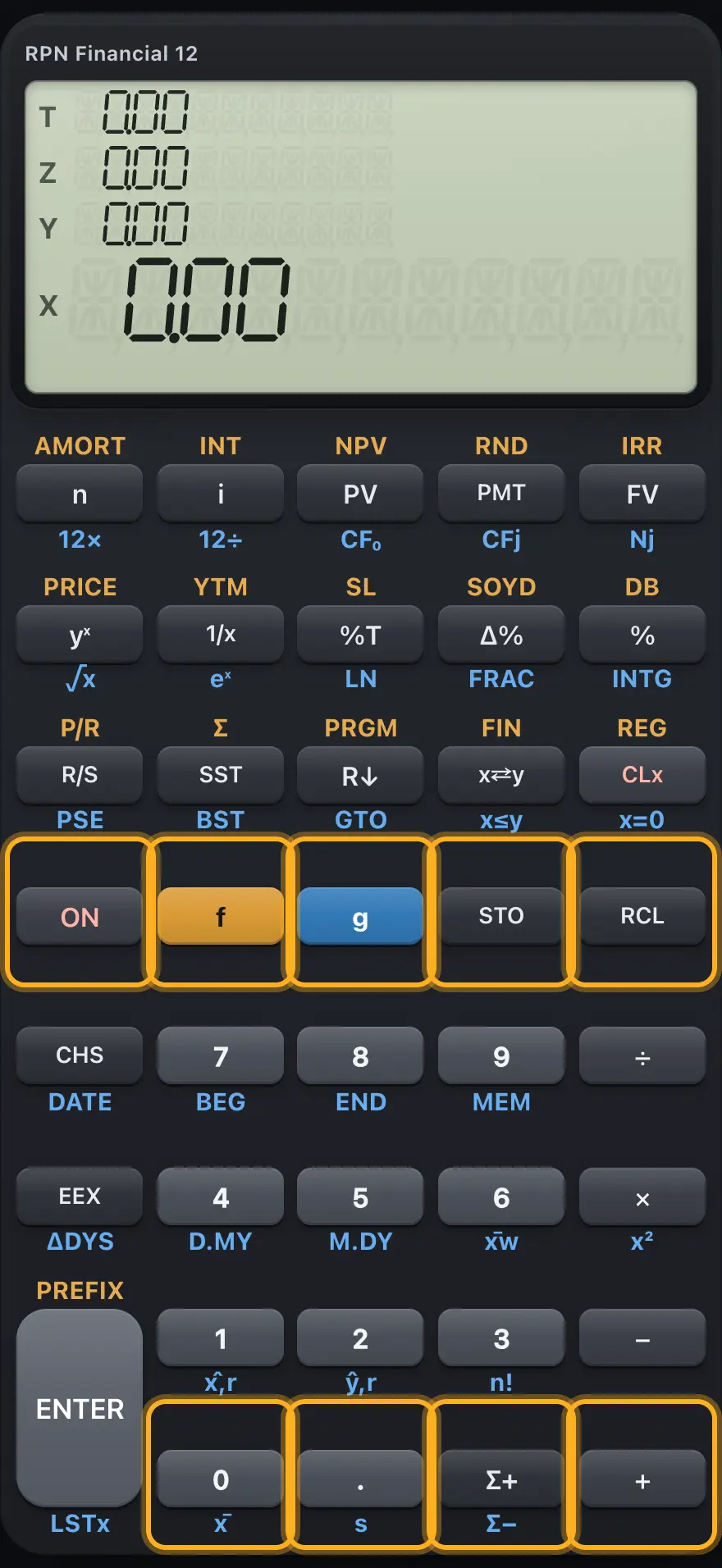
| Key | Plain press | After f (gold) | After g (blue) |
|---|---|---|---|
| ON | ON: cancels a pending prefix or key sequence | - | - |
| f | Gold prefix | Restarts the f prefix | Switches to the f prefix |
| g | Blue prefix | Switches to the g prefix | Restarts the g prefix |
| STO | STO: store X in a register | - | - |
| RCL | RCL: recall a register | - | - |
| 0 | Digit 0 | FIX 0 (no decimals) | x̄: mean of the statistics data |
| . | Decimal point | Scientific notation (six decimals) | s: sample standard deviation |
| Σ+ | Σ+: add a data point | - | Σ−: remove a data point |
| + | + (add) | - | - |
The digit keys 1 to 9 on the f layer are FIX 1 to FIX 9: they set that many decimals. For example f4 shows four decimals.
3.6Keys that need a register or line number after them#
| Function | Then press | Meaning |
|---|---|---|
| STO, RCL | A digit 0 to 9, or . and a digit | Register R0 to R9 or R.0 to R.9 |
| STO, RCL | n i PV PMT or FV | The financial register of that name |
| STO | + − × ÷ first, then a register | Register arithmetic |
| STO | EEX | Turns the C (compound interest) indicator on or off |
| gGTOR↓ (GTO) | Two digits, or . and two digits | GTO: go to a program line |
| f0 to f9 | (nothing more) | FIX n: the digit is the number of decimals |
- STO
- register: 5
- X is stored
HP 12C is a trademark of HP Inc.. Trident Calculator is an independent product by South View Studios and is not affiliated with, sponsored by or endorsed by HP. The name is used only to describe the kind of calculator this model resembles; Trident's names, keys, display, fonts and software are its own clean-room design.