
RPN Advanced 42 manual · Chapter 2 of 18
Keyboard reference
Every key of the calculator: its plain function, its shifted function and what it does in ALPHA mode.
2.1How to read the key tables#
Each table lists a key, what it does on its own, what it does after ⇧, and what it types or does in ALPHA mode. A dash means the key has no function in that layer. Many shifted keys open menus; those menus are described in later chapters.
ALPHA mode is turned on with shift ENTER. In ALPHA mode the six top-row keys pick a group of letters and then a letter; the digits, a few arithmetic keys and the swap key type characters; and shift before a letter gives a lowercase letter.
2.2Top row: the six menu keys#
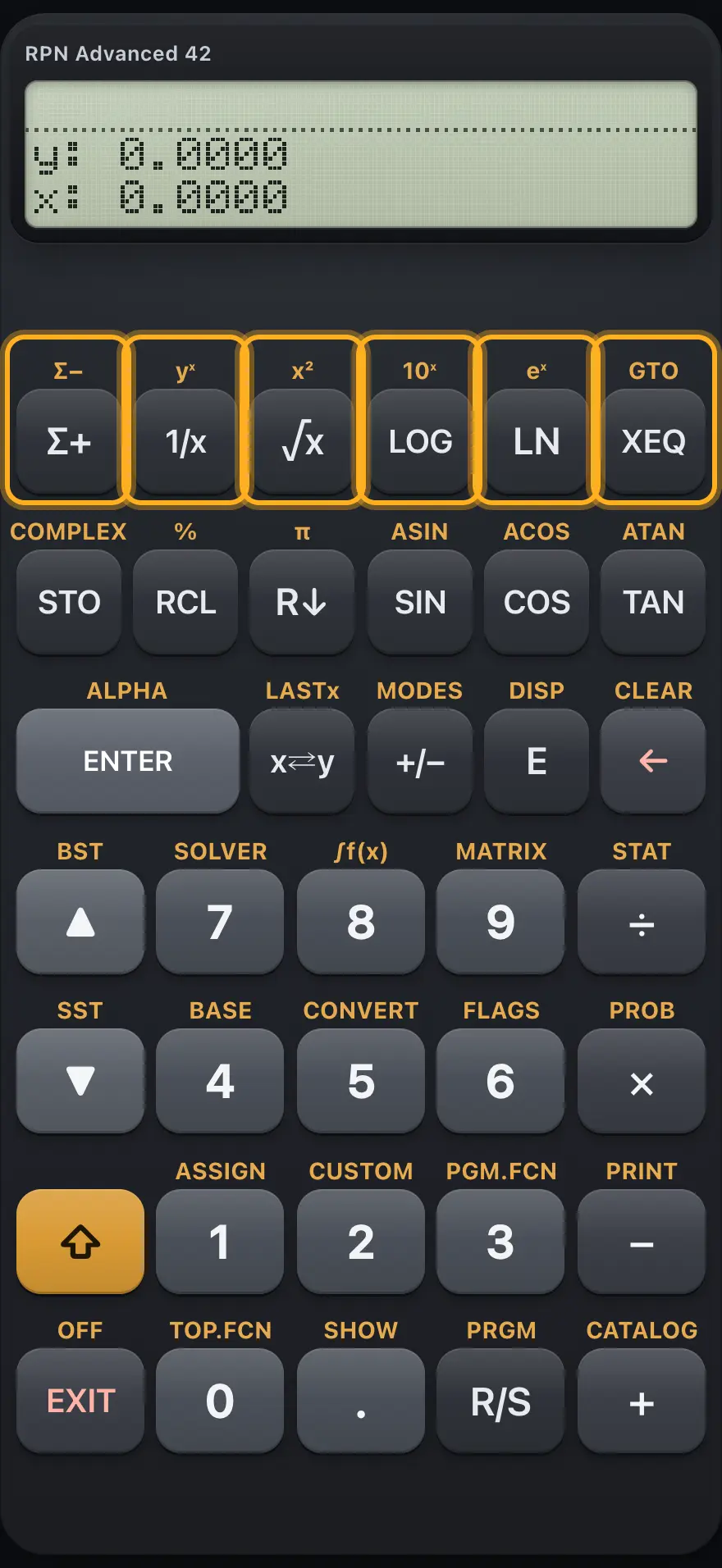
| Key | Primary | Shifted | In ALPHA mode |
|---|---|---|---|
| Σ+ | Adds the point (X, Y) to the statistics. Menu key 1. | Removes a point from the statistics. | Group A B C D E |
| 1/x | Reciprocal, 1/x. Menu key 2. | y to the power x. | Group F G H I |
| √x | Square root. Menu key 3. | x squared. | Group J K L M |
| LOG | Common logarithm. Menu key 4. | 10 to the power x. | Group N O P Q |
| LN | Natural logarithm. Menu key 5. | e to the power x. | Group R S T U V |
| XEQ | Runs a program by name (XEQ). Menu key 6. | Goes to a program label or line (GTO). | Group W X Y Z |
2.3Second row: storage and trigonometry#
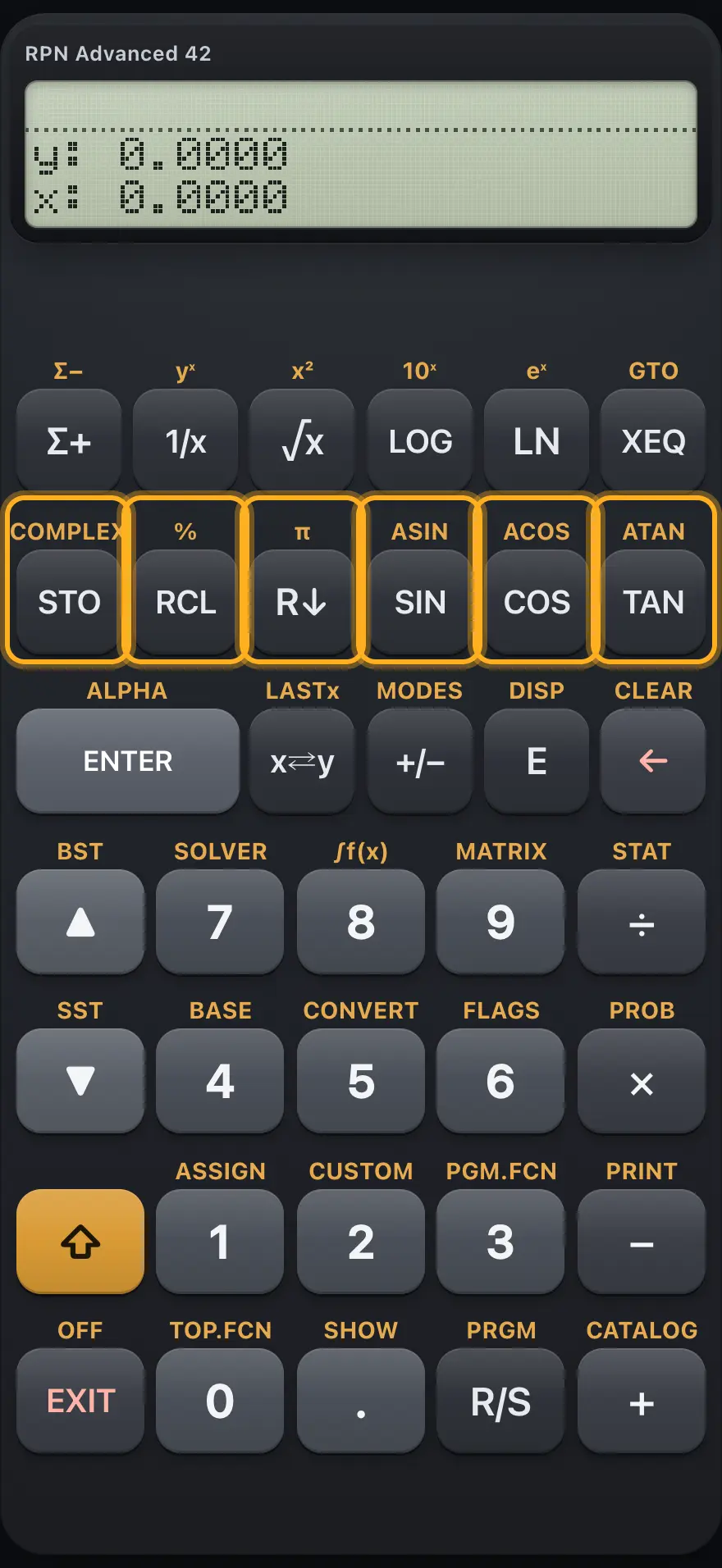
| Key | Primary | Shifted | In ALPHA mode |
|---|---|---|---|
| STO | Stores X in a register or named variable. | COMPLEX: builds a complex number from Y and X, or splits one. | — |
| RCL | Recalls a register or variable into X. | Percent: X percent of Y. | — |
| R↓ | Rolls the stack down. | Pushes pi. | — |
| SIN | Sine. | Inverse sine. | — |
| COS | Cosine. | Inverse cosine. | — |
| TAN | Tangent. | Inverse tangent. | — |
2.4Third row: ENTER, swap, sign, exponent, backspace#
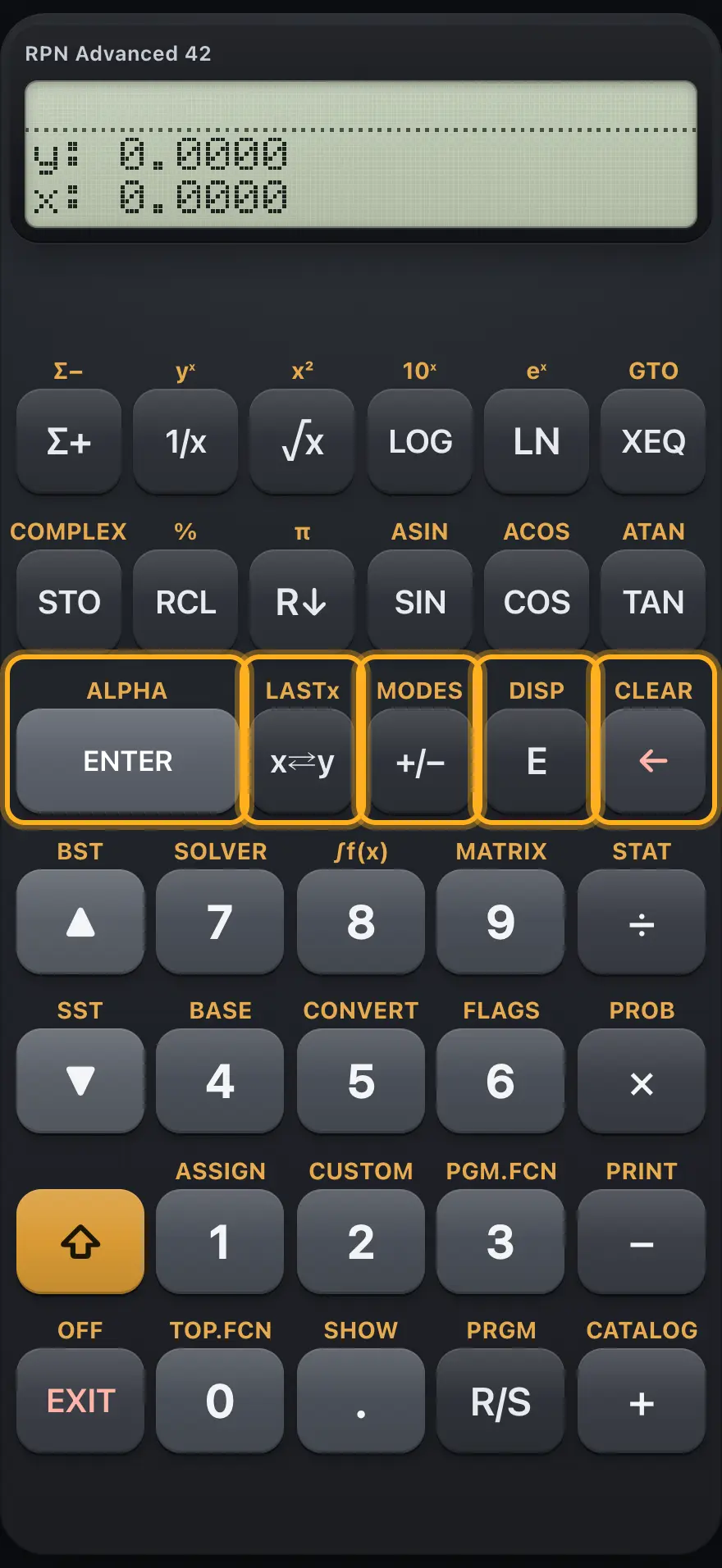
| Key | Primary | Shifted | In ALPHA mode |
|---|---|---|---|
| ENTER | Copies X up the stack so you can type a new number. | Turns ALPHA mode on. | Finishes ALPHA entry. |
| x⇄y | Swaps X and Y. | LASTx: brings back the previous X. | Types a space. |
| +/− | Changes the sign of X (or of the number being typed). | Opens the MODES menu. | Types a minus sign. |
| E | Starts the exponent of a number in scientific notation. | Opens the DISP menu. | Types the letter E. |
| ← | Deletes the last digit, or clears X. | Opens the CLEAR menu. | Deletes the last character. |
2.5Rows four and five: 7 8 9 and 4 5 6#
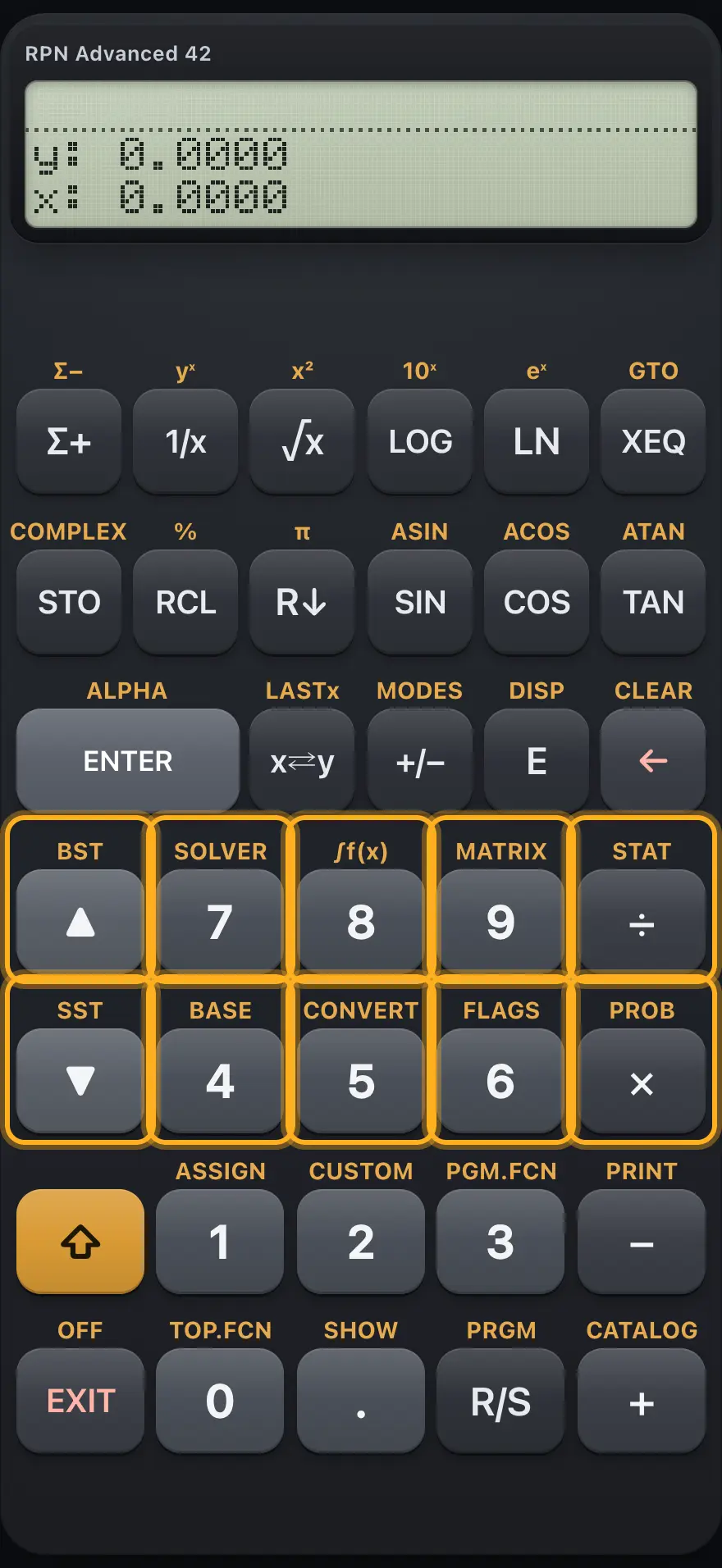
| Key | Primary | Shifted | In ALPHA mode |
|---|---|---|---|
| ▲ | Moves up through menu pages, matrix cells or program lines. | BST: back one program line. | — |
| 7 | Digit 7. | SOLVER. | Types 7. |
| 8 | Digit 8. | Integration, ∫f(x). | Types 8. |
| 9 | Digit 9. | MATRIX menu. | Types 9. |
| ÷ | Divides Y by X. | STAT menu. | Types a divide sign. |
| ▼ | Moves down through menu pages, matrix cells or program lines. | SST: one program line forward (runs it from the keyboard). | — |
| 4 | Digit 4. | BASE menu. | Types 4. |
| 5 | Digit 5. | CONVERT menu. | Types 5. |
| 6 | Digit 6. | FLAGS menu. | Types 6. |
| × | Multiplies Y by X. | PROB menu. | Types a multiply sign. |
2.6Rows six and seven: shift, 1 2 3, EXIT, 0, point, R/S, plus#
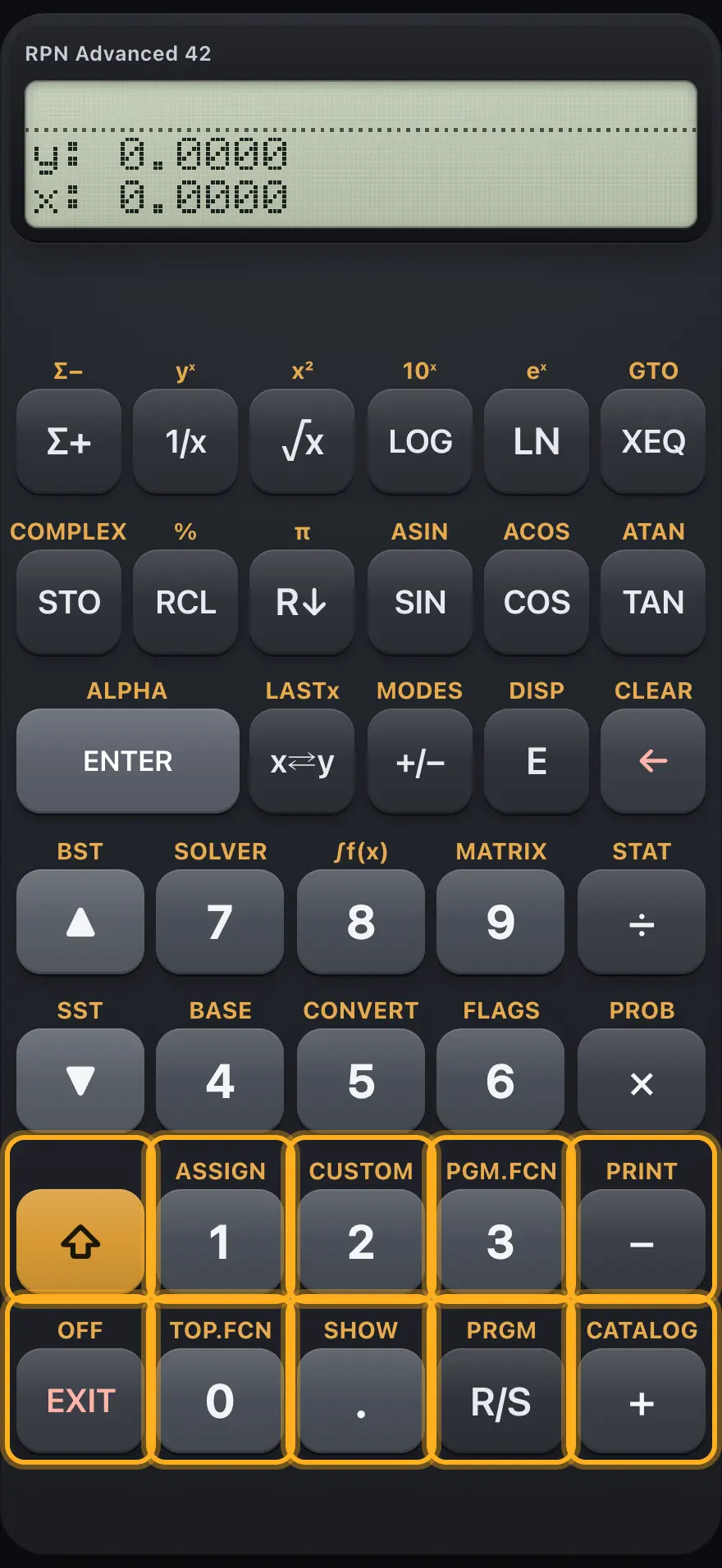
| Key | Primary | Shifted | In ALPHA mode |
|---|---|---|---|
| ⇧ | Arms the shifted function of the next key. | — | Makes the next letter lowercase. |
| 1 | Digit 1. | ASSIGN: shows "Not Available" (key assignments are not included). | Types 1. |
| 2 | Digit 2. | CUSTOM: opens an empty custom menu (shows "Custom Menu Empty"); EXIT closes it. | Types 2. |
| 3 | Digit 3. | PGM.FCN menu: program functions. | Types 3. |
| − | Subtracts X from Y. | PRINT: shows "No Printer". | Types a minus sign. |
| EXIT | Closes a menu or prompt, one level at a time. | OFF: shows "Power Is Automatic"; the app turns off by itself. | Leaves ALPHA mode. |
| 0 | Digit 0. | TOP.FCN: puts the top-row functions back on the menu keys. | Types 0. |
| . | Decimal point. | SHOW: displays X with all 12 digits. | Types a period. |
| R/S | Runs or stops a program. | Turns PRGM (program) mode on or off. | — |
| + | Adds X to Y. | CATALOG menu. | Types a plus sign. |
2.7All shifted menus at a glance#
- +/− MODES
- E DISP
- ← CLEAR
- 7 SOLVER
- 8 ∫f(x)
- 9 MATRIX
- ÷ STAT
- 4 BASE
- 5 CONVERT
- 6 FLAGS
- × PROB
- 3 PGM.FCN
- 0 TOP.FCN
- + CATALOG
HP-42S is a trademark of HP Inc.. Trident Calculator is an independent product by South View Studios and is not affiliated with, sponsored by or endorsed by HP. The name is used only to describe the kind of calculator this model resembles; Trident's names, keys, display, fonts and software are its own clean-room design.