Classic CAS manual · Chapter 2 of 16
The keyboard, key by key
Every key of Classic CAS with its normal function, its ctrl function and its shift function.
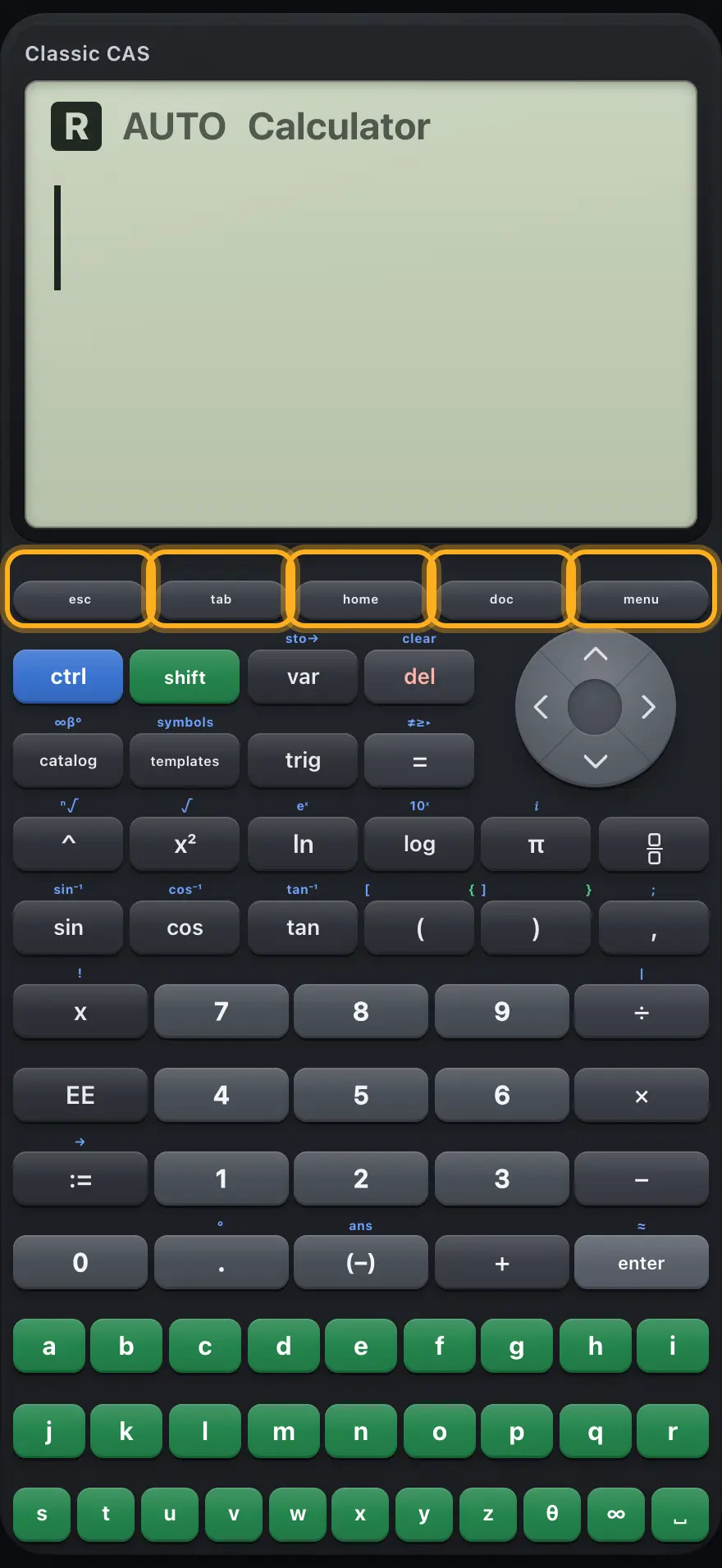
2.1 Page and menu keys2.2 Layer, editing and arrow keys2.3 Function and symbol keys2.4 Number pad and operators2.5 Letter and symbol keys2.1 Page and menu keys# The page and menu keys. Key Normal ctrl shift Closes a menu or message. On the graph list it draws the graph; on a graph it returns to the list. Same Same Calculator: moves the cursor right (out of a template box). Graph list: draws the graph. Graph: back to the list. Same Same Opens the Home menu. Same Same Switches between the Calculator and Graphs pages. Same Same Opens the tools menu for the current page. Same Same
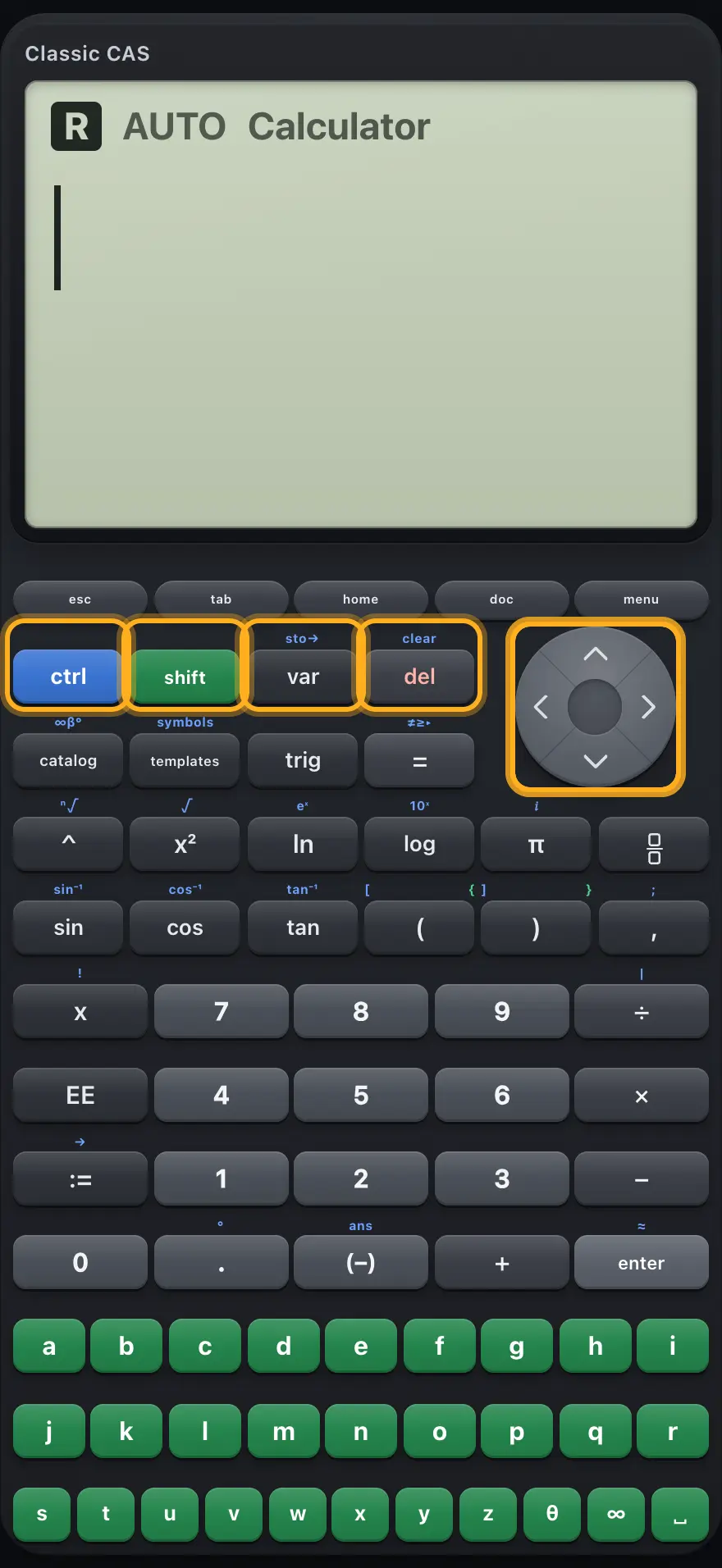
2.2 Layer, editing and arrow keys# Layer, editing and arrow keys. Key Normal ctrl shift ctrl Next key uses its ctrl function. Cancels the layer. None shift Next key uses its shift function. None Cancels the layer. var Lists your variables and functions. Types the store arrow →. None del Deletes the character before the cursor. While a history line is selected, deletes that line. Clears the entry line. None ◀ Moves the cursor left. On a graph, traces left. Jumps to the start of the entry. None ▶ Moves the cursor right. On a graph, traces right. Jumps to the end of the entry. None ▲ Moves up inside a template; at the top, selects the last history line. On a graph, moves to the previous function. Selects the first history line. None ▼ Moves down inside a template. On a graph, moves to the next function. None None
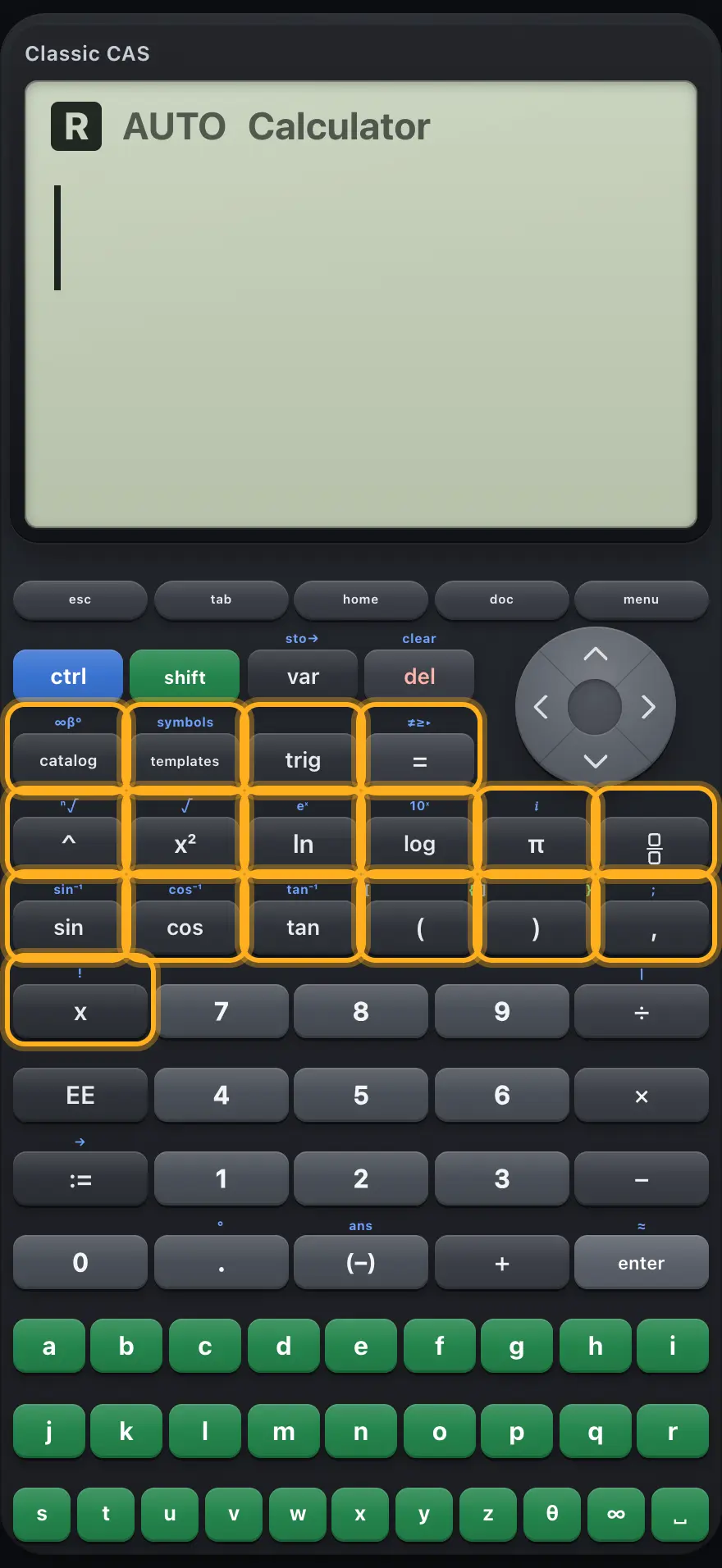
2.3 Function and symbol keys# The function keys. Key Normal ctrl shift catalog Opens the catalog of all functions. Opens the catalog. None templates Opens the templates menu. Opens the symbols menu. None trig Opens the trig menu. Opens the trig menu. None = Types =. Opens the relations menu. None ^ Types ^ (power). Builds an nth root template. None x² Types ² (square). Builds a square root template. None ln Types ln(. Builds an e-to-a-power template. None log Types log(. Builds a ten-to-a-power template. None π Types π. Types the imaginary unit i. None Builds a fraction template. Same None sin cos tan Sine, cosine, tangent. Inverse sine, cosine, tangent. None ( Types (. Types [ (matrix bracket). Types { (list brace). ) Types ). Types ]. Types }. , Types a comma. Types a semicolon. None x Types the variable x. Types the factorial sign !. None
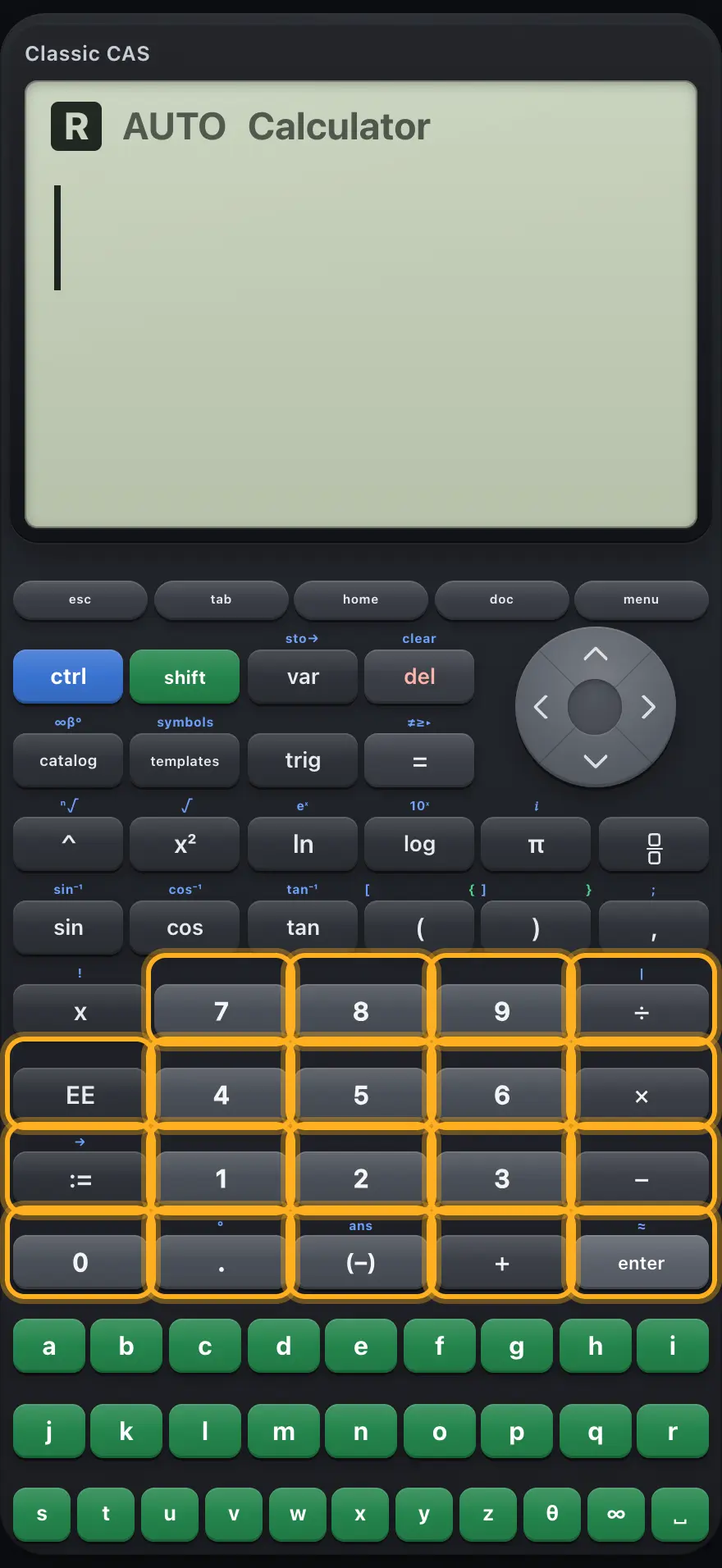
2.4 Number pad and operators# The number pad and operator keys. Key Normal ctrl shift 0 1 2 3 4 5 6 7 8 9 Types the digit. Same Same ÷ Divides. Types the with bar |. None × Multiplies. Same None − Subtracts. Same None + Adds. Same None EE Times a power of ten (ᴇ). Same None := Types :=, which stores a value. Types the store arrow →. None . Decimal point. Types the degree sign °. None (−) Negative sign for a number. Types ans, the last answer. None enter Evaluates the entry and shows the exact answer. Evaluates and shows a decimal answer. None
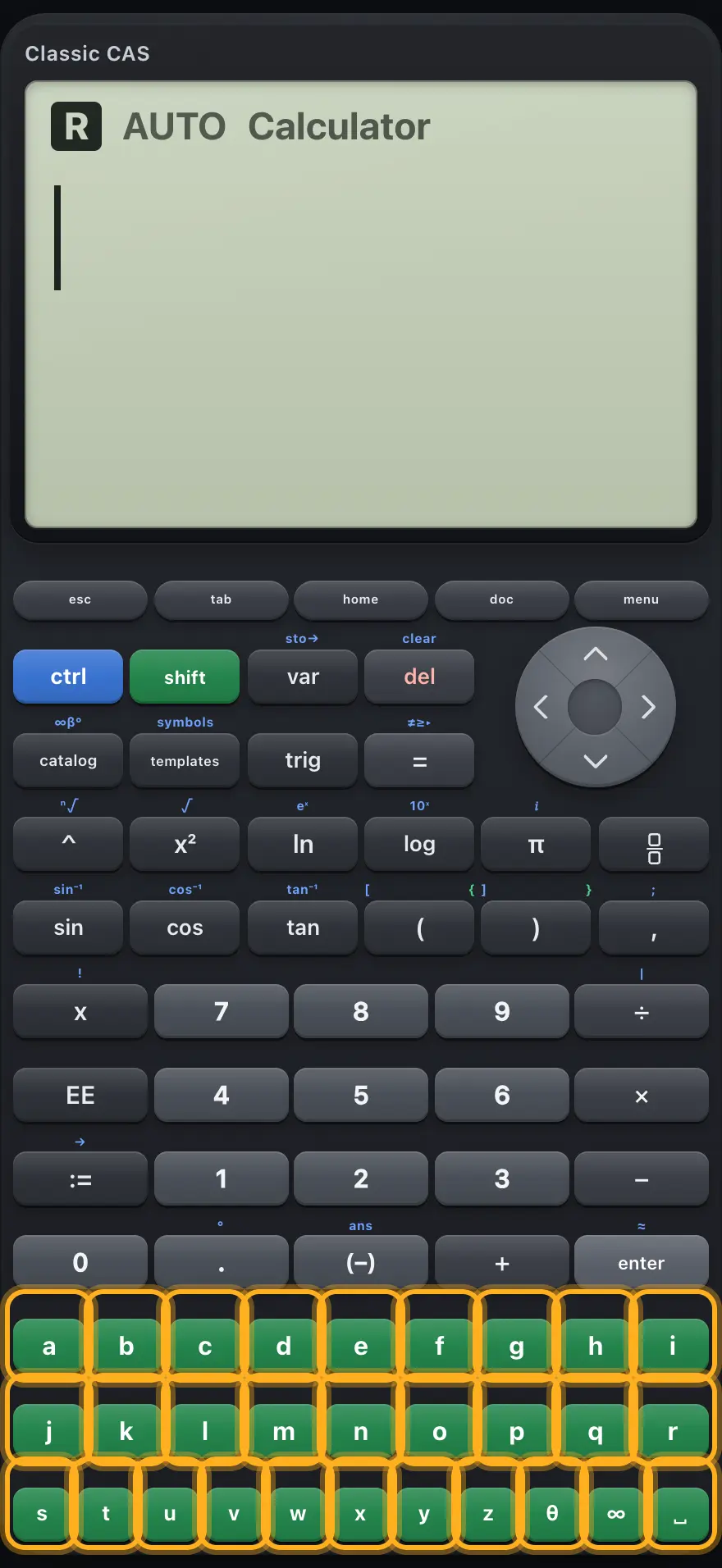
2.5 Letter and symbol keys# The letter keys. The letter keys are always available; there is no alpha layer. Letters are variables, not multiplication signs, so type a b ×
Key Normal ctrl shift a b c d e f g h i Type the letter. Same Same j k l m n o p q r Type the letter. Same Same s t u v w x y z Type the letter. Same Same θ Types the angle symbol θ. Same Same ∞ Types the infinity symbol ∞. Same Same ␣ Types a space (needed in words such as "and" and "or"). Same Same
The letter e on its own is the number e ≈ 2.71828 e\approx 2.71828 e ≈ 2.71828 ctrl 𝑖π
TI-Nspire CX CAS is a trademark of Texas Instruments Incorporated. Trident Calculator is an independent product by South View Studios and is not affiliated with, sponsored by or endorsed by Texas Instruments. The name is used only to describe the kind of calculator this model resembles; Trident's names, keys, display, fonts and software are its own clean-room design.