
Classic family · Pro · Instruction manual
Classic Financial II
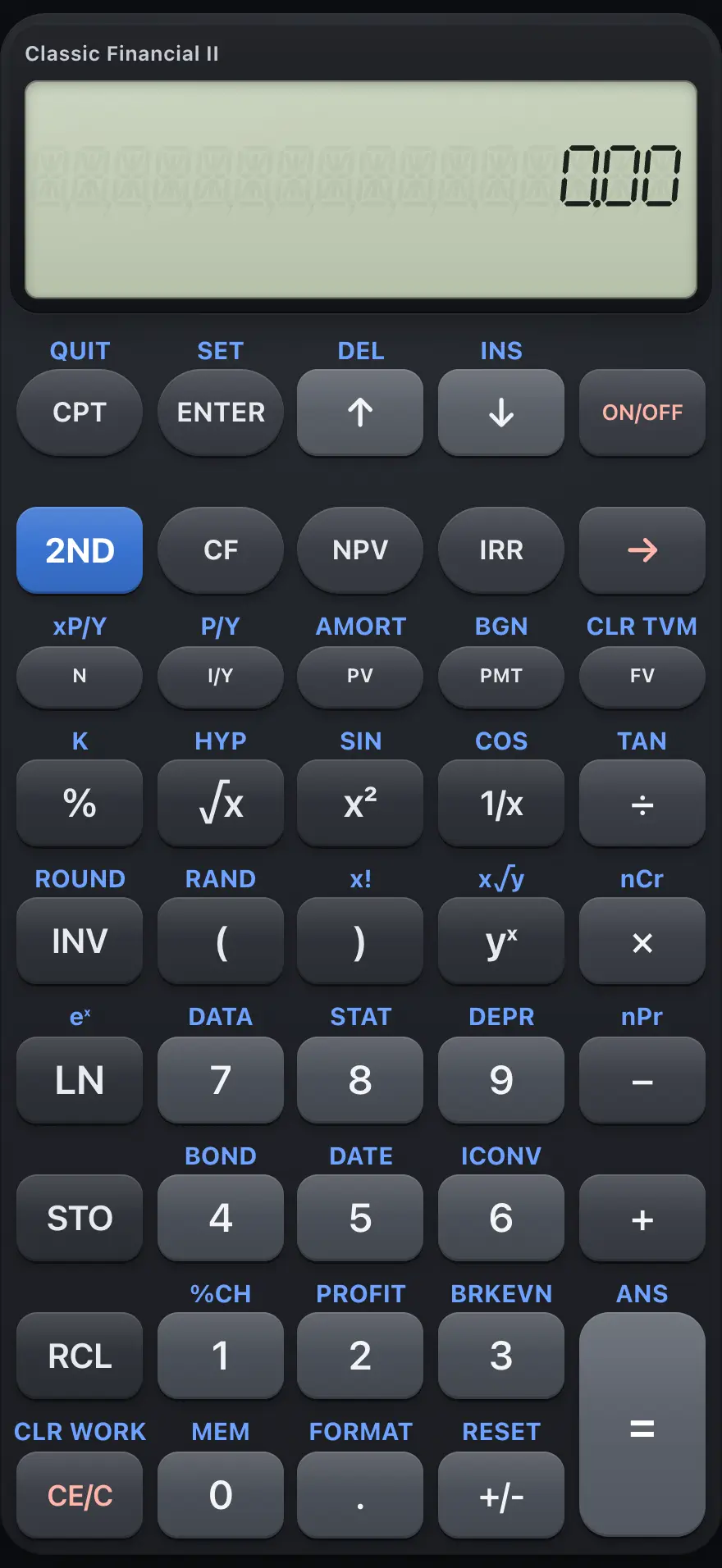
Classic Financial II is a one-line business and finance calculator. It solves loans and savings with the five time-value-of-money keys, and has worksheets for cash flows (NPV and IRR), loan amortization, bonds, depreciation, statistics, break-even, profit margin, interest-rate conversion, percent change and date arithmetic. This manual covers every key and worksheet, with examples you can follow key by key.
Designed to feel familiar if you have used a BA II Plus financial calculator.
- 16 chapters
- 63 topics
- 119 worked examples
Contents
- 1Getting startedThe display, the 2ND key, a first calculation, clearing and editing, leaving a worksheet and using a laptop keyboard.
- 2Keyboard referenceEvery key with its primary function and its 2ND function, grouped by area of the keypad.
- 3Everyday calculationsChain and AOS arithmetic, brackets, percent, roots, powers, logarithms, factorials, trig and the last answer.
- 4MemoriesStore numbers in memories 0 to 9, recall them, do arithmetic in memory and view the MEM worksheet.
- 5How worksheets workMove through worksheet lines, store typed values, compute lines and clear a worksheet.
- 6Time value of money (TVM)Solve loans, savings and annuities with N, I/Y, PV, PMT and FV, payments per year, compounding and beginning-of-period payments.
- 7Loan amortization (AMORT)See the balance, principal and interest for any span of payments of a loan.
- 8Cash flows, NPV and IRREnter uneven cash flows with frequencies, then find the net present value and the internal rate of return.
- 9BondsFind the price or yield of a bond and its accrued interest from its dates and coupon.
- 10Depreciation (DEPR)Straight-line, sum-of-the-years digits and declining-balance depreciation, one year at a time.
- 11Statistics and regressionEnter x and y data, then find means, standard deviations, regression lines and forecasts.
- 12Percent change, margin, break-even and interest conversionPercent-change, profit-margin, break-even and nominal-to-effective interest worksheets.
- 13Date calculations (DATE)Days between two dates, and finding a date a number of days away.
- 14Modes and settings (FORMAT)Decimal places, angle unit, date and number styles, chain or AOS calculation, and payment timing.
- 15Error messagesEvery error code the calculator can show, what it means and how to fix it.
- 16ReferenceResetting the calculator, number range and precision, display limits and what is not included.
BA II Plus is a trademark of Texas Instruments Incorporated. Trident Calculator is an independent product by South View Studios and is not affiliated with, sponsored by or endorsed by Texas Instruments. The name is used only to describe the kind of calculator this model resembles; Trident's names, keys, display, fonts and software are its own clean-room design.