Classic Financial II manual · Chapter 2 of 16
Keyboard reference
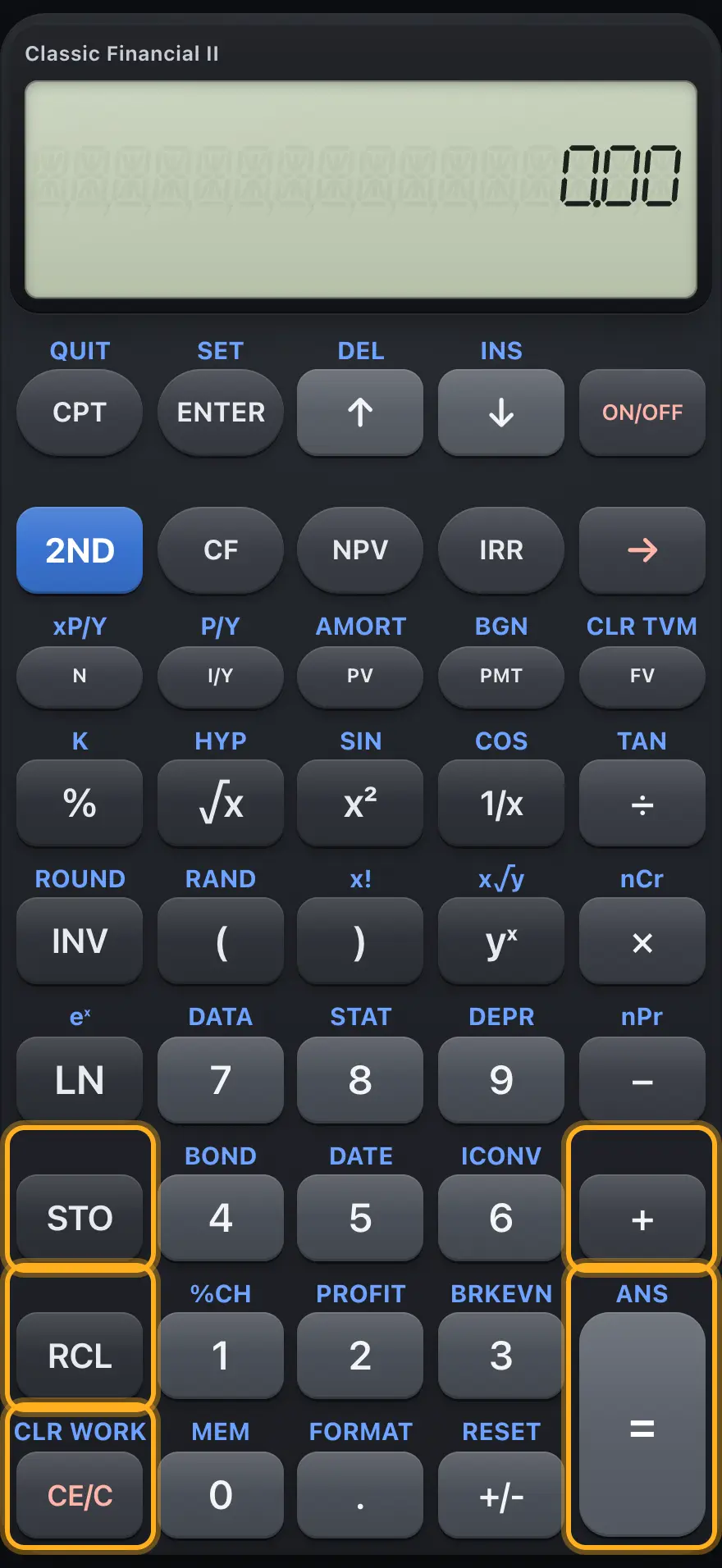
Every key with its primary function and its 2ND function, grouped by area of the keypad.
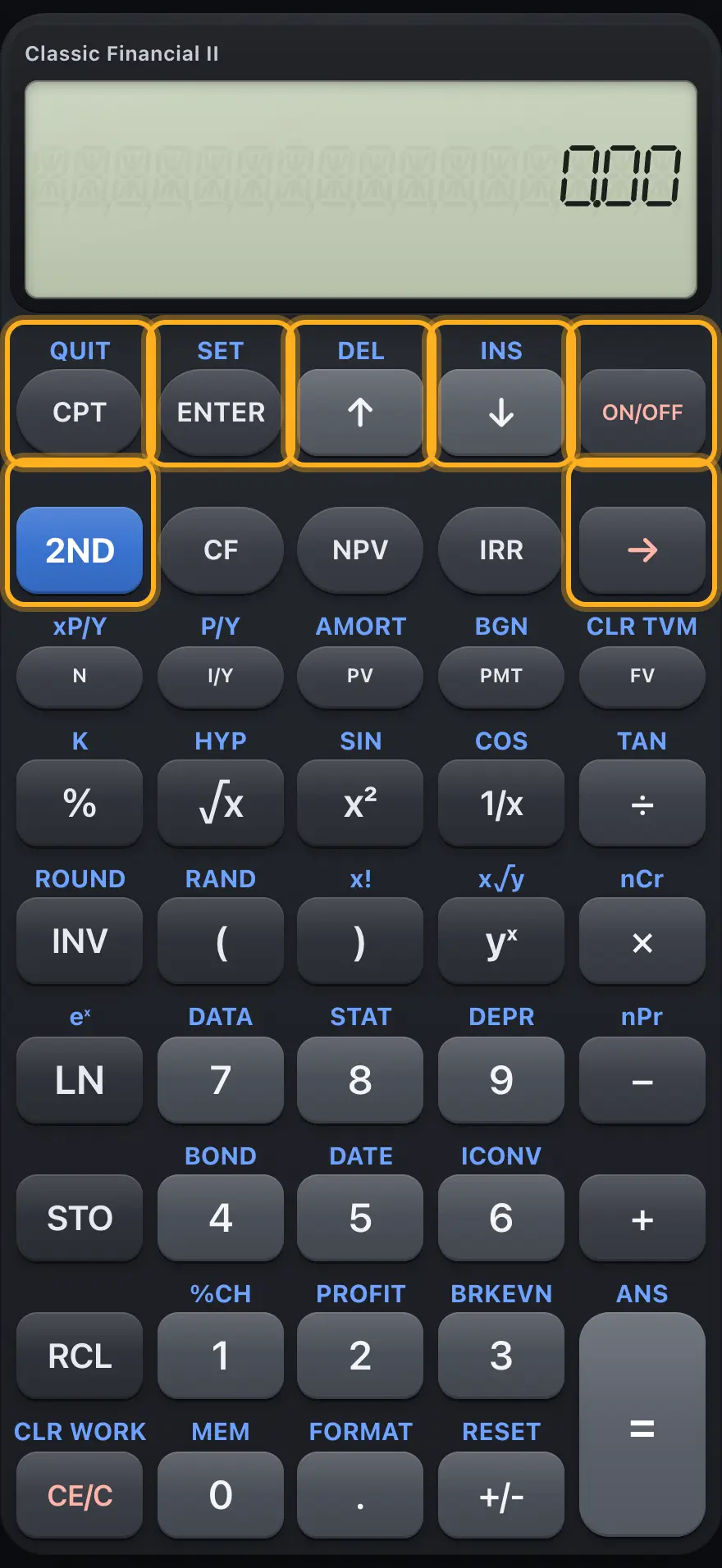
2.1 Control keys2.2 Cash-flow and money keys2.3 Scientific and statistics keys2.4 Digit keys and the worksheets they open2.5 Memory, equals and clear keys2.1 Control keys# Control keys and the arrow keys. Key Primary 2ND Compute: press before a TVM key, or on a worksheet line, to solve it. QUIT: leave the worksheet. Stores the typed value in a worksheet line. Works as equals in the plain calculator. SET: changes a choice line such as END/BGN. ↑ Moves to the previous worksheet line. DEL: deletes the current cash flow or data point. ↓ Moves to the next worksheet line. INS: inserts a cash flow or data point. ON/OFF Clears an error and returns to the plain calculator. - 2ND Selects the upper legend of the next key. - → Deletes the last typed digit. -
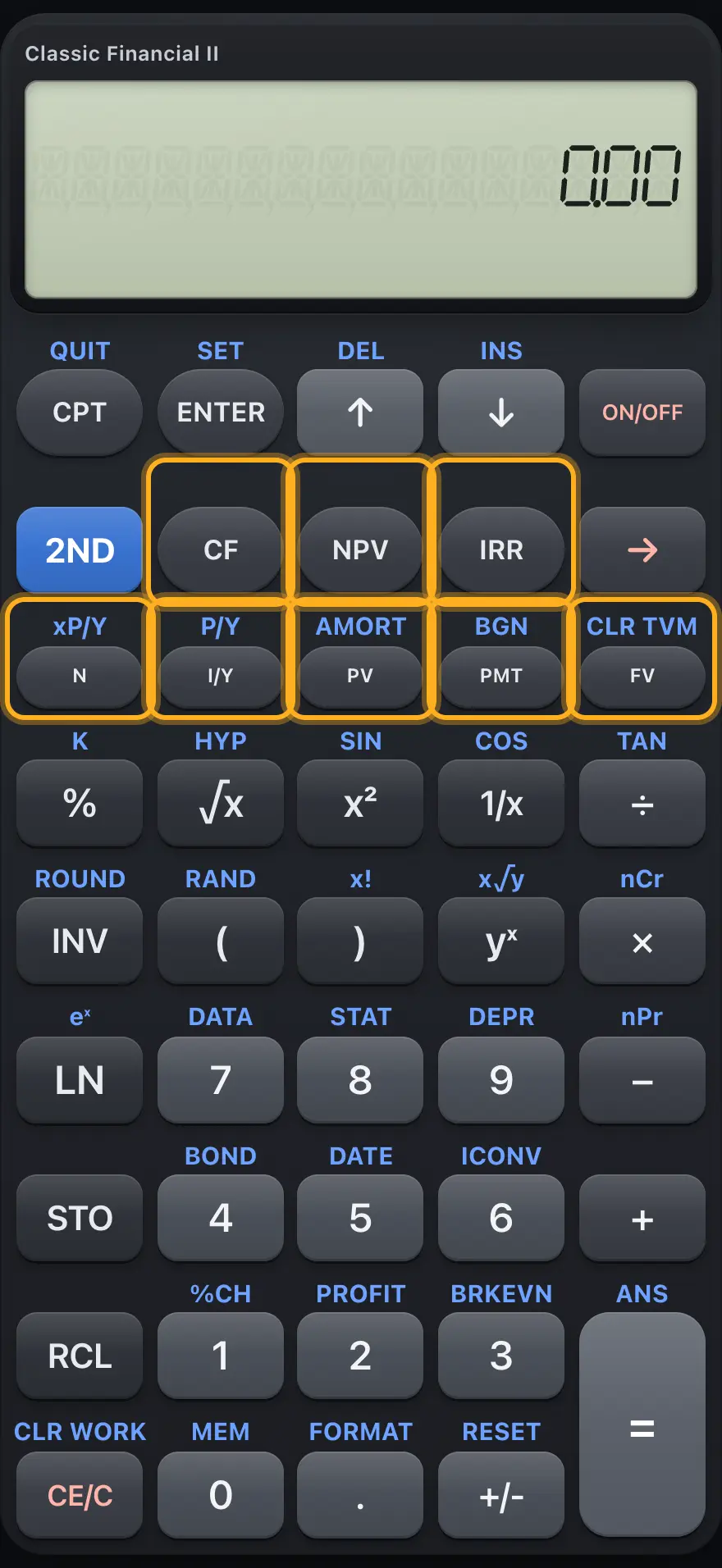
2.2 Cash-flow and money keys# The cash-flow row and the time-value-of-money row. Key Primary 2ND Opens the cash-flow worksheet. - Opens the NPV sheet. - Opens the IRR sheet. - Stores (or after CPT, solves) the number of periods. xP/Y: multiplies the number by payments per year. Stores or solves the yearly interest rate in percent. P/Y: payments per year and compounding per year. Stores or solves the present value. AMORT: loan amortization. Stores or solves the payment. BGN: payment timing (END or BGN). Stores or solves the future value. CLR TVM: clears the five TVM values.
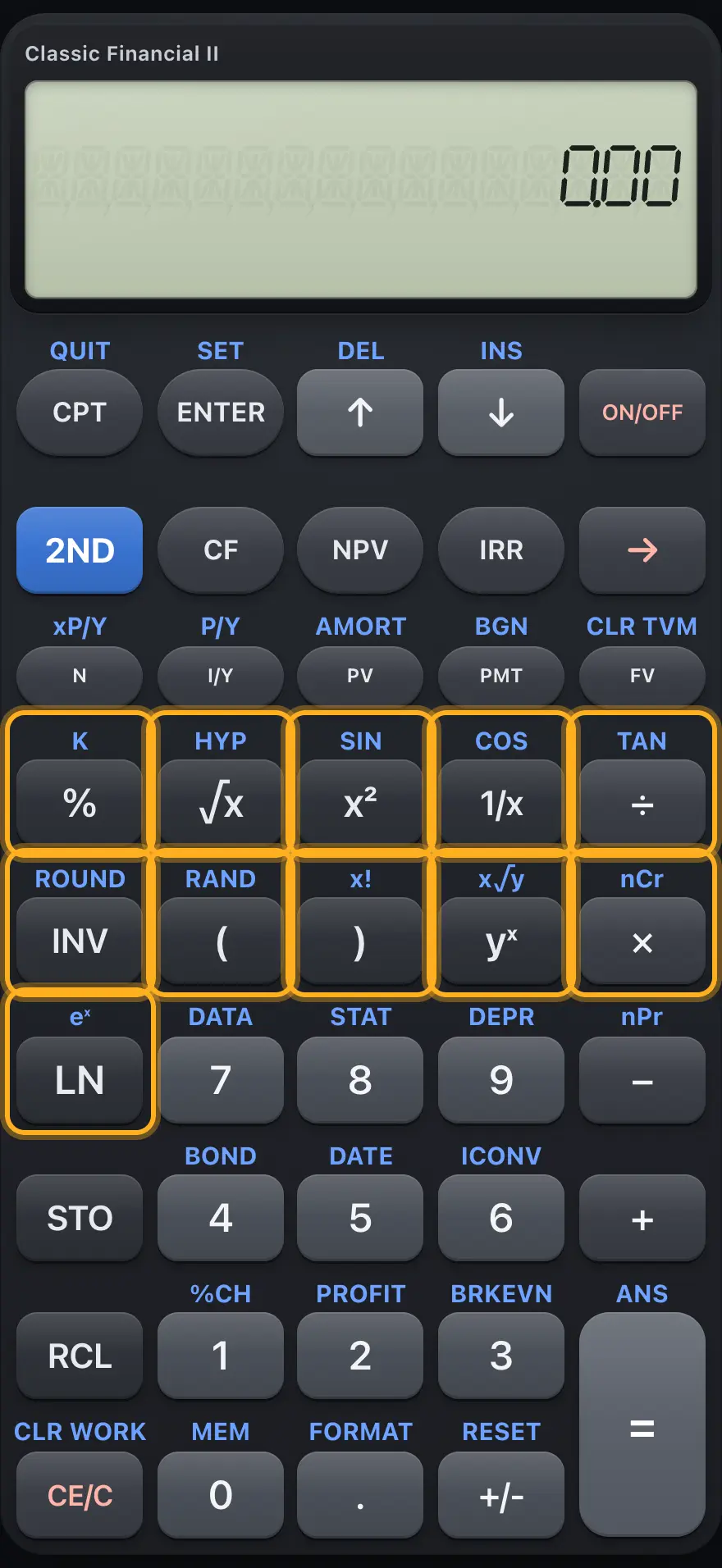
2.3 Scientific and statistics keys# The scientific keys. Key Primary 2ND % Percent. K: repeats the last operation as a constant. √x Square root. HYP: the next trig key is hyperbolic. x² Square. SIN. 1/x Reciprocal (1/x). COS. ÷ Divide. TAN. INV Inverse flag for the next function. ROUND: rounds to the decimals setting. ( Opening bracket. RAND: random number. ) Closing bracket. x!: factorial. yˣ Power y to the x. x√y: root. × Multiply. nCr: combinations. − Subtract. nPr: permutations. LN Natural logarithm. eˣ: e to a power.
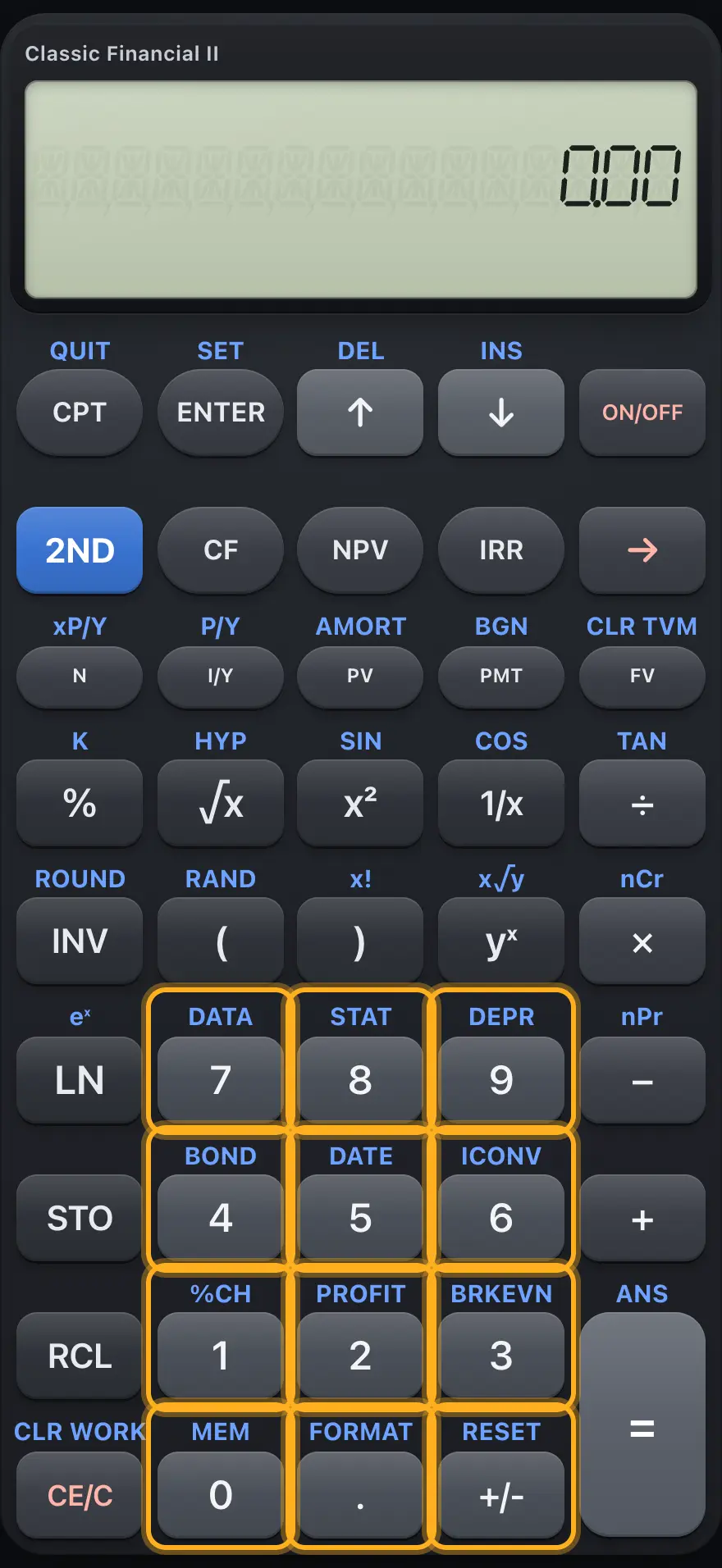
2.4 Digit keys and the worksheets they open# The digit keys open worksheets when preceded by 2ND. Key Primary 2ND 7 Digit 7. DATA: statistics data entry. 8 Digit 8. STAT: statistics results. 9 Digit 9. DEPR: depreciation. 4 Digit 4. BOND: bond price and yield. 5 Digit 5. DATE: days between dates. 6 Digit 6. ICONV: interest-rate conversion. 1 Digit 1. %CH: percent change. 2 Digit 2. PROFIT: cost, selling price, margin. 3 Digit 3. BRKEVN: break-even. 0 Digit 0. MEM: memories M0 to M9. . Decimal point. FORMAT: decimals, angle, date, separators, method. +/- Changes the sign of the number. RESET: restores settings after you confirm.
2.5 Memory, equals and clear keys# Memory, arithmetic and clear keys. Key Primary 2ND STO Followed by a digit 0 to 9, stores the number there. - RCL Followed by a digit, recalls it; followed by a TVM key, shows that value. - + Add. - = Finishes the calculation. ANS: the last answer. CE/C Clears the entry, then the pending calculation. CLR WORK: clears every line of the open worksheet.
BA II Plus is a trademark of Texas Instruments Incorporated. Trident Calculator is an independent product by South View Studios and is not affiliated with, sponsored by or endorsed by Texas Instruments. The name is used only to describe the kind of calculator this model resembles; Trident's names, keys, display, fonts and software are its own clean-room design.