
RPN family · Pro · Instruction manual
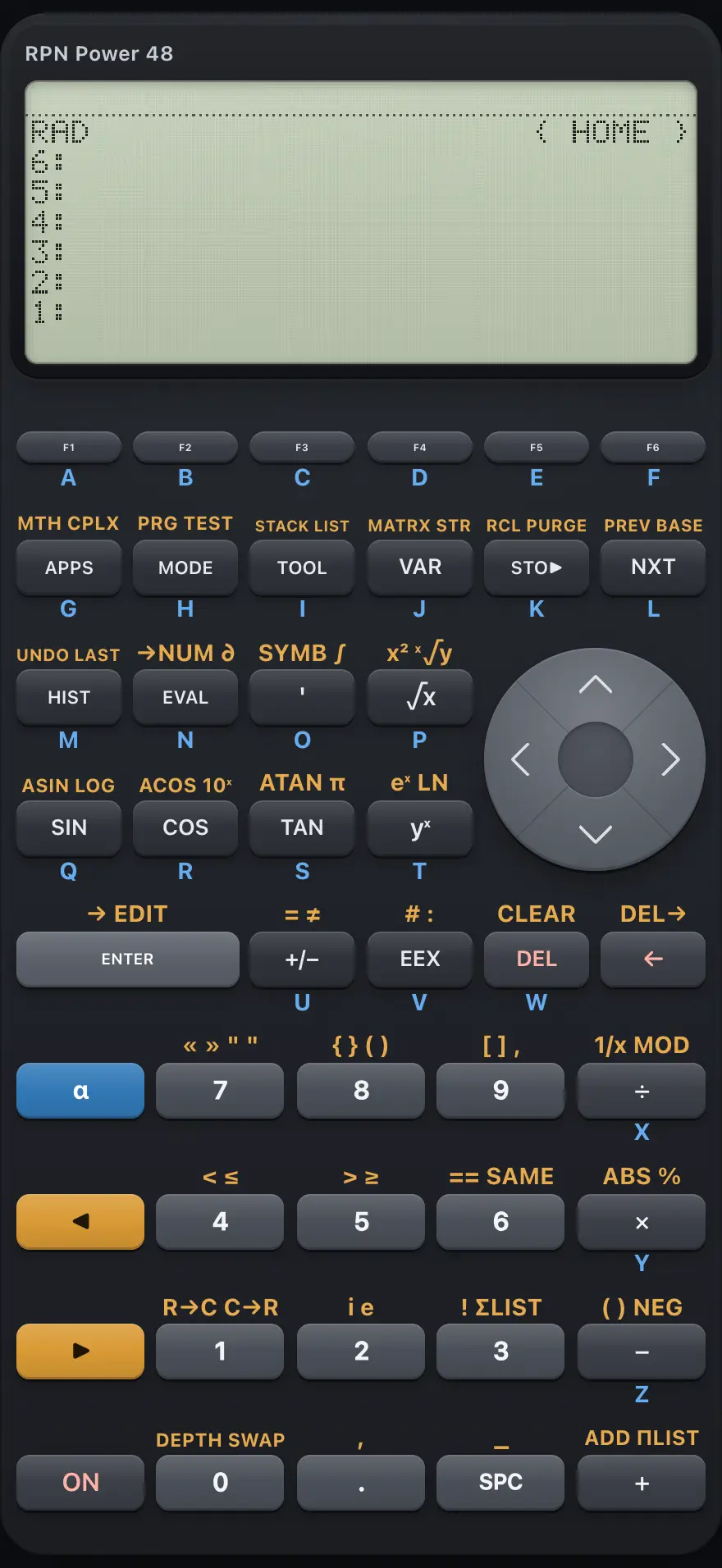
RPN Power 48
RPN Power 48 is a programmable calculator built on RPL, a stack language where every value is an object: a number, a complex number, a string, a list, a vector or matrix, a name, an algebraic expression or a program. You put objects on an unlimited stack and commands work on the top levels. It also differentiates and integrates symbolically, solves equations and runs programs written between the program brackets. This manual covers every key, menu and message, with worked examples you can follow key by key.
Designed to feel familiar if you have used a HP 48 and HP 50g RPL graphing calculator.
- 19 chapters
- 100 topics
- 200 worked examples
Contents
- 1Getting startedThe screen, the left and right shift keys, alpha letters, the command line, your first calculation and using a laptop keyboard.
- 2Keyboard referenceEvery key: its plain function, its left-shift and right-shift functions, and the letter it types in alpha mode.
- 2.1How to read the key tables
- 2.2Top row: the soft keys
- 2.3Second row: APPS, MODE, TOOL, VAR, STO, NXT
- 2.4Third row: HIST, EVAL, quote, square root, cursor keys
- 2.5Fourth row: SIN, COS, TAN, power, cursor keys
- 2.6Fifth row: ENTER, +/−, EEX, DEL, backspace
- 2.7Sixth and seventh rows: alpha, 7 8 9, shift, 4 5 6
- 2.8Eighth and ninth rows: right shift, 1 2 3, ON, 0, point, space, plus
- 2.9All shifted menus at a glance
- 3The stackHow the RPL stack works: numbered levels, ENTER, SWAP, DROP, ROT, PICK, ROLL, DEPTH, LASTARG, UNDO and how commands use the levels.
- 4Objects and how to type themReal and complex numbers, strings, lists, vectors, matrices, names, algebraic expressions, programs and binary integers.
- 5Everyday calculationsArithmetic, negative numbers, powers, roots, percent, constants and display of results.
- 6FunctionsLogarithms, trigonometry, hyperbolic functions, rounding, combinations and other MTH menu commands.
- 7Modes and displayNumber format, angle unit, rectangular or polar complex form and the binary integer base and word size.
- 8Variables and the VAR menuStore, recall, evaluate and purge named variables, and use the VAR menu soft keys.
- 9Typing and editingThe command line: typing objects, brackets that close themselves, the cursor keys, strings and recalling earlier lines.
- 10Complex numbersBuild, split and calculate with complex numbers in rectangular or polar form.
- 11ListsMake lists, join and slice them, sort, sum, and generate lists with SEQ.
- 12Vectors and matricesType vectors and matrices, take determinants and inverses, multiply, solve linear systems, and use dot and cross products.
- 13StringsType text, join strings, take parts, reverse, and convert between text and numbers.
- 14Algebra and calculusExpressions on the stack, derivatives, integrals, solving equations, expanding, factoring and substituting.
- 15ProgrammingWrite programs between the program brackets, use local variables and the control structures, and run them from the VAR menu.
- 16Tests and logicComparisons that return 1 or 0, AND, OR, XOR, NOT and SAME.
- 17Binary integersType binary integers, change the base they are shown in, set the word size and use logic operations on bits.
- 18Messages and errorsEvery message the calculator can show, what it means and how to fix it.
- 19ReferenceResetting memory, number range and precision, limits and the features this calculator does not include.
HP 48 and HP 50g is a trademark of HP Inc.. Trident Calculator is an independent product by South View Studios and is not affiliated with, sponsored by or endorsed by HP. The name is used only to describe the kind of calculator this model resembles; Trident's names, keys, display, fonts and software are its own clean-room design.