
Classic Graphing 84 manual · Chapter 2 of 25
The keyboard, key by key
Every key of the Classic Graphing 84 with what it does on its own, after 2nd and after alpha.
2.1Graphing keys (top row)#
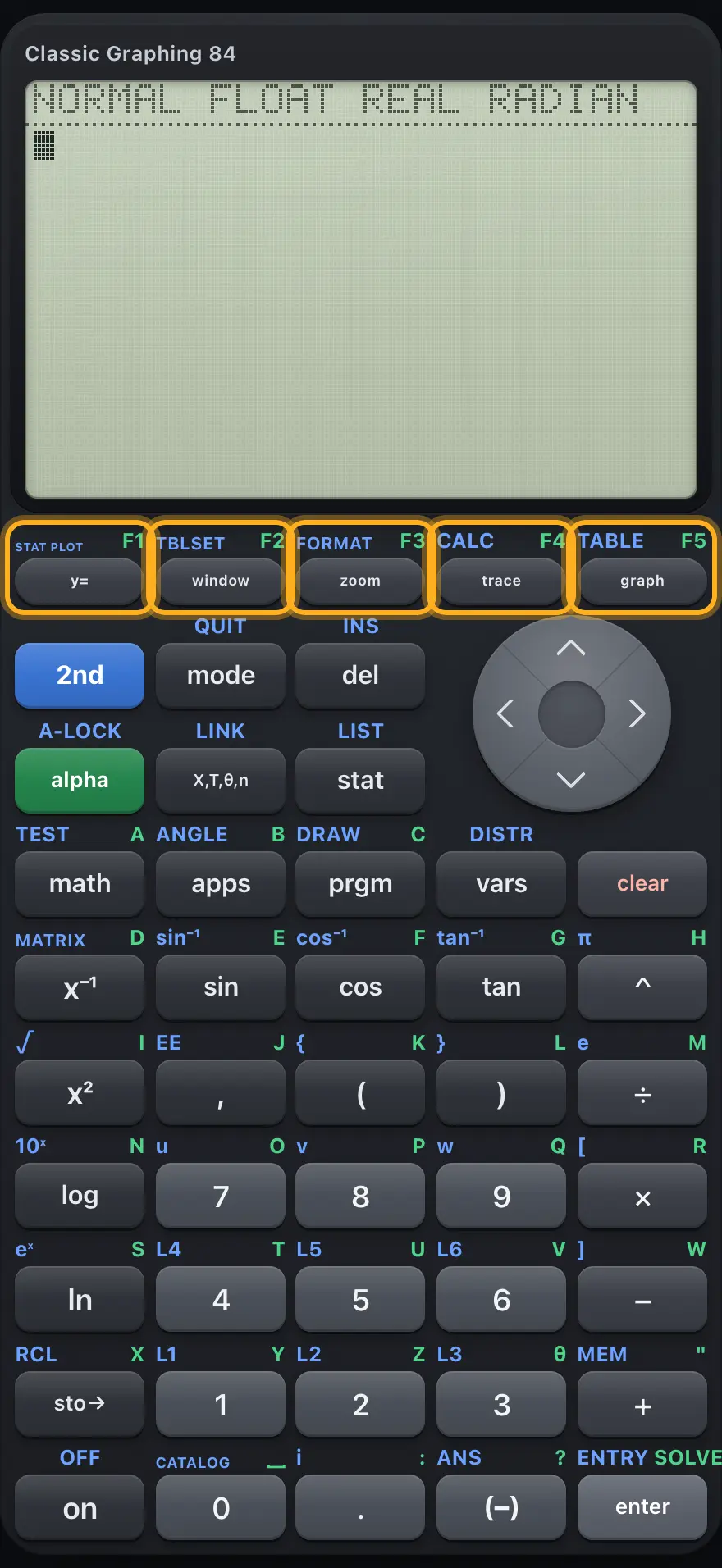
The five keys under the screen open the graphing screens. After alpha they are named F1 to F5 on the keycaps, but this calculator does not use those names for anything.
| Key | Primary | 2nd layer | alpha layer |
|---|---|---|---|
| y= | Opens the Y= editor where you type functions to graph. | STAT PLOT: opens the statistics plot menu. | F1 (not used). |
| window | Opens the WINDOW screen: the part of the plane that is shown. | TBLSET: table start, step and Auto/Ask. | F2 (not used). |
| zoom | Opens the ZOOM menu of quick views. | FORMAT: grid, axes, coordinates, labels. | F3 (not used). |
| trace | Moves a cursor along a graph and shows its coordinates. | CALC: value, zero, minimum, maximum, intersect, dy/dx and integral. | F4 (not used). |
| graph | Draws the graph. | TABLE: shows the table of X and Y values. | F5 (not used). |
2.2Editing and cursor keys#
| Key | Primary | 2nd layer | alpha layer |
|---|---|---|---|
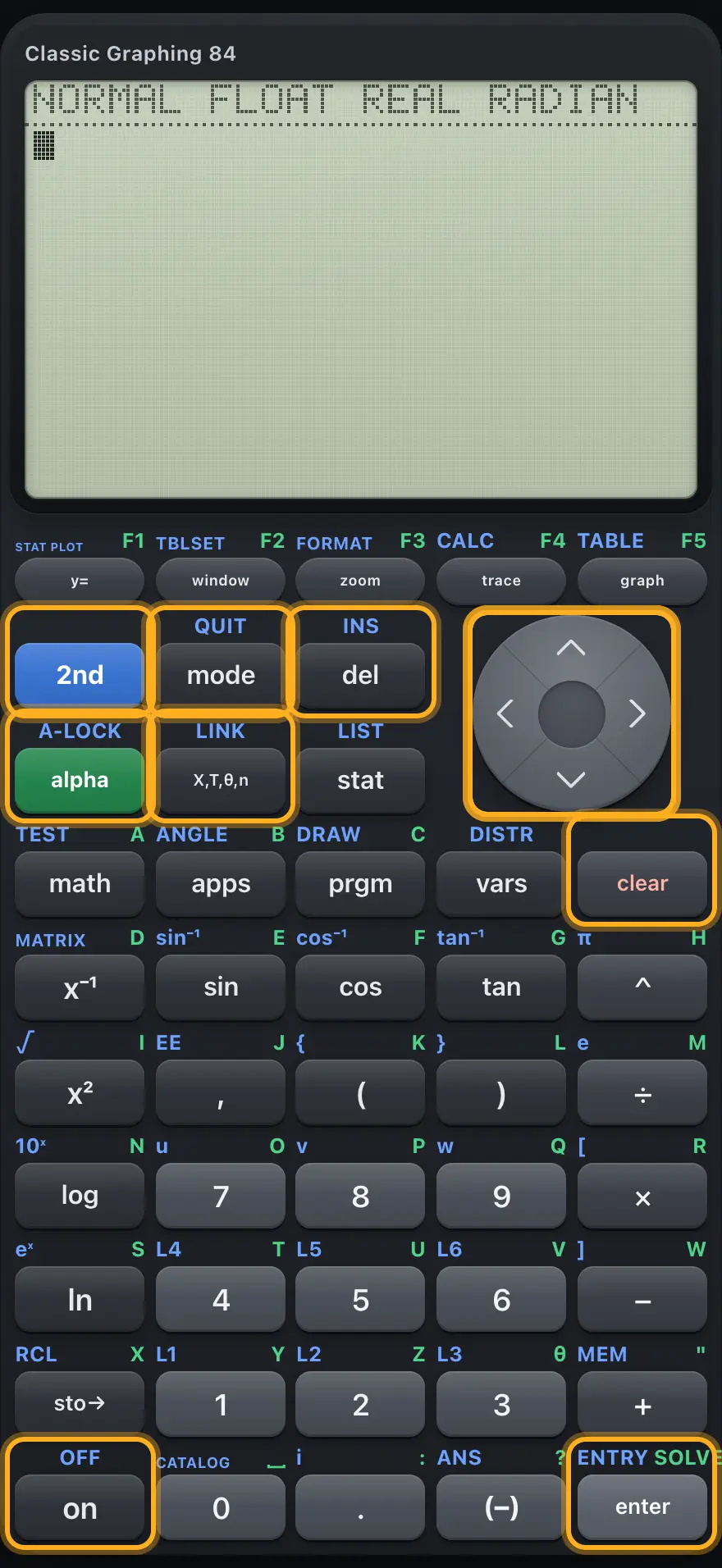
| 2nd | Makes the next key use its blue legend. | ||
| alpha | Makes the next key type its green letter. | A-LOCK: keeps typing letters until you press alpha again. | |
| mode | Opens the MODE settings. | QUIT: returns to the home screen. | |
| del | Deletes the character under the cursor. | INS: switches between overwrite and insert. | |
| ◀ | Moves the cursor left; in a table or menu moves to the previous tab or column. | Jumps to the start of the line. | |
| ▶ | Moves the cursor right; in a table or menu moves to the next tab or column. | Jumps to the end of the line. | |
| ▲ | Moves up; on the home screen selects earlier lines for reuse. | ||
| ▼ | Moves down. | ||
| X,T,θ,n | Types X. In parametric mode it types T, and in polar mode θ. | LINK (not available). | |
| clear | Clears the entry line; on an empty line clears the home screen; leaves a menu. | ||
| enter | Calculates the line, chooses a menu item or confirms a field. | ENTRY: brings back the previous entry. | SOLVE: solves for the highlighted variable in the equation solver. |
| on | Wake the calculator. It is always on in this app, and on a running program it stops the program. | OFF (not available). |
2.3Menu keys#
| Key | Primary | 2nd layer | alpha layer |
|---|---|---|---|
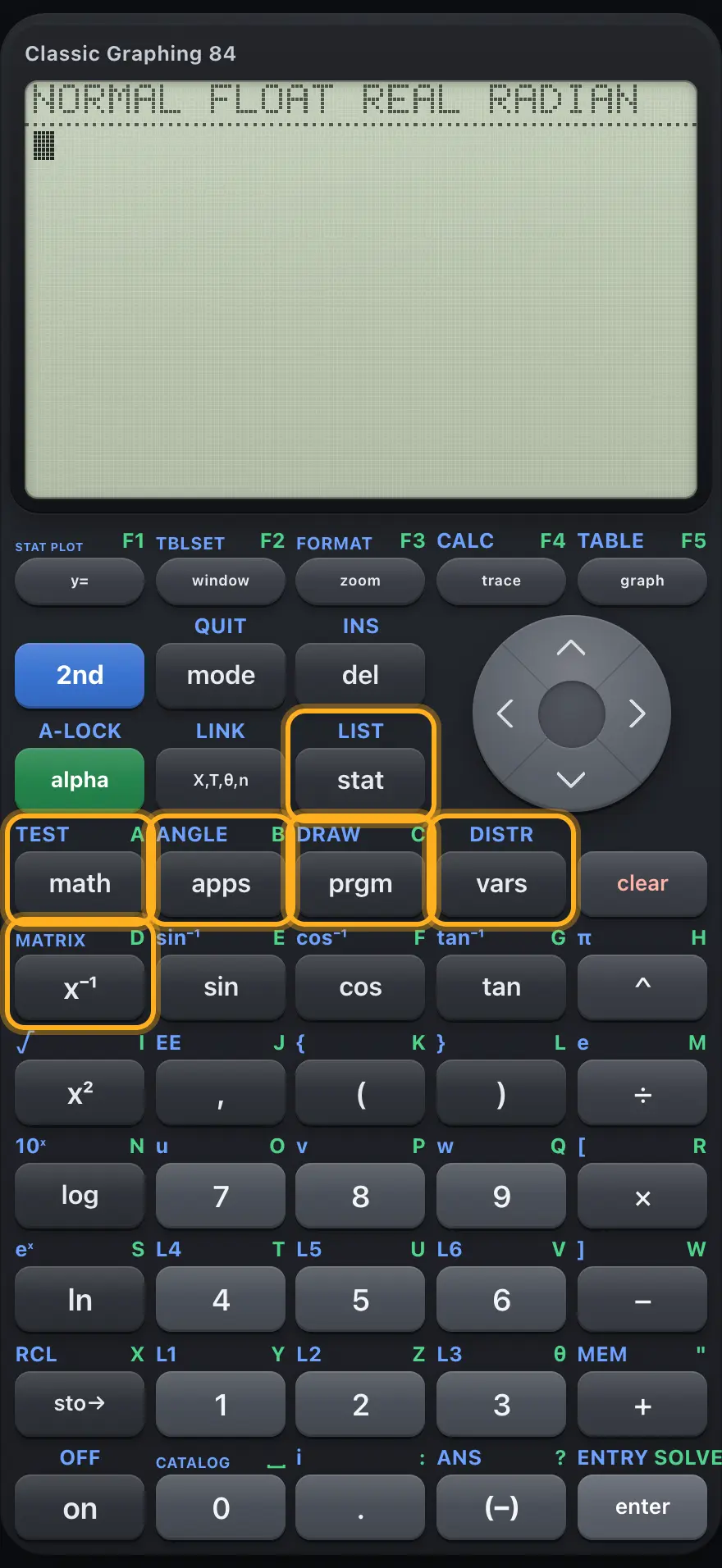
| math | MATH menu: fractions, roots, numeric calculus, NUM, CMPLX, PROB, FRAC tabs and the solver. | TEST: comparison signs and logic words. | Types the letter A. |
| apps | APPLICATIONS list (empty in this version). | ANGLE: degree, minute and radian marks, DMS and polar conversions. | Types the letter B. |
| prgm | PRGM: run, edit or create a program. Inside the program editor: CTL, I/O and EXEC command menus. | DRAW: drawing commands. | Types the letter C. |
| vars | VARS: window, zoom, statistics, table and string variables; Y-VARS function names. | DISTR: probability distributions. | |
| stat | STAT menu: edit lists, CALC statistics and regressions, TESTS. | LIST menu: names, operations and math. | |
| x⁻¹ | Reciprocal: raises to the power −1. | MATRIX menu. | Types the letter D. |
2.4Scientific keys#
| Key | Primary | 2nd layer | alpha layer |
|---|---|---|---|
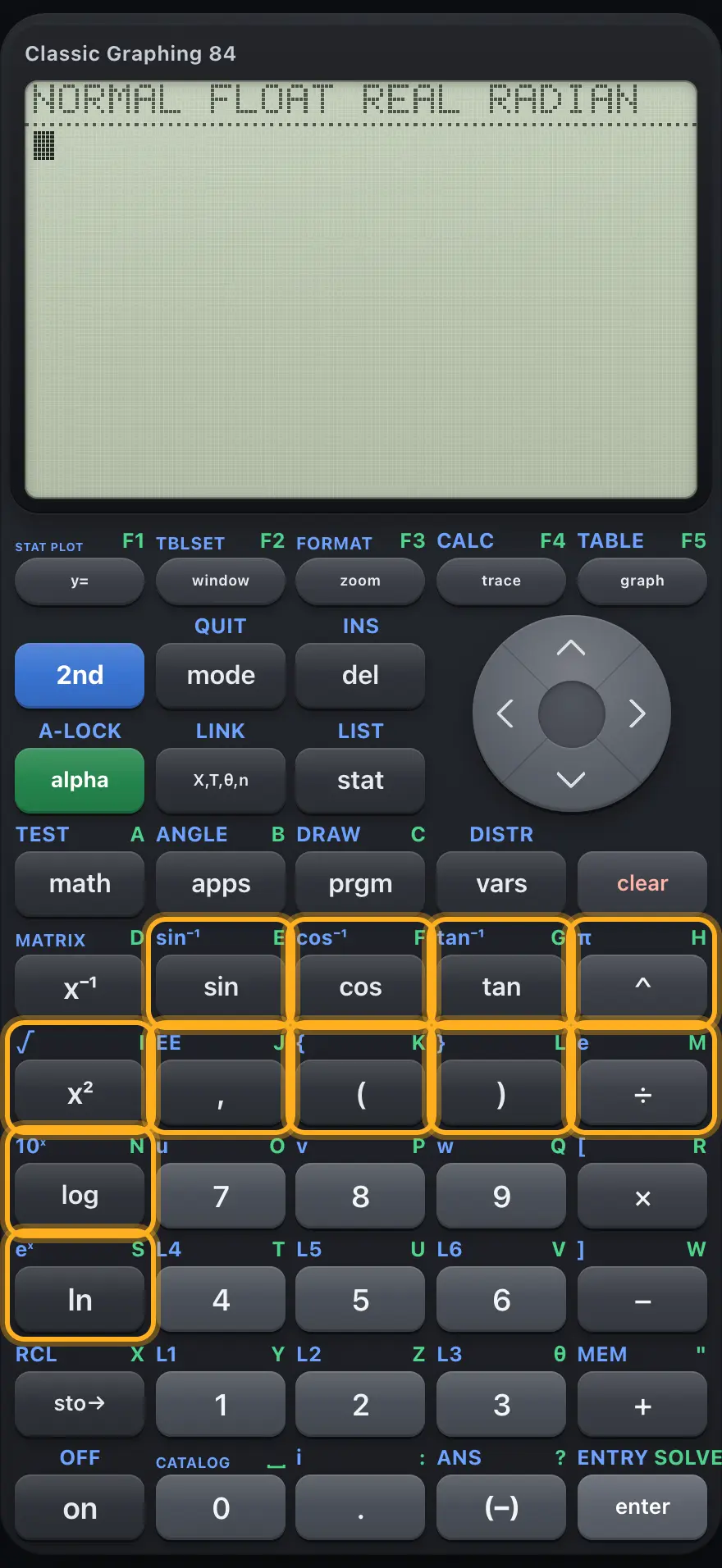
| sin | Sine. | Inverse sine (sin⁻¹). | Types E. |
| cos | Cosine. | Inverse cosine (cos⁻¹). | Types F. |
| tan | Tangent. | Inverse tangent (tan⁻¹). | Types G. |
| ^ | Raises to a power. | Types π. | Types H. |
| x² | Squares the previous value. | Square root. | Types I. |
| , | Separates arguments. | Types ᴇ, times a power of ten. | Types J. |
| ( | Opens a bracket. | Types a left curly brace { for lists. | Types K. |
| ) | Closes a bracket. | Types a right curly brace } for lists. | Types L. |
| ÷ | Divides. | Types e (2.718…). | Types M. |
| log | Base-10 logarithm. | Ten to a power (10^). | Types N. |
| ln | Natural logarithm. | e to a power (e^). | Types S. |
2.5Number pad and arithmetic keys#
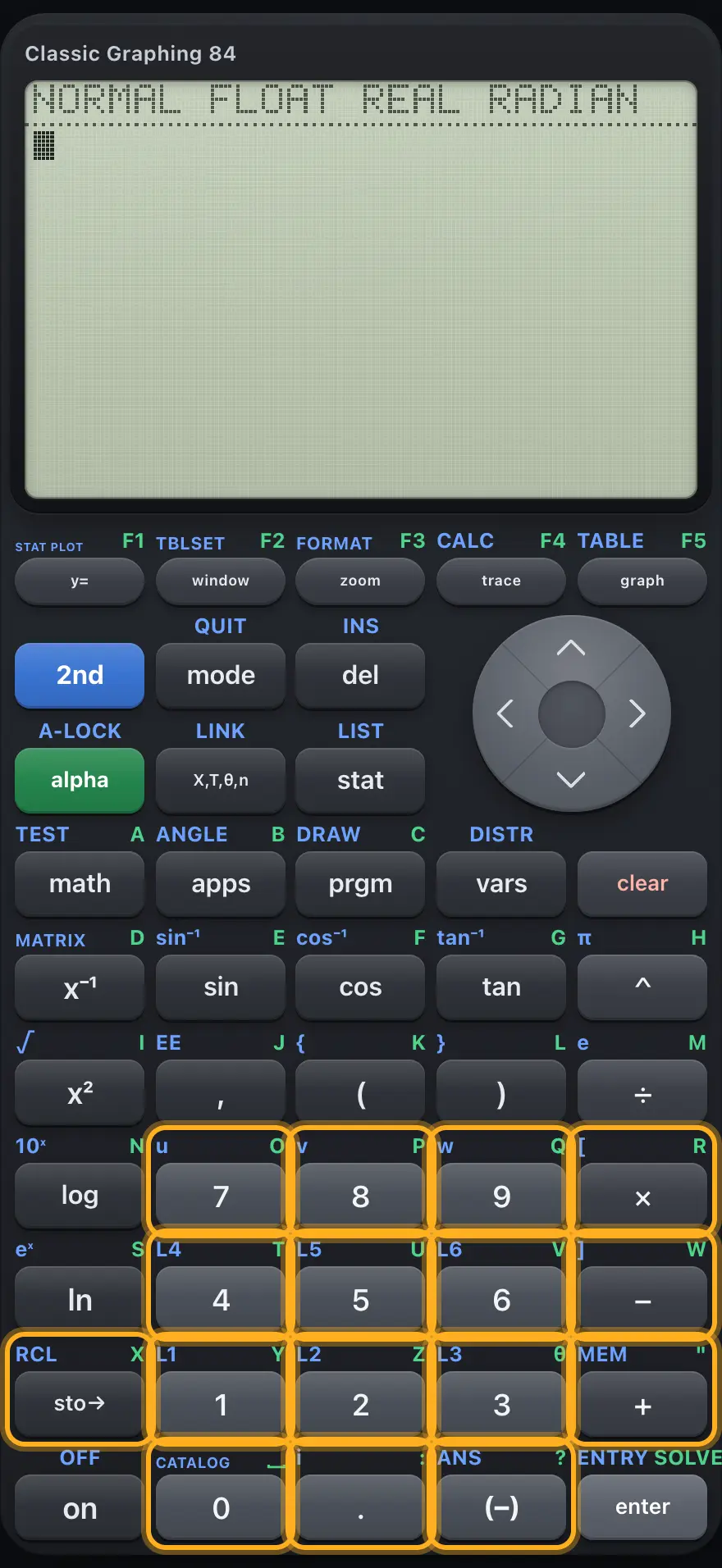
| Key | Primary | 2nd layer | alpha layer |
|---|---|---|---|
| 7 | Types 7. | Types the letter u (for sequences, not used here). | Types O. |
| 8 | Types 8. | Types the letter v. | Types P. |
| 9 | Types 9. | Types the letter w. | Types Q. |
| × | Multiplies. | Types a left square bracket [ for matrices. | Types R. |
| 4 | Types 4. | Types list name L4. | Types T. |
| 5 | Types 5. | Types list name L5. | Types U. |
| 6 | Types 6. | Types list name L6. | Types V. |
| − | Subtracts. | Types a right square bracket ]. | Types W. |
| 1 | Types 1. | Types list name L1. | Types Y. |
| 2 | Types 2. | Types list name L2. | Types Z. |
| 3 | Types 3. | Types list name L3. | Types θ. |
| + | Adds. | MEM: opens the memory menu. | Types a double quote " for text. |
| sto→ | Stores a value in a variable (the arrow →). | RCL: recalls a variable, list or Y= function into the entry line. | Types X. |
| 0 | Types 0. | CATALOG: the alphabetical list of every command. | Types a space. |
| . | Decimal point. | Types the imaginary unit i. | Types a colon :. |
| (−) | Negative sign for a number. Not the same as subtract. | Ans: the last answer. | Types a question mark. |
TI-84 Plus CE is a trademark of Texas Instruments Incorporated. Trident Calculator is an independent product by South View Studios and is not affiliated with, sponsored by or endorsed by Texas Instruments. The name is used only to describe the kind of calculator this model resembles; Trident's names, keys, display, fonts and software are its own clean-room design.